Last updated:
Ready to Try GoHighLevel?
Get the all-in-one platform for CRM, automations, funnels & websites — built for agencies.
Start your free trial and explore every feature.
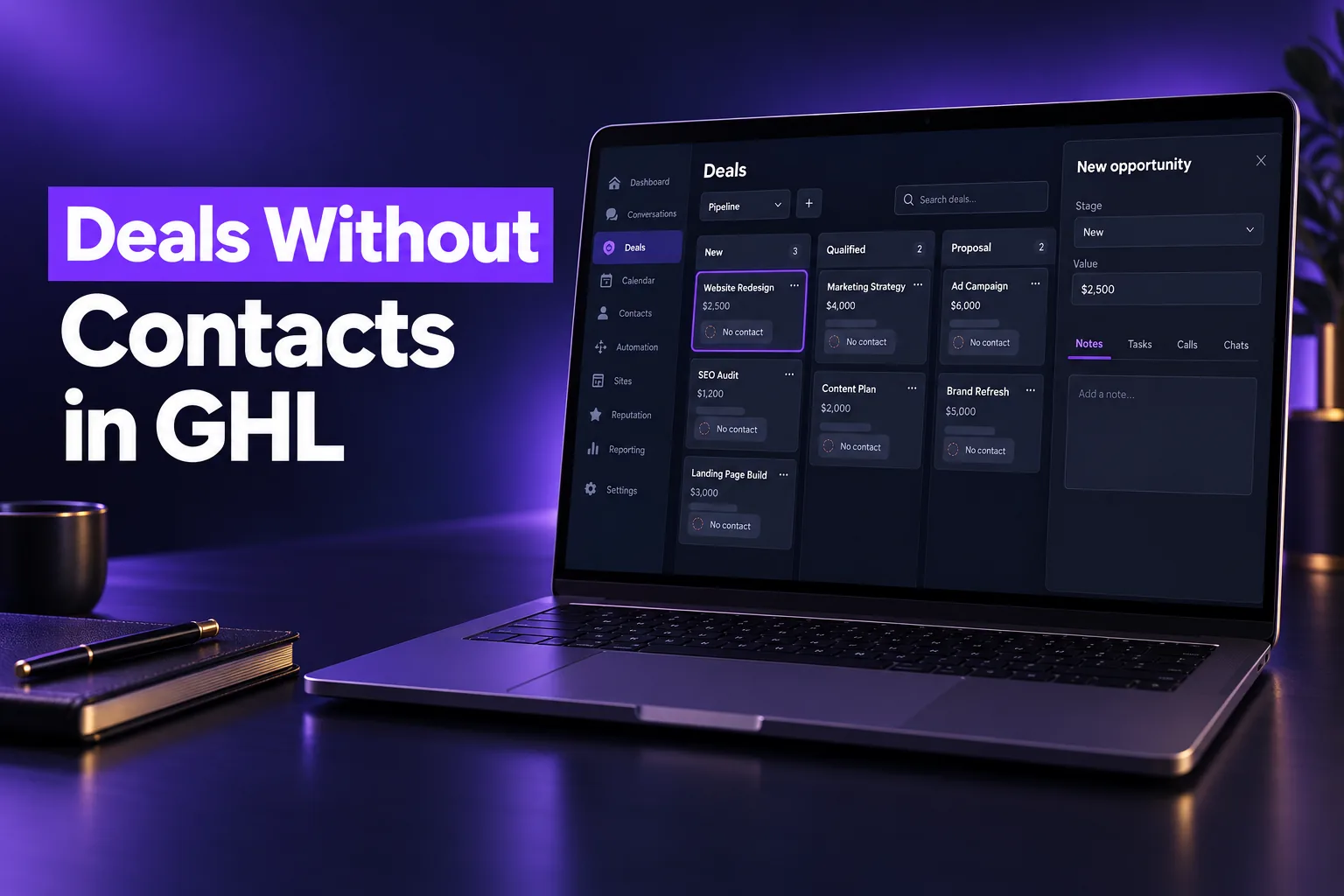
The GoHighLevel opportunities update announced at LevelUp Day on October 27, 2026 lets deals live without a contact, link to several people and other deals, and run their own workflows. Most of it is in private beta, so many accounts will not see it yet.
Below we explain what an opportunity is (and how it differs from a contact), list each CRM change in plain terms, and give our view on which updates to try now and which to wait on.
GoHighLevel Contact vs Opportunity: The Short Answer
In GoHighLevel, a contact is a person: their name, phone, email, tags and conversation history. An opportunity is a deal you track in a pipeline, with a stage, a status (open, won, lost or abandoned), a monetary value and an owner. One contact can have several opportunities, for example a first sale and a later upsell.
Until now, every GoHighLevel opportunity needed a primary contact. That broke down for B2B deals, company-level accounts and CRM migrations.
The LevelUp 2026 changes treat the deal as its own record. For a refresher on pipelines, contacts and smart lists, our GoHighLevel CRM guide covers the basics.
The New GoHighLevel Opportunities Workspace and Creation Panel
The biggest visible change is that opening a GoHighLevel opportunity now brings up a full sidebar workspace instead of a small pop-up. You can update the stage, value and status from the header, then work through tabs for appointments, tasks, notes, payments, associations and conversations without leaving the pipeline board.
- Dedicated sidebar workspace (private beta): A deal summary header, an organized fields panel and tabs for deal activity. Arrows step through other deals in the same stage.
- Customizable creation panel (private beta): “Add opportunity” is now a side panel focused on the deal, not the contact. Admins can reorder fields, mark fields as required and allow inline contact creation under Settings > Objects > Opportunities.
- Separate click targets on cards (private beta): Clicking the deal name opens the deal sidebar, while clicking the contact name opens the contact. Cards now show the contact name by default and support up to 9 custom fields, per HighLevel.
- Quick action data sources (private beta): Admins choose whether notes, tasks and the next confirmed appointment on a card read from the opportunity or from the primary contact, so card counts match how your team works.
- Appointments that belong to the deal (private beta): Meetings can be booked from, or linked to, an opportunity. The deal shows upcoming and past appointments, and the card’s date chip reflects the next one.
- Deal-level conversation feeds (private beta): Messages can be linked to a specific opportunity. They still appear on the contact’s thread too.
- Isolated activity feeds (private beta): A deal shows only the notes, tasks and appointments linked to it. A “Bring in past activity” option lets you pull a contact’s older history into existing deals by time period.
New to GoHighLevel? Try it free for 30 days
Get HighLevel's official 30-day free trial and free Bootcamp through our partner link (the standard trial is 14 days). Prefer it done for you? We set up GoHighLevel from $499, with a free website.
Start 30-day free trialHave us set it upPartner link: we may earn a commission at no extra cost to you. Disclosure
Contactless Opportunities: Forms, Imports and Deleting Contacts
Contactless opportunities are deals that exist in a GoHighLevel pipeline without a primary contact attached. HighLevel added three ways to create or keep them: forms that create deal-only records, CSV imports without contacts, and a delete option that removes a contact but keeps its deals. All three are in private beta.
- Forms without contacts (private beta): Forms can now create opportunities, companies or custom object records without asking for a name or email. A single form can also create two linked records, such as an opportunity and a company, with a relationship label applied on submit.
- Import opportunities without contacts (private beta): You can import opportunities from a CSV by mapping only the opportunity name and pipeline. Rows with no contact are created as contactless deals in the stage you choose.
- Delete a contact, keep the deal (private beta): The delete window now lets you untick opportunities under “Also delete”. The deal keeps its stage, status and value, so a list clean-up does not wipe out pipeline history.
For anyone planning a GoHighLevel import of opportunities from another system, this is the update that matters most. Our HubSpot to GoHighLevel migration guide explains the wider move, including what to map before you import.
GoHighLevel Associations and Multi-Contact Roles
GoHighLevel associations are labeled links between records, such as a contact being the “Decision maker” on a deal or the “Billing contact” at a company. After LevelUp 2026, one opportunity can link to many contacts and to other deals, and one contact can link to several companies under different roles.
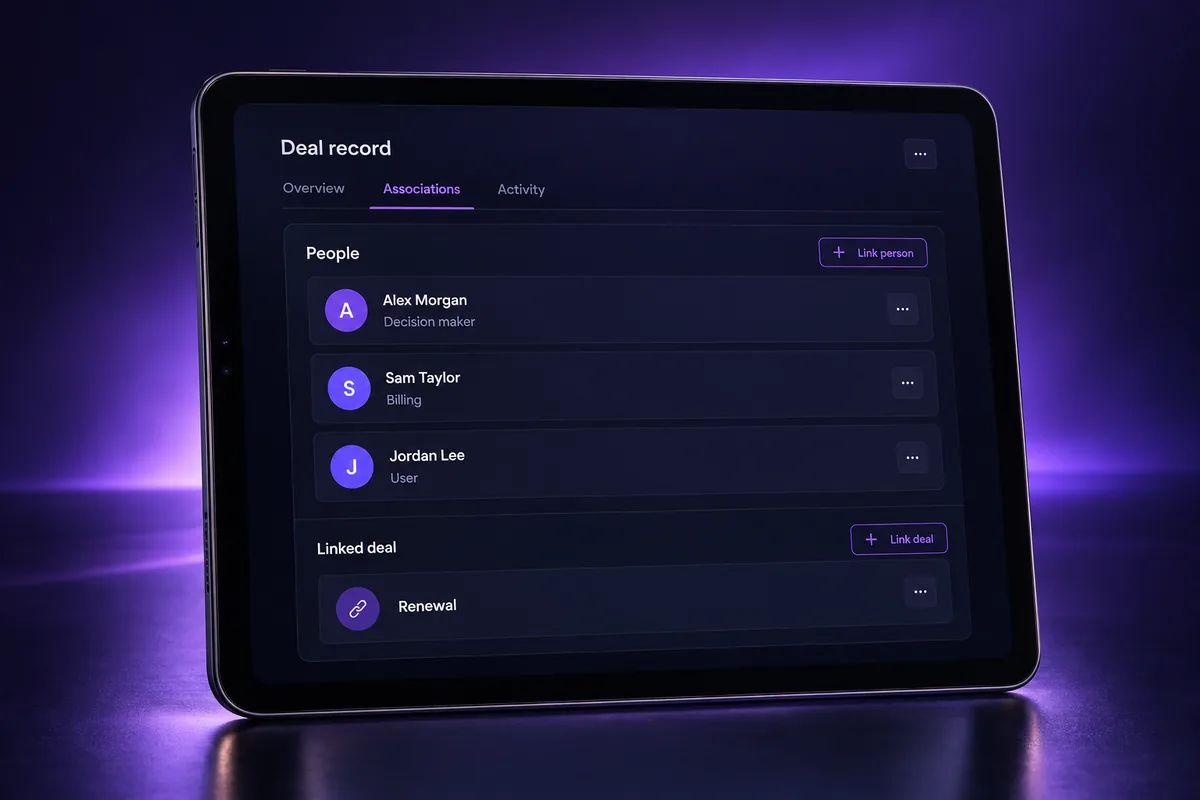
- Custom opportunity associations (private beta): Link a deal to multiple contacts and to related deals using your own labels, such as “Decision Maker” or “Renewal”. Labels can show as list columns, card fields and pipeline filters.
- Contact roles in companies: Create labels like “Employee” or “Billing contact” to define each person’s role at a company. You can then email selected roles straight from the Companies list.
- One contact, many companies: A contact can now link to several companies while keeping one Primary Company, which still controls system links and merge fields.
- Automatic activity linking (private beta): Admins can set default rules so new emails, calls, SMS and appointments attach to related companies or opportunities automatically.
Opportunity Workflows That No Longer Need a Contact
Opportunity workflows in GoHighLevel can now run on deals that have no primary contact. Triggers enroll contactless deals, skip contact-only actions with a logged reason and run the rest. New actions also handle associated records, multi-contact roles and emails to everyone linked to a deal. These are private beta features.
- Triggers, entry and logs (private beta): Contactless deals can enter opportunity workflows, and enrollment history and execution logs now have an opportunity view for checking runs.
- Updated opportunity actions (private beta): Find and create opportunity actions can work by association label, assign owners on contactless deals and use merge fields in deal names.
- Associated record actions (private beta): HighLevel added five actions to associate, create, update and enroll the records linked to a deal.
- Email the contacts on a deal (private beta): The send email action can reach every contact linked to an opportunity, filtered by label, and logs the email to the deal’s feed.
- Association created trigger (beta): A workflow can start when two records are linked, filtered by object and label. HighLevel says to enable it in Labs.
If you already use merge fields in automations, see our guide to GoHighLevel merge fields, since deal-level messages will lean on them more.
Custom Objects and Companies Get a Real Workspace
Custom objects and company records in GoHighLevel now open in an actionable side panel, not a view-only screen. You can book appointments, start conversations, add tasks and notes, and link related records from the panel, while your record list stays visible. Most of these changes are labeled private beta by HighLevel.
- Actionable side panel (private beta): Tabs for details, appointments, associations, tasks, notes and conversations on every custom object and company record.
- Dedicated conversation feeds (private beta): Each record gets its own message feed, and messages from a contact’s thread can be linked to it one at a time or in bulk.
- Dedicated appointments (private beta): Book meetings or services with the record already selected, or link appointments booked earlier.
- Send SMS action (beta): Custom object and company workflows can text the contacts linked to a record, chosen by label. HighLevel says to enable it in Labs.
- Company duplicate detection (beta): The Add Company panel flags matching names and domains as you type, so you open the existing company instead of creating a duplicate. It is a Labs setting.
Calculated Fields and Smart Lists by Associated Records
Calculated fields are a new read-only custom field type in GoHighLevel that works out its own value from other CRM data using math, text, date and logic functions. Smart lists can now also filter contacts by the records linked to them. Calculated fields are in private beta; the smart list change is not marked as beta.
- Calculated fields (private beta): Formulas such as the time between two dates update when the source data changes. They can be used as columns and filters in smart lists for contacts, opportunities and custom objects.
- Calculated fields in the mobile app (private beta): The values show on contact and opportunity records in the app, with a refresh button. Our GoHighLevel mobile app guide covers the app itself.
- Smart lists by associated records: Filter contacts by the companies or custom object records linked to them, save the result as a smart list, and show each relationship label as its own column.
Contact Record Updates: Activity Panel, Folders and Email Verification
Three changes affect the contact record itself. The activity panel was redesigned with new cards and filters (private beta), contacts can hold documents in multi-level folders, and email addresses can be verified during a contact import. The last two are not marked as beta, so they may be the first ones you see.
- Revamped activity panel (private beta): The panel moves to the center of the record, with new cards for opportunities, appointments, notes and tags, and filters for duration, users and module type.
- Multi-level document folders: Organize files per contact in folders and subfolders, move files without re-uploading, and restore deleted custom files or folders from the trash within 60 days, per HighLevel.
- Email verification on import: A checkbox on the last import step checks email addresses before you send campaigns. Progress shows under Bulk Actions.
Should You Wait or Opt In to the Beta?
For most agencies, the best move is to use the non-beta updates now and test the private beta features in one internal or low-risk sub-account first. The contactless deal model changes how reports, workflows and integrations see your data, so it deserves a trial before it touches a live client pipeline.
Use now
- Email verification on import: An easy win for list hygiene before any campaign.
- Multiple companies per contact and contact roles: Useful for B2B accounts, and they do not change how existing deals behave.
- Smart lists by associated records: Good for segmenting accounts if you already use companies or custom objects.
Test in a sandbox first
- Contactless opportunities and workflows: Check what your reports, dashboards, Zapier steps and API calls do when a deal has no contact. Anything that assumes a contact on every deal may need changes.
- Isolated activity feeds: Your team will stop seeing the full contact history on a deal by default. Train them on the “view contact’s notes” link before switching.
- Delete contact, keep deal: Decide who owns those orphan deals and how you will follow up on them.
Who can safely wait
- Single-buyer local businesses: If every deal is one person booking one service, the old contact-first model still fits, and the beta adds little.
- Accounts with heavy automations: If a sub-account runs many live opportunity workflows, wait until the features leave beta and HighLevel’s help articles settle.
Before opting in, confirm the feature is offered to your account. HighLevel lists private beta sign-ups on the help articles linked from its official LevelUp Day 2026 announcement, and some items are switched on per sub-account in Labs.
Is Your Pipeline Ready for Contactless Deals?
Many GoHighLevel accounts were built around one contact per deal, with duplicate contacts, placeholder records and pipelines nobody trusts. Turning on contactless deals in that kind of account adds confusion instead of fixing it, so clean up the contacts, fields and pipelines first.
If your pipelines, custom fields or associations need a rebuild before you adopt these updates, our GoHighLevel setup service covers CRM structure, pipelines and fields. You can also read our list of common GoHighLevel setup mistakes to check your own account first.
Frequently Asked Questions
What is a GoHighLevel opportunity?
A GoHighLevel opportunity is a deal record that moves through a pipeline. It holds the deal name, pipeline, stage, status, monetary value and owner. Contacts are people, while opportunities are the sales you are trying to close. After LevelUp 2026, opportunities can also carry their own appointments, notes, tasks and conversations, though most of that is in private beta.
Can a GoHighLevel opportunity exist without a contact?
Yes, with the LevelUp 2026 updates, but only in accounts that have the private beta. Contactless opportunities can be created from the new creation panel, from forms, or from a CSV import, and they can be kept when a contact is deleted.
How do I import opportunities into GoHighLevel?
HighLevel’s import lives under Opportunities, then Import, then Start CSV import. With the new private beta, you only need to map the opportunity name and pipeline, and rows without a contact become contactless deals. Clean and dedupe the CSV before importing.
What are associations in GoHighLevel?
Associations are labeled relationships between GoHighLevel records, such as contacts, companies, opportunities and custom objects. A label like “Decision maker” or “Billing contact” describes each person’s role. You can use associations in smart list filters, list columns and workflows, and after LevelUp 2026 one deal can link to several contacts and other deals.
How do I get the new opportunity features?
Most of the new opportunity features are in private beta. HighLevel links a private beta sign-up from the help articles for many of them, and a few beta items are turned on per sub-account in Labs. Availability is not guaranteed, so check your Labs settings and the help articles before planning a client rollout around them.
Ready to Get Your GoHighLevel System Built?
We'll build your entire GHL setup for $499 and give you a free professional website.
Book a Free Call See Packages & PricingOr call +1 (681) 276-7045 · Mon–Fri, 9 AM–5 PM ET