Last updated:
Ready to Try GoHighLevel?
Get the all-in-one platform for CRM, automations, funnels & websites — built for agencies.
Start your free trial and explore every feature.
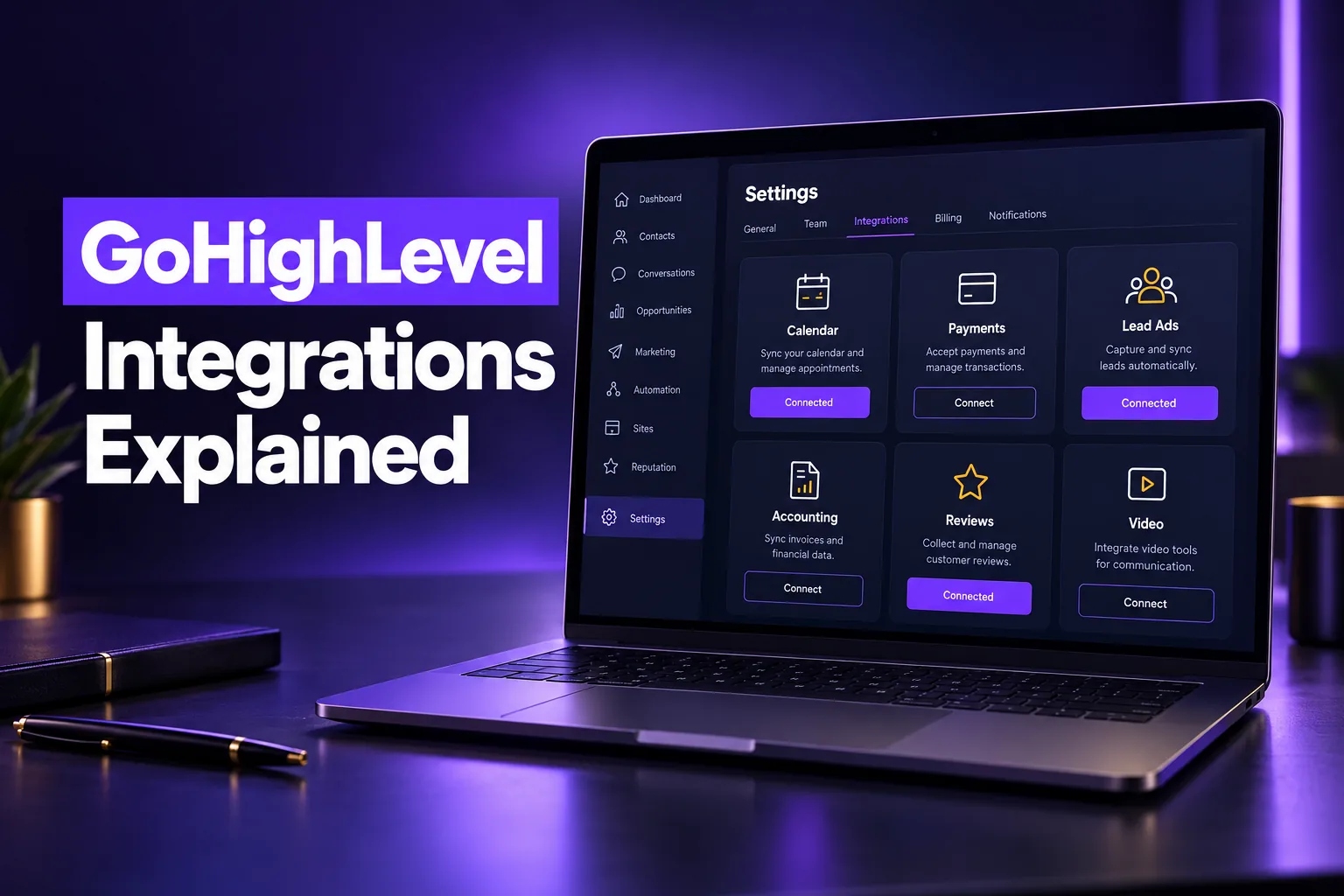
GoHighLevel integrations connect a HighLevel sub-account to the other tools a business runs on: calendars, payment processors, ad platforms, accounting, review sites, email providers and industry apps. Some are native and connect in Settings, some are App Marketplace installs, and the rest connect through Zapier, Make, webhooks or the API.
This guide explains each type of GoHighLevel integration, lists the main native connections by category, shows when to use Zapier or webhooks instead, and covers the sync limits that cause most broken setups.
How do GoHighLevel integrations work?
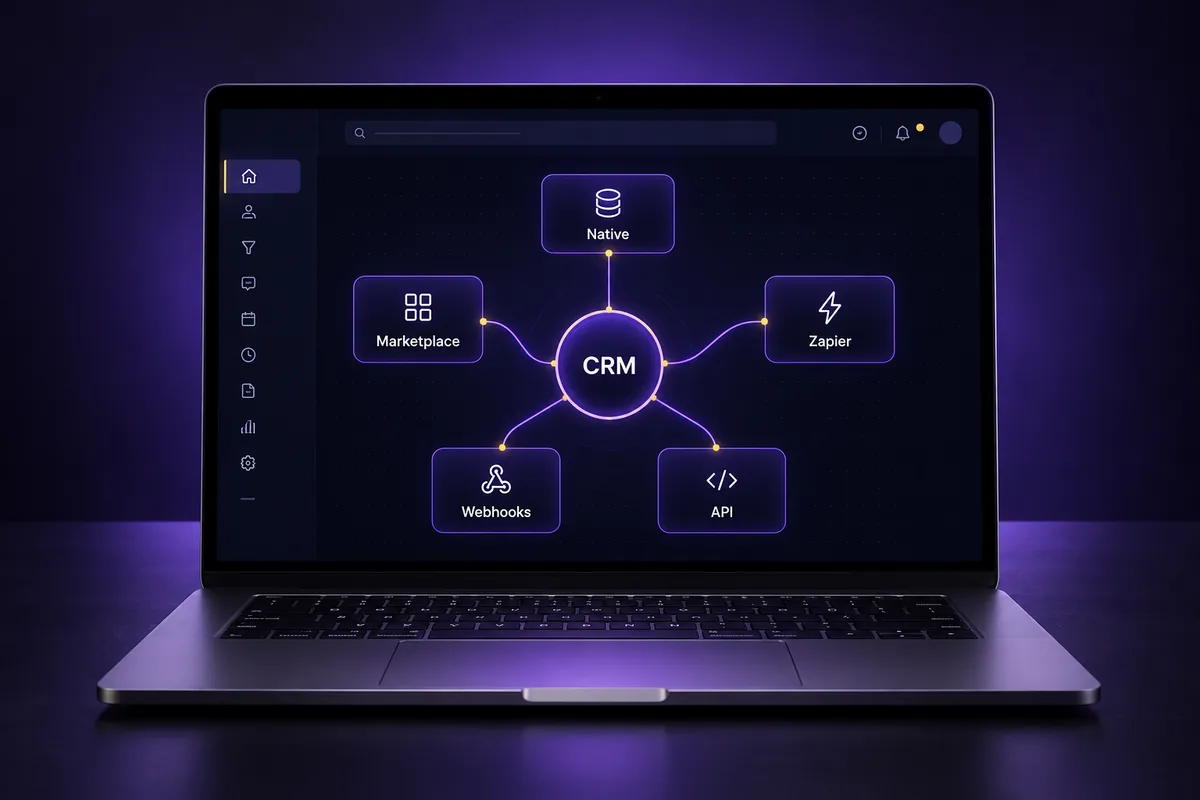
GoHighLevel integrations work in four layers: native connections built into the sub-account, App Marketplace apps installed by the agency, no-code connectors such as Zapier and Make, and custom code through webhooks and the HighLevel API. Each layer trades ease of setup for flexibility, so most accounts use more than one.
| Layer | Where you set it up | Best for | Trade-off |
|---|---|---|---|
| Native integrations | Settings, Payments or Calendars inside the sub-account | Google, Facebook, Stripe, QuickBooks, calendars | Fixed sync rules you cannot change |
| App Marketplace | Agency installs, then sub-accounts connect | Industry apps like Jobber, AI add-ons, reporting | Depends on the third-party developer |
| Zapier, Make, n8n | The connector’s own account | Apps with no native link | Extra monthly cost and task limits |
| Webhooks and API | Workflows and developer code | Custom systems and two-way data sync | Needs a developer to build and maintain |
Start with the native option when one exists. It is usually free, supported by HighLevel and keeps data inside the CRM without a middle layer to break.
Which native integrations does GoHighLevel have?
GoHighLevel’s native integrations cover the tools most small businesses rely on daily: Google and Facebook for ads, messages and reviews, calendar sync, payment processors, QuickBooks for accounting, email sending providers and messaging channels like WhatsApp. They connect from inside the sub-account without any third-party tool.
Here are the main native GoHighLevel integrations by category, based on HighLevel’s help center as of October 2026:
| Category | Native integrations | What they do |
|---|---|---|
| Ads and lead forms | Facebook Lead Ads, Google Lead Ads, LinkedIn Lead Ads | Send ad leads straight into contacts and workflows |
| Messaging | Facebook Messenger, Instagram DMs, WhatsApp, Google Business Profile chat | Bring conversations into one inbox |
| Reviews and local | Google Business Profile, Facebook reviews | Monitor, reply to and request reviews |
| Calendars and video | Google Calendar, Outlook, iCloud, Zoom, Calendly | Sync availability and add meeting links |
| Payments | Stripe, PayPal, Square, Authorize.net, NMI, Razorpay | Take payments on forms, invoices, funnels and calendars |
| Accounting | QuickBooks Online | Sync contacts, sent invoices and payments |
| Email sending | LC Email or your own SMTP provider such as Mailgun | Send campaigns and workflow emails |
| Storage | Google Drive in Media Storage | Use Drive files inside the media library |
The list changes often, so check Settings and the Marketplace in your own account before planning around a specific app.
Google and Facebook
Google and Facebook are the two integrations almost every account needs. Facebook connects lead ads, Messenger, Instagram DMs and the Ad Manager. Google connects Google Business Profile (reviews and chat), Google Lead Ads, Google Calendar and Google Ads reporting.
The most common failure is permissions. The person connecting must be an admin on the Facebook page or Google profile, and the connection often breaks when that person leaves the business or changes a password.
Calendar integrations
GoHighLevel calendars sync with Google Calendar, Outlook and iCloud, add Zoom or Google Meet links, and can import from Calendly. Two-way sync blocks busy times in HighLevel so clients cannot book over existing events. Our guide to GHL calendar smart sync covers linked and conflict calendars.
Payments and accounting
Stripe is the payment processor that works in every HighLevel product area, including order forms, invoices, subscriptions, calendars and the point of sale. PayPal, Square, Authorize.net, NMI and Razorpay are supported too, but HighLevel’s own table shows each one is missing from some areas, so check before you pick one.
QuickBooks connects from Settings, then Integrations. According to HighLevel’s help center, it syncs contacts, creates invoices in QuickBooks when they are marked as sent, and records HighLevel payments as sales receipts. Draft invoices do not sync, and edits to imported invoices do not sync back.
Messaging channels
Messaging integrations put every channel in the Conversations inbox: SMS and calls through LC Phone or Twilio, email through LC Email or SMTP, Facebook and Instagram messages, Google Business Profile chat and WhatsApp. WhatsApp costs a flat $10 per month per sub-account, plus per-message fees that depend on message type and country.
Business texting in the US also needs A2P 10DLC registration before any SMS integration delivers reliably. Our GoHighLevel A2P 10DLC registration guide explains the process.
New to GoHighLevel? Try it free for 30 days
Get HighLevel's official 30-day free trial and free Bootcamp through our partner link (the standard trial is 14 days). Prefer it done for you? We set up GoHighLevel from $499, with a free website.
Start 30-day free trialHave us set it upPartner link: we may earn a commission at no extra cost to you. Disclosure
What are GoHighLevel Marketplace apps?
GoHighLevel Marketplace apps are third-party integrations listed in HighLevel’s App Marketplace. An agency admin installs the app, then each sub-account connects its own account. They cover industry software, AI tools, reporting dashboards and add-ons that HighLevel does not build itself.
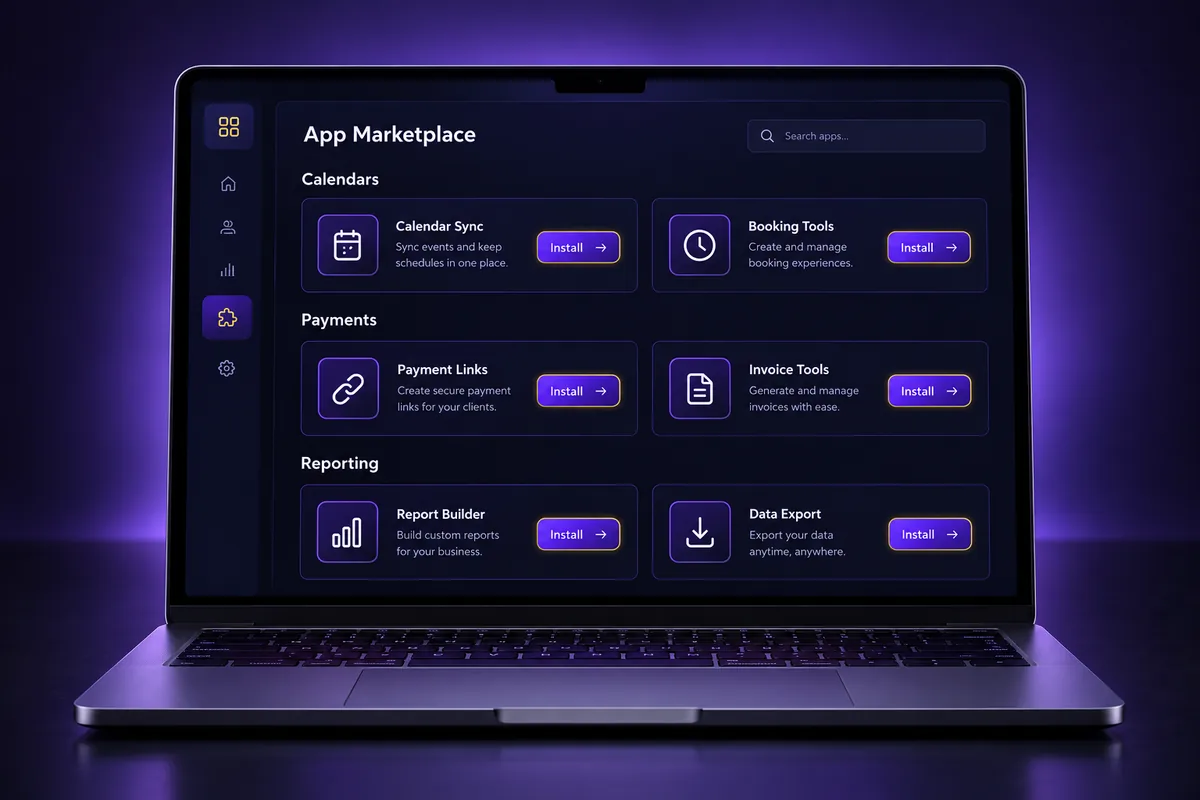
- Industry apps: Jobber is a good example. HighLevel’s help center lists it as a Marketplace app that syncs contact names, email, phone, address, lead source and tags, but not custom fields, notes or attachments.
- Ecommerce: the GoHighLevel Shopify integration syncs customers and orders for abandoned cart and post-purchase follow-up.
- AI add-ons: tools such as CloseBot add AI conversation features on top of the native ones.
- White-label control: agencies can choose which Marketplace apps their sub-accounts may see and install.
Our guide to the GoHighLevel App Marketplace covers how to install apps and what to check before you trust one with client data.
When should you use Zapier, Make or n8n with GoHighLevel?
Use Zapier, Make or n8n with GoHighLevel when the app you need has no native or Marketplace integration, or when you need to move data between several tools at once. These connectors watch for an event in one app and act in another, with no code, but they add a monthly cost and another point of failure.
- Zapier: the widest app library and the easiest setup. HighLevel’s LeadConnector app on Zapier handles contacts, opportunities and workflow events. See our GoHighLevel Zapier integration guide.
- Make: better for multi-step logic and data transformation, usually cheaper at higher volume.
- n8n: open source and self-hostable, good for teams that want full control of data and cost.
Before you build a Zap, search the Marketplace. Paying for a connector to do what a free native integration already does is one of the most common setup costs we remove during account reviews.
How do webhooks and the HighLevel API work for integrations?
Webhooks and the HighLevel API are the custom layer of GoHighLevel integrations. Workflows can send outbound webhooks to any system and start from an inbound webhook trigger, while the API lets developers read and write contacts, opportunities, calendars, conversations and more. Together they connect HighLevel to almost any software.
- Outbound webhooks: a workflow action that posts contact or event data to another system’s URL, for example to create a record in an internal tool.
- Inbound webhooks: a workflow trigger that starts when another system sends data in, for example a booking from software with no native link.
- API v2 with OAuth: the current developer API, used for Marketplace apps and custom two-way syncs. Our GoHighLevel API guide explains access, scopes and plan requirements.
- AI connections: HighLevel also supports MCP connectors, so AI assistants can work with account data. Our Claude and GHL MCP setup guide shows one example.
Custom integrations need someone to own them. Decide who fixes the sync when an API changes, a token expires or the other system adds a required field.
Which GoHighLevel integrations are most requested?
The most requested GoHighLevel integrations are the ones tied directly to revenue: Stripe for payments, Facebook and Google lead ads for new leads, Google Business Profile for reviews, Google or Outlook calendars for booking, QuickBooks for accounting and an industry tool such as Jobber or a practice system the business already runs.
- Stripe: needed for order forms, invoices, subscriptions and paid bookings.
- Facebook and Google lead ads: so ad leads get an instant reply instead of waiting in a spreadsheet.
- Google Business Profile: reviews, chat and local visibility in one place.
- Calendars: two-way sync to stop double bookings.
- QuickBooks: invoices and payments in the accounting system without manual entry.
- Industry software: field service, practice management or ecommerce apps, through the Marketplace, Zapier or the API.
What breaks GoHighLevel integrations most often?
GoHighLevel integrations break most often because of expired logins, missing admin permissions, duplicate contacts created by two-way sync, and Zaps nobody remembers building. Most problems show up weeks after setup, when a token expires or a staff member leaves and their connected account goes with them.
- Personal accounts: connect Google and Facebook with a business-owned admin login, not an employee’s personal one.
- Two systems, one field: if two tools can both update a contact’s phone or email, decide which one wins.
- Duplicate triggers: a native lead ad sync plus a Zap for the same form creates every lead twice.
- No documentation: keep a simple list of every integration, who connected it and what it syncs.
- Unregistered texting: SMS from an integration still needs A2P approval to deliver.
Need an integration built or fixed?
If leads are missing from the CRM, payments do not match your books or a Zap stopped working without anyone noticing, the fix is usually a cleaner integration plan, not another tool. GoHighLevel integrations work best when each connection has one job and one owner.
We connect HighLevel to the tools you already use, from native Google, Facebook, Stripe and QuickBooks setups to Zapier flows and custom webhook or API builds. See our GoHighLevel setup and integration service to get it done for you.
Frequently Asked Questions
What does GoHighLevel integrate with?
GoHighLevel integrates natively with Google (Business Profile, Calendar, Lead Ads), Facebook and Instagram, LinkedIn Lead Ads, WhatsApp, Stripe, PayPal, Square, Authorize.net, NMI, QuickBooks Online, Outlook, iCloud, Zoom, Calendly and SMTP email providers. Marketplace apps such as Jobber and Shopify add more, and Zapier, Make, webhooks and the API connect almost anything else.
Does GoHighLevel integrate with QuickBooks?
Yes, GoHighLevel has a native QuickBooks Online integration under Settings, then Integrations. It syncs contacts, creates invoices in QuickBooks when they are marked as sent in HighLevel, and records payments from order forms, subscriptions and calendars as sales receipts. Draft invoices do not sync, and past invoices import only if you turn that option on.
Do I need Zapier for GoHighLevel?
You do not need Zapier for GoHighLevel if your apps already have a native or Marketplace integration, which covers most core tools. Zapier is useful for apps with no direct link or for multi-app flows. Many accounts can replace paid Zaps with native integrations or workflow webhooks, which cost nothing extra and are easier to maintain.
Are GoHighLevel integrations free?
Most native GoHighLevel integrations are included in the plan at no extra cost, including Google, Facebook, calendars, Stripe and QuickBooks. Some channels carry usage fees, such as SMS, calls, email and WhatsApp, which costs $10 per month per sub-account plus message fees. Marketplace apps and tools like Zapier set their own prices.
Can I build a custom GoHighLevel integration?
Yes, you can build a custom GoHighLevel integration with the HighLevel API v2, OAuth and webhooks. Developers can read and write contacts, opportunities, calendars and conversations, and workflows can send or receive webhooks. For no-code needs, inbound and outbound webhooks in workflows handle many custom connections without writing an app.
Why is my GoHighLevel integration not working?
A GoHighLevel integration usually stops working because the connected login expired, the person who connected it lost admin access, or a password changed. Reconnect it from Settings with a business-owned admin account. Also check for duplicate syncs, missing required fields and, for SMS, whether A2P 10DLC registration is approved.
Ready to Get Your GoHighLevel System Built?
We'll build your entire GHL setup for $499 and give you a free professional website.
Book a Free Call See Packages & PricingOr call +1 (681) 276-7045 · Mon–Fri, 9 AM–5 PM ET