Last updated:
Ready to Try GoHighLevel?
Get the all-in-one platform for CRM, automations, funnels & websites — built for agencies.
Start your free trial and explore every feature.
Law firm marketing automation is software that answers new inquiries right away, moves each potential client from first contact to a booked consultation and a signed engagement, and asks happy clients for reviews and referrals, without staff doing every step by hand. It runs across calls, text, email and web forms from one CRM.
This guide covers what law firm marketing automation includes, why firms lose leads before intake, how intake and consultation booking work, the ethics and texting rules that shape every message, and the setup mistakes we see most often in legal CRM builds.
What is law firm marketing automation?
Law firm marketing automation is the use of a CRM and messaging platform to run the repeatable marketing and intake work of a law practice. It captures every inquiry, replies at once, books consultations, sends reminders and tracks each matter from first call to signed fee agreement, so no prospective client is forgotten.
For most small and mid-size firms it covers six jobs:
- Lead capture: website forms, calls, chat, Google Business Profile messages, directory leads and referrals land in one place with their source saved.
- Speed-to-lead: an instant acknowledgment by text or email, plus a call task for the intake team.
- Intake: a short questionnaire that collects the case type, the parties involved and a brief summary for the conflict check.
- Consultation booking: self-scheduling on the right attorney’s calendar, with reminders that cut no-shows.
- Follow-up to signature: reminders for prospects who had a consultation but have not signed.
- Reviews, referrals and reporting: review requests after a matter closes and pipelines that show which source turns into retained clients.
Marketing automation sits next to practice management software, not in place of it. Tools such as Clio or MyCase keep matters, documents, time and billing. The marketing CRM handles everything before the engagement letter is signed.
Why do law firms lose leads before intake?
Law firms lose leads before intake because people with a legal problem often contact several firms at once, and the firm that responds first and makes booking easy usually gets the consultation. Calls that go to voicemail, slow callbacks and forms nobody watches send those people to the next firm.
The gaps we find in almost every law firm CRM review look the same:
- After-hours calls and weekend form fills wait until Monday for a reply.
- The receptionist takes a message, and the callback depends on a busy attorney.
- Consultations are booked by phone tag, so some never get booked at all.
- No-shows are not rescheduled, and nobody follows up after a consultation without a decision.
- Past clients are never asked for a review or reminded the firm exists when a friend needs a lawyer.
Automation does not give legal advice and does not replace the attorney. It makes sure every inquiry gets a fast, professional reply and a clear next step, then hands the conversation to a person.
New to GoHighLevel? Try it free for 30 days
Get HighLevel's official 30-day free trial and free Bootcamp through our partner link (the standard trial is 14 days). Prefer it done for you? We set up GoHighLevel from $499, with a free website.
Start 30-day free trialHave us set it upPartner link: we may earn a commission at no extra cost to you. Disclosure
How does law firm intake automation work?
Law firm intake automation collects the facts the firm needs before a consultation, routes each inquiry by practice area and moves it through an intake pipeline. Staff see every new matter in one board, with its source, case type and next task, instead of in scattered emails and call notes.
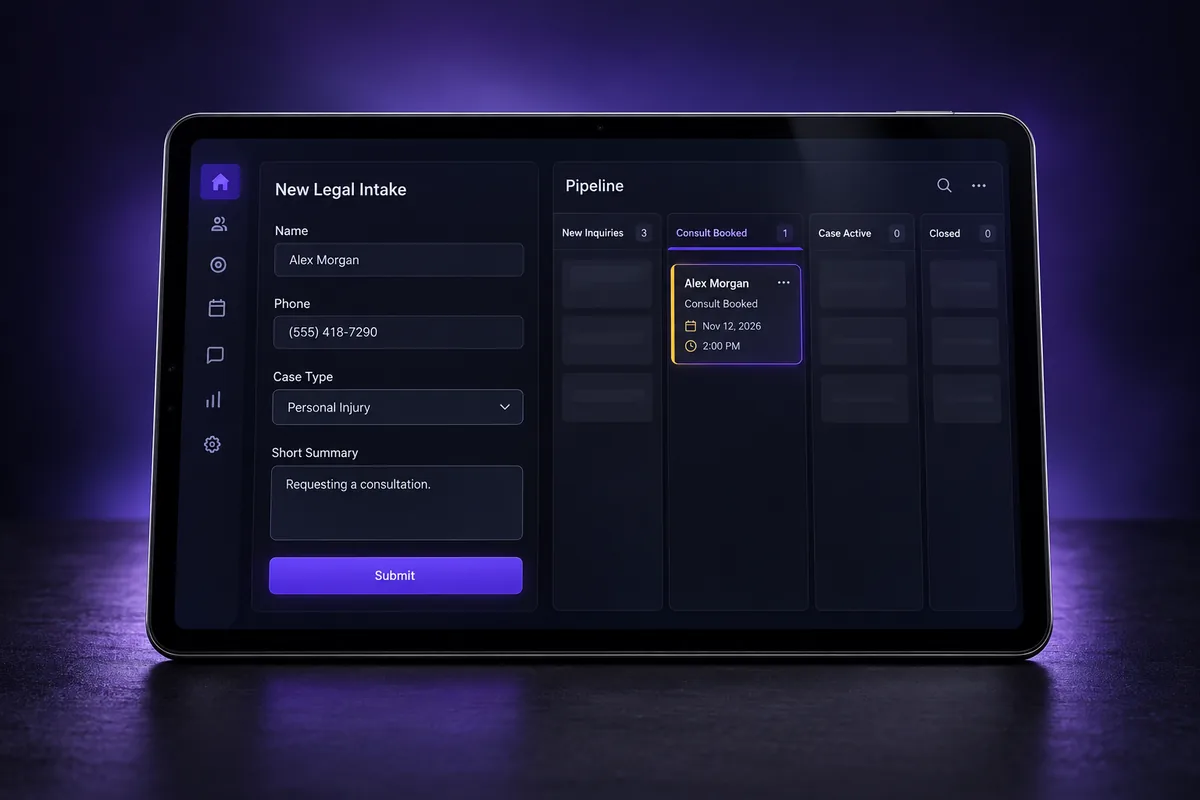
A clean intake pipeline in GoHighLevel usually has stages like these:
| Stage | What the system does | What the firm does |
|---|---|---|
| New inquiry | Sends an instant acknowledgment and creates a call task | Calls back and screens the matter |
| Conflict check | Holds the lead and reminds staff if the check is overdue | Runs the check in the practice management system |
| Consult booked | Sends confirmations and reminders | Prepares for the consultation |
| Consult held | Follows up while the prospect decides | Sends the fee agreement |
| Retained | Stops marketing messages and later asks for a review | Opens the matter |
| Not a fit | Sends a polite decline or referral message | Logs the reason |
Three intake settings matter more than message copy:
- Keep the form short. Ask for contact details, case type and a brief summary. Detailed facts belong in the consultation, after the conflict check.
- Warn people not to send confidential details. A line on the form that says submitting it does not create an attorney-client relationship protects both sides.
- Route by practice area. A personal injury lead and an estate planning lead need different follow-up, different attorneys and different speed.
The GoHighLevel form builder handles the questionnaire, custom fields and hidden source fields, so every inquiry arrives tagged with where it came from.
How do automated consultation booking and reminders work?
Automated consultation booking lets a prospective client pick an open slot on the right attorney’s calendar from a link, then sends confirmations and reminders by text and email. It removes phone tag, keeps calendars synced and gives the firm a way to recover no-shows instead of losing them.
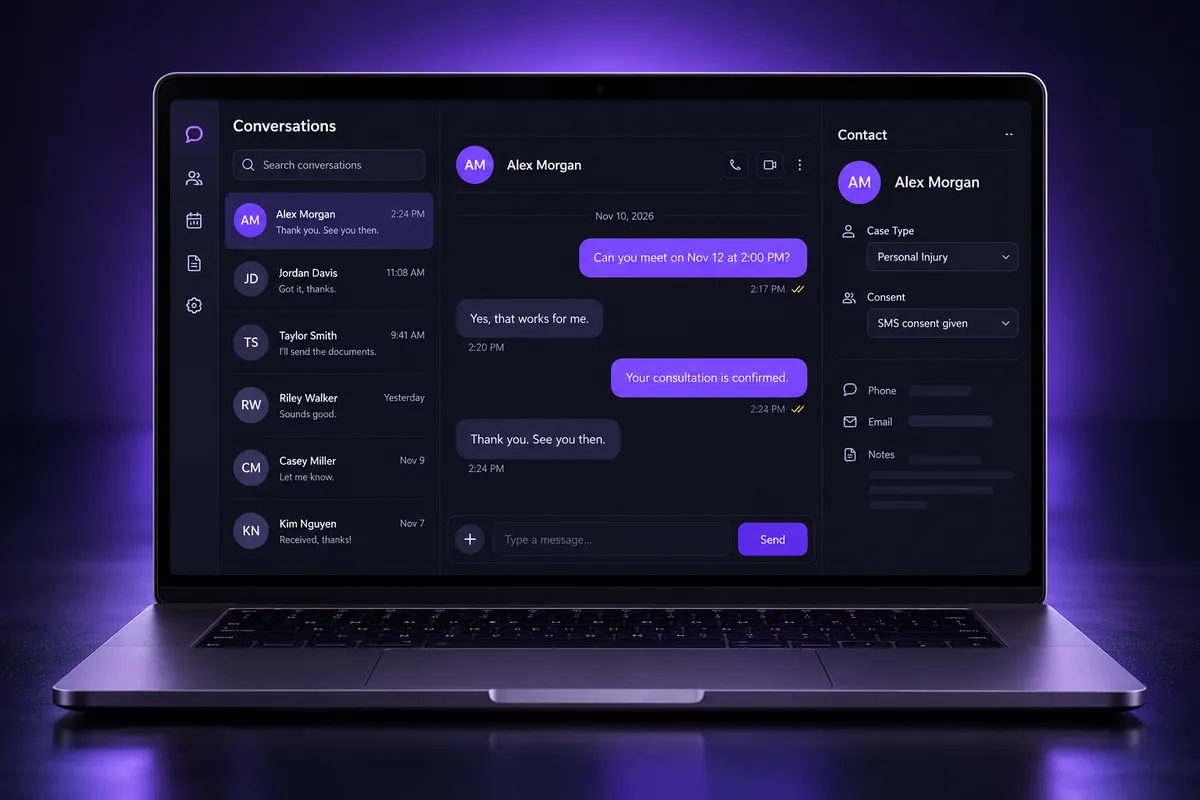
What a good booking setup includes:
- Calendars per attorney or practice area, so a family law inquiry never lands on a criminal defense calendar.
- Two-way calendar sync with Google or Outlook, so court dates and existing meetings block booking. Our guide to GHL calendar sync covers the settings that cause double bookings.
- Short intake questions on the booking form, so the consultation starts with context.
- Reminders and a reschedule link, so a prospect who cannot make it can move the time instead of disappearing.
- A no-show path, where the system offers a new time and the intake team gets a task to call.
Some firms also put an AI assistant on the front line. GoHighLevel’s Conversation AI and Voice AI can answer after-hours inquiries, collect basic details and book the consultation. Our overview of the GoHighLevel AI Employee explains what each tool does. Give the AI firm limits: it never evaluates a case, never quotes fees it cannot know and always hands off to a person.
How do firms follow up until the client signs?
Law firms follow up until the client signs by keeping every consulted prospect in a pipeline stage with timed reminders, a clear next step and an owner. Follow-up stops the moment the prospect replies, signs or says no, so the firm stays helpful and never pushy.
The follow-up that works for legal prospects is short and practical:
- A thank-you after the consultation that repeats the next step and how to sign.
- A reminder if the fee agreement has not been signed, with a direct line to ask questions.
- A check-in later for prospects who said “not now”, because many legal problems come back.
- A long-term nurture list for people who did not retain, with useful updates instead of sales messages.
Two rules keep this clean. First, stop on reply, so nobody gets an automated text after asking a real question. Second, keep matter details out of automated messages. A reminder can say “your consultation with our office” without naming the legal issue.
How does automation help with reviews and referrals?
Automation helps law firms get reviews and referrals by asking at the right moment, usually after a matter closes well, with a direct link to the firm’s Google Business Profile. Asking consistently, instead of when someone remembers, builds the review profile that prospective clients check before they call.
- Ask after the outcome, not during the matter. The CRM stage “Matter closed” is a natural moment.
- Ask everyone the same way. Selectively asking only happy clients (“review gating”) breaks Google’s review policies.
- Reply to reviews carefully. A public reply must not confirm someone was a client or reveal anything about their matter, because the duty of confidentiality still applies.
- Keep past clients in touch. An occasional useful update keeps the firm in mind when a friend asks for a lawyer.
Some states limit how lawyers may use testimonials and past results in advertising. Check your state bar’s advertising rules before you put review content on the website or in ads.
What ethics and texting rules apply to law firm automation?
Law firm marketing automation has to follow two sets of rules: the state bar’s professional conduct rules on advertising, solicitation and confidentiality, and the federal and carrier rules on texting and calling. Both shape which messages can be automated and to whom.
Bar rules on solicitation and advertising
- Solicitation: ABA Model Rule 7.3 bars live person-to-person solicitation for pecuniary gain, with some exceptions. The Model Rule comments treat text messages as written communication, outside that ban. States can differ: Pennsylvania’s version, effective November 14, 2024, counts text messages as person-to-person contact.
- Truthful advertising: Model Rule 7.1 bars false or misleading communications about a lawyer’s services. Automated messages count.
- Prospective clients: Model Rule 1.18 gives people who consult the firm confidentiality protection even if they never hire it, so intake data needs the same care as client data.
- State extras: some states add labeling, filing or record-keeping rules for lawyer advertising. Your state’s version of the rules wins over the Model Rules.
Texting, consent and A2P 10DLC
- Message people who asked to hear from you. Replying to an inquiry is different from cold-texting a list. Record when and how each contact gave consent.
- Register your texting. Business texts from a local number need A2P 10DLC registration through The Campaign Registry, or toll-free verification for toll-free numbers. Unregistered traffic gets filtered.
- Honor opt-outs such as STOP on every channel, and keep sending within the hours your state allows.
- Keep sensitive facts out of texts and emails. Use the CRM to book the conversation, not to discuss the case.
This is general information, not legal advice. Your firm’s ethics counsel or state bar is the final word on what your rules allow.
Which tools do law firms use for marketing automation?
Law firms use either a legal-specific intake CRM, such as Clio Grow, Lawmatics or Law Ruler, or a general marketing platform such as GoHighLevel set up for legal intake. Legal-specific tools ship with law-firm language and practice management links; GoHighLevel puts calls, texting, email, calendars, AI, reviews and websites in one account.
| Question | Legal-specific intake CRM | GoHighLevel built for a firm |
|---|---|---|
| Practice management link | Often built in or native | Through integrations, Zapier or the API |
| Calls, texting, email and reviews in one place | Varies by product and plan | Included in one account, with usage-based messaging fees |
| Websites and landing pages | Usually separate | Built in |
| AI receptionist and chat | Varies by product | Conversation AI and Voice AI add-ons |
| Setup effort | Lower for standard intake | Higher without a template; needs legal pipelines and fields |
GoHighLevel starts at $97 per month for one business, with texting, calls and email billed by usage. Our independent GoHighLevel review covers plans, limits and where the platform falls short. If you already run Clio or MyCase, connect a few fields, such as case type and consult date, so nobody types data twice.
What setup mistakes should law firms avoid?
The most common law firm automation mistakes are long intake forms, generic follow-up across all practice areas, texting without registration or consent records, and automated messages that reveal matter details. Each one either loses prospects or creates an ethics or deliverability problem the firm then has to clean up.
- One pipeline for every practice area. Each area has its own speed, questions and attorney. Split them.
- Intake forms that ask for the whole story. Long forms lose people and collect facts before the conflict check.
- No stop-on-reply. A scripted text after a real question looks careless to someone in a hard moment.
- Texting before A2P approval. Messages from unregistered numbers get filtered, and reminders never arrive.
- Case details in reminders. Keep texts and emails neutral; the person reading the phone may not be the client.
- No source tracking. Without it, the firm cannot tell which ads or directories turn into retained clients.
Missing calls and losing consultations to faster firms?
If inquiries wait hours for a reply, consultations depend on phone tag and past clients never hear from you again, the problem is the system, not your staff. Law firm marketing automation only works when intake, calendars, consent and follow-up are connected properly.
We build it for law practices: intake pipelines by practice area, instant replies, consultation booking and reminders, review requests and A2P registration handled. See our done-for-you GoHighLevel CRM for law firms, or start with our general GoHighLevel setup service.
Frequently Asked Questions
What can law firms automate in marketing?
Law firms can automate first replies to new inquiries, intake questionnaires, routing by practice area, consultation booking and reminders, no-show rescheduling, follow-up after consultations, review requests after a matter closes and newsletters to past clients. Legal advice, case evaluation and fee decisions should stay with an attorney. Automation books the conversation and keeps it on schedule.
Can lawyers text potential clients?
Lawyers can usually text people who contacted the firm or gave consent, but the rules depend on the state. The ABA Model Rules treat texts as written communication, while Pennsylvania counts them as person-to-person contact. Texts must also go through a registered A2P 10DLC or verified toll-free number and honor opt-outs. Check your state bar rules first.
Is GoHighLevel good for law firms?
GoHighLevel is a good fit for law firms that want calls, texting, email, calendars, intake forms, AI replies, reviews and websites in one account. It does not replace practice management software for matters, documents and billing. It needs legal intake pipelines, practice-area routing, consent tracking and A2P registration to work well for a firm.
How much does law firm marketing automation cost?
Law firm marketing automation costs a software subscription plus usage and setup. GoHighLevel starts at $97 per month, with texting, calls and email billed by usage. Legal-specific intake CRMs often charge per user. Add one-time A2P 10DLC registration fees and the setup cost, either your own staff time or a done-for-you build.
Does an online intake form create an attorney-client relationship?
An online intake form should not create an attorney-client relationship, and the form should say so clearly. People who consult the firm can still be prospective clients under ABA Model Rule 1.18, which protects what they share. Keep the form short, ask only what the conflict check needs and save the full story for the consultation.
Can AI answer law firm leads?
AI can answer law firm leads by chat, text or phone, collect contact details and the case type, and book a consultation. GoHighLevel’s Conversation AI and Voice AI do this inside the CRM. Set strict limits so the AI never evaluates a case, gives legal advice or promises outcomes, and always hands off to a person.
Ready to Get Your GoHighLevel System Built?
We'll build your entire GHL setup for $499 and give you a free professional website.
Book a Free Call See Packages & PricingOr call +1 (681) 276-7045 · Mon–Fri, 9 AM–5 PM ET