Last updated:
Ready to Try GoHighLevel?
Get the all-in-one platform for CRM, automations, funnels & websites — built for agencies.
Start your free trial and explore every feature.
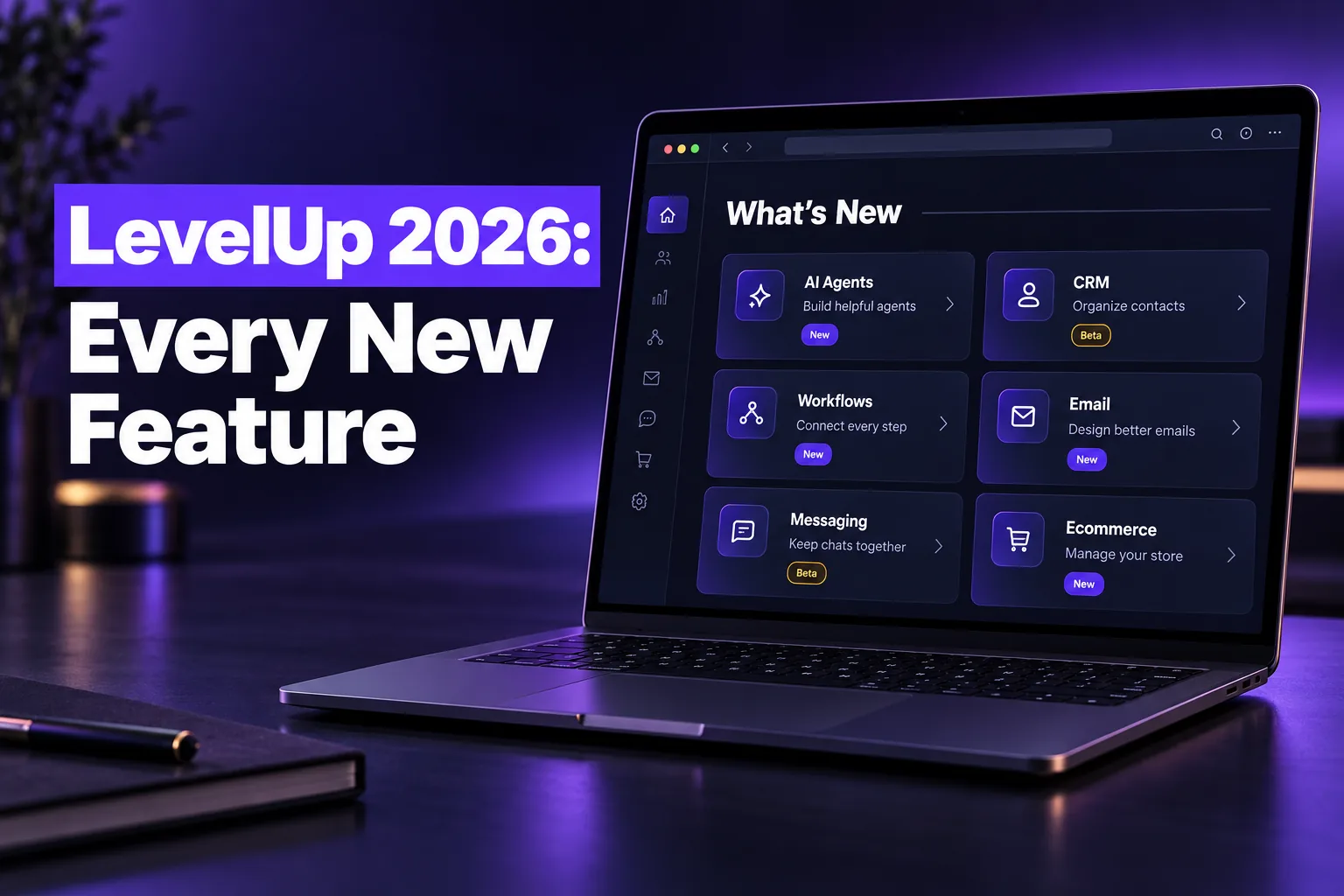
GoHighLevel LevelUp 2026 brought 176 new features and updates to HighLevel on October 27, 2026. The biggest changes are AI agents that can browse and act on their own, opportunities that no longer need a contact, Workflow Maps, native A/B testing in workflows, an agency-level A2P Trust Center and an AI builder for the Client Portal.
Below is every LevelUp 2026 update in short lists, grouped by area, with private beta and Labs items marked. Start with the 12 highlights, then jump to the area you use most.
GoHighLevel LevelUp 2026 highlights: the 12 updates that matter most
The LevelUp 2026 updates that change daily work the most are Managed Agents with their own computer, Ask AI by phone and SMS, outbound Conversation AI, AI database reactivation campaigns, contactless opportunities, Workflow Maps, workflow A/B testing, the Agency Trust Center, Meeting Room, the Client Portal AI App Builder and TikTok lead ads.
- Managed Agents with a computer: agents get an isolated machine to browse websites, manage files and run scripts, with approval required before they submit forms or make payments.
- Subagents: Managed Agents and Ask AI can split a big request into smaller tasks that run in parallel.
- Ask AI phone and SMS dispatch: call or text your assistant to look up contacts, check the calendar or trigger workflows while away from your desk.
- Outbound Conversation AI (Labs): agents can start conversations after a form fill, missed call or deal stage change, then follow up on their own.
- AI Campaigns (Labs): bulk AI outreach to reactivate old leads, past customers or stalled deals from a Smart List.
- Conversation AI flow builder: a visual canvas that routes chats to specialist agents with their own instructions and tools.
- Opportunities without contacts (private beta): create, import and automate deals with no primary contact, and link several contacts by role.
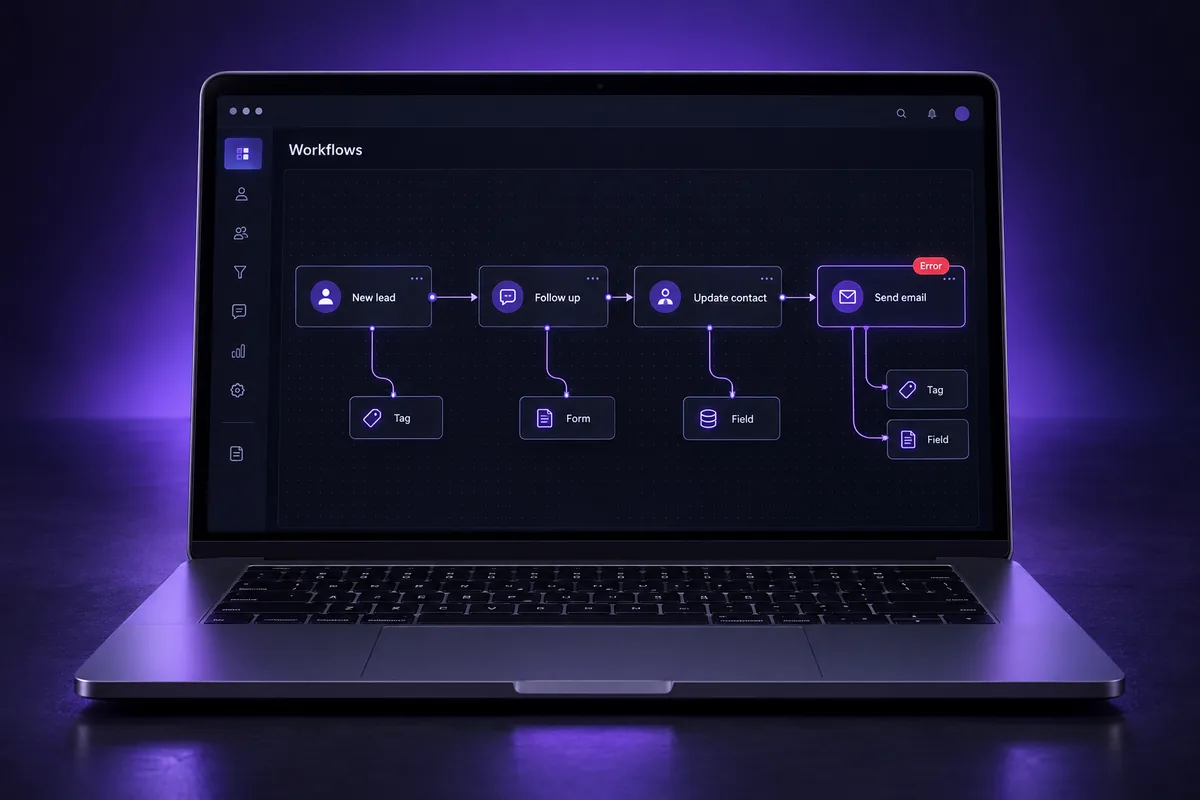
- Workflow Maps: one visual map of every workflow and the tags, forms and fields it uses, with error flags and a contact’s journey.
- Workflow A/B testing: split contacts across up to 10 paths and pick a winner by email activity, appointments, tags or payments.
- Agency Trust Center (A2P): monitor, fix and resubmit A2P 10DLC brands and campaigns for every sub-account from the agency view.
- Meeting Room: built-in video meetings with recordings, AI summaries and breakout rooms.
- Client Portal AI App Builder: describe the portal you want and AI designs the pages and the branded mobile app.
We break the AI releases down further in our GoHighLevel AI updates guide, the CRM changes in the GoHighLevel opportunities update and the automation changes in GoHighLevel Workflow Maps.
Private beta, limited beta and Labs: what the labels mean
Not every LevelUp 2026 feature is in every account yet. Items marked private beta need a sign-up and approval from HighLevel. Limited beta means a small rollout. Labs means the feature exists but you switch it on yourself under Settings, then Labs, at the agency or sub-account level.
- No label: released. It should already be in your account, though some rollouts take a few days.
- Labs: available now as an opt-in toggle. Test it in one sub-account before you turn it on everywhere.
- Private beta: join the waitlist from the help article for that feature. Behaviour can still change before full release.
- Limited beta: a small group of accounts only, so plan around it rather than on it.
HighLevel says the official LevelUp post will keep getting new details and help links, so check the HighLevel LevelUp Day 2026 announcement for release status before you build on a beta feature.
New to GoHighLevel? Try it free for 30 days
Get HighLevel's official 30-day free trial and free Bootcamp through our partner link (the standard trial is 14 days). Prefer it done for you? We set up GoHighLevel from $499, with a free website.
Start 30-day free trialHave us set it upPartner link: we may earn a commission at no extra cost to you. Disclosure
What to try first after LevelUp 2026
Start with released features that fix problems you already have: Workflow Maps to find broken automations, the pre-send spam check before your next campaign, email verification on imports and the Agency Trust Center if you manage A2P for clients. Leave private beta CRM changes for a test account until they are fully released.
- Audit with Workflow Maps first. Error badges and contact journeys show what is already failing, which is worth fixing before you add anything new.
- Clean data before AI outreach. AI Campaigns and outbound agents message real people, so check consent, A2P registration and Smart List filters before you launch.
- Keep humans on approvals. Managed Agents ask before submitting forms or payments. Keep those approvals on until you trust each agent.
- Test Labs features in one sub-account. Outbound AI, rich elements and custom appointment statuses change what customers see.
- Wait on contactless opportunities. They change how deals, workflows and reports relate to contacts. Plan the move once the feature leaves private beta.
If your account was set up before these changes, our full GoHighLevel features overview explains how the core tools fit together.
AI Agents and Managed Agents (15 updates)
Agent Studio and Managed Agents got the biggest AI upgrade. Agents can now browse websites in their own computer environment, split work across subagents, wait and follow up later, remember procedures and start from an inbound webhook or an n8n import.
- Managed Agents: Custom values and business details
- Managed Agents: Conversation memory and learned procedures
- Trigger managed agents via inbound webhooks
- Waits and scheduled follow-ups for managed agents
- Agent health and self healing
- Managed Agents: Unified workspace experience (Labs)
- Clone Voice AI agents to sub-accounts
- Flow-based builder for Conversation AI
- Convert n8n workflows into managed agents
- Agent logs UI enhancements
- Agent logs metrics enhancements
- Goal monitoring in agent logs
- Managed Agents: Computer capabilities for browsing and file management
- Managed Agents: Autonomous subagent task delegation
- Managed Agents: Enhanced computer environment performance
Ask AI (9 updates)
Ask AI, HighLevel’s built-in assistant, now works more like a full AI workspace. It can create documents, run tasks in its own cloud computer, take requests by phone, SMS or WhatsApp, and agencies can control what each user is allowed to do with it.
- Mobile: Ask AI dictation for voice-to-text prompts
- Mobile: Ask AI voice for two-way conversations
- Document generation and artifact analysis
- Agency access controls and permission levels
- Dedicated project workspaces
- Phone and SMS dispatch capabilities
- WhatsApp rich media support
- Parallel subagent processing and sandboxed analysis
- Cloud-based computer workspace
Conversation AI, Voice AI and chat (17 updates)
Conversation AI moved from a single prompt to a visual flow builder with specialist agents, and it can now start conversations instead of only replying. Voice AI can answer WhatsApp calls and use outside tools during a call.
- Chat Widget: Analytics and insights dashboard
- Chat Widget: Video avatars
- Chat Widget: Interactive buttons for live chat workflows
- Voice AI: MCP connector for speech-to-speech models
- Voice AI: WhatsApp channel integration
- Voice AI: Agent versioning and draft testing (Labs)
- Rich element support (Labs)
- MCP server support (Labs)
- Option-based custom field mapping
- Outbound AI Agents (Labs)
- AI Campaigns: Database Reactivation and Bulk AI Outreach (Labs)
- Date and time awareness
- Test agent with rich elements and outbound support
- Advanced time zone support (Labs)
- Chat Widget: Connect Conversation AI agents directly from the builder
- Build Agents with AI (Labs)
- Funnels: Integrated AI and Chat Widget element
CRM: opportunities, companies and custom objects (31 updates)
The CRM changes are the deepest structural shift of the event. Opportunities can exist without a contact, link to several contacts with roles, and get their own sidebar, appointments and conversations. Most of these are private beta for now.
- Contacts: Revamped activity panel with new cards (private beta)
- Contacts: Email verification option during import
- Custom Fields: Calculated fields for automated data (private beta)
- HubSpot Importer: Advanced data filtering options
- HubSpot Importer: In-app feedback and feature requests
- Opportunities: Redesigned and customizable creation panel (private beta)
- Opportunities: Dedicated sidebar workspace (private beta)
- Opportunities: Customizable quick action data sources (private beta)
- Opportunities: Distinct click targets for deal and contact (private beta)
- Opportunities: Appointments That Belong to the Opportunity (private beta)
- Opportunities: Dedicated conversation feeds for individual deals (private beta)
- Opportunity Workflows: Triggers, Entry and Logs (private beta)
- Opportunity Workflows: Updated Opportunity Actions (private beta)
- Opportunity Workflows: Associated Record Actions (private beta)
- Opportunity Workflows: Email the Contacts on an Opportunity (private beta)
- Opportunities: Isolated activity feeds and historical data backfill (private beta)
- Opportunities: Delete a contact while keeping its opportunities (private beta)
- Opportunities: Link contacts and other deals with custom associations (private beta)
- Opportunities: Import opportunities without contacts (private beta)
- Custom Objects & Companies: Actionable workspace side panel (private beta)
- Custom Objects & Companies: Dedicated conversation feeds (private beta)
- Custom Objects & Companies: Dedicated appointments (private beta)
- Forms: Create opportunities, companies and custom objects without contacts (private beta)
- Mobile App: Calculated fields integration (private beta)
- Associations: Automatic activity linking (private beta)
- Custom Object & Company Workflows: Send SMS action (Labs)
- Smart Lists: Filter, segment and view associated records
- Associations: Define contact roles in companies with custom labels
- Associations: Link a contact to multiple companies
- Companies: Preemptive duplicate detection (Labs)
- Contacts: Organize documents with multi-level folders
Workflows and Workflow Maps (8 updates)
Workflow Maps draws every workflow and the tags, forms and fields it touches in one view, shows a contact’s journey and flags errors. Workflows also gained native A/B testing across up to 10 paths, according to HighLevel.
- A/B testing
- Snapshots: Automated asset dependency resolution
- Association created trigger (Labs)
- Introducing Workflow Maps
- Workflow Maps: View a contact’s journey across workflows
- Workflow Maps: Find and troubleshoot workflow errors
- Workflow Maps: View linked workflows together in the Workflow Canvas
- Workflow Maps: Understand and manage automations with the AI assistant
Email builder, email marketing and branding (11 updates)
Email got deliverability tools and design control: a pre-send spam check, an automated domain warm-up (private beta), real inbox previews, mobile-only styling and AI drafting from your Brand Board.
- Email Marketing: Pre-send spam check for campaigns
- Email Marketing: Automated email domain warm-up (private beta)
- Create brand boards directly from the color picker
- Brand Board: Comprehensive typography hierarchy
- Template Switcher
- Branded Templates
- Inbox Preview for real email clients
- Email Marketing: AI editor, sequence generation and A/B testing
- Email Marketing: HighRise UI performance update
- Mobile-specific view controls
- Multi-Brand SaaS: Dedicated notification email domains
WhatsApp, conversations, A2P and social (11 updates)
Messaging updates cover WhatsApp forms, carousels and call recording, inbox search, an agency-level A2P Trust Center and Social Planner comments flowing into the team inbox.
- Social Planner: Invite clients to connect social accounts (Labs)
- Social Planner: Unified Facebook and Instagram account connection
- Social Planner: Create workflows with Social Planner posts
- Social Planner: Social comments in Conversations
- Social Planner: Social intelligence monitoring (limited beta)
- A2P: Agency Trust Center console
- Conversations: Cross-thread and in-conversation keyword search
- Build and send native forms within flows
- Multi-card media carousel templates
- Call recording and automatic transcription
- Ready-made template library
Ecommerce, payments, calendars and rentals (20 updates)
Store owners get more layout control, shopper-behavior triggers and better Shopify and WooCommerce data. Calendars can sell retail products, and Rentals add fees, add-ons and deposits.
- Contact record enrichment based on Shopify ecommerce data
- Flexible price display for products with multiple variants
- Vertical and horizontal sorting and filtering for product lists
- Expanded product card customization for ecommerce stores
- Saved customer shipping addresses for faster checkout
- Expanded layout and styling control for product pages
- Workflow triggers for product views and cart additions
- Improved Google Merchant Center sync reliability and visibility
- Order Forms: Redesigned order forms with new layouts and custom fields (Labs)
- Interactive live data preview in store builder
- Contact record enrichment based on WooCommerce ecommerce data
- Shopify order fulfillment workflow automation
- Calendars: Field services (private beta)
- Calendars: Sell retail products from service appointments
- Rentals: Additional mandatory fees on bookings
- Rentals: Optional add-ons for bookings
- Calendars: Custom appointment statuses (Labs)
- Rentals: Partial payments and security deposits
- Forms & Surveys: Product-level conditional logic
- Forms & Surveys: Automatic taxes and billing address syncing
Client Portal, courses, communities and Meeting Room (15 updates)
The Client Portal now has an AI App Builder that designs portal pages and branded apps from prompts. Courses get AI creation and video analytics, Communities get tiered pricing, and Meeting Room adds native video calls.
- Introducing the Client Portal AI App Builder
- AI-powered client portal design and coding
- Custom CRM objects for client portal submissions
- Meeting Room: Built-in video conferencing and collaboration workspace
- Courses: AI-powered course creation and content generation
- Discover storefront for courses and offers (Labs)
- Courses: Video analytics and AI insights (Labs)
- Communities: Multiple pricing plans
- Communities: Premium channel visibility controls
- Service booking integration
- AI review automation for branded apps
- AI App Studio for branded mobile apps (private beta)
- Communities: Automated milestone badges
- Meeting Room: Breakout Rooms
- Communities: Automated welcome messages and onboarding steps
Funnels, websites, forms, QR codes and media (13 updates)
Builder updates are practical time-savers: a native graphic library, a quiz element, form error checks, smarter QR codes with limits and analytics, and better media management.
- Media: Improved file ordering and pagination for Canva and Google Drive imports
- Builders: Native graphic library for page builders
- Media Storage: File details, tags and tag search
- Media Storage: Import files from webpages
- QR Code Builder: Brand board and global color integration
- Funnel & Website Builders: Native quiz element integration
- Forms, Surveys & Quizzes: Real-time error detection and configuration insights
- QR Codes: Usage limits, expiry rules and redesigned builder
- QR Codes: Redesigned profile and business cards
- Forms, Surveys & Quizzes: Unified Integrate experience
- QR Codes: Prebuilt codes for calendars, services, and rentals
- External Tracking: Field mapping control and iframe form tracking (Labs)
- QR Codes: Advanced device, browser and geographic analytics
Reputation, ads and reporting (12 updates)
Reviews AI gets brand-voice and approval controls, Ad Manager adds TikTok lead ads and two-way Meta sync, and dashboards get a visual widget gallery and AI summaries.
- Updated sender name display for review request emails
- Reputation Management: Flexible reviews AI agent settings
- Reputation Management: Bulk reviews AI management for agencies
- Reputation Management: Reputation widgets for location dashboards
- Ad Manager: Launch TikTok lead generation campaigns
- Ad Manager: Two-way campaign sync for Meta Ads
- AI & Search Visibility (private beta)
- Marketing Audit Reports: AI search and visibility scoring (Labs)
- Dashboards: Visual widget gallery
- Dashboards: Consistent typography and widget sizing limits
- Dashboards: Persistent AI-generated summaries
- Prospecting: Custom domains for marketing audit reports (Labs)
Project management, mobile, affiliates and developers (14 updates)
The rest covers Project Management automation and APIs, a rebuilt mobile calling screen, Affiliate Manager upgrades, a Loyalty and Referral beta, an AI app builder for developers and an Australian data residency beta.
- Data Residency Australia (private beta)
- Mobile: Rebuilt calling experience for HighLevel mobile apps
- Affiliate Manager: Unlimited affiliate hiring depth with configurable tier behavior
- Affiliate Manager: Public REST API suite
- Affiliate Manager: Audit logs for campaign, affiliate and customer activity
- Affiliate Manager: PayPal payout failure visibility and manual retry
- Automate projects and tasks with Ask AI (private beta)
- Workflow automations for tasks and reminders (private beta)
- Updated status groups for task management (private beta)
- Public APIs for custom integrations and workflow automation (private beta)
- Loyalty & Referral: Private beta release
- MCP integration for AI clients (private beta)
- Mobile: GoKollab App Banner
- Developer Portal: App Studio AI app builder (Labs)
Not sure which LevelUp updates your account needs?
Most accounts do not need all 176 updates. They need the few that fix their own leaks: missed follow-ups, broken workflows, rejected A2P campaigns or a pipeline nobody trusts. Turning on new AI features over a messy build usually makes those problems louder, not smaller.
AutogenCRM has built and cleaned up GoHighLevel accounts for 4+ years and 120+ projects. If your account feels like a pile of old automations, start with a GoHighLevel account fix, or let us handle a full done-for-you GoHighLevel setup that uses the new features where they help. You can compare packages on our pricing page.
Frequently Asked Questions
What is HighLevel LevelUp Day?
LevelUp Day is HighLevel’s product launch event, where the company releases a large batch of new GoHighLevel features at once. LevelUp Day 2026 took place on October 27, 2026 and covered 176 updates across AI agents, the CRM, workflows, email, messaging, ecommerce, the Client Portal and reporting.
How many updates were released at LevelUp 2026?
HighLevel’s LevelUp Day 2026 announcement lists 176 features and enhancements. About a third are marked private beta, limited beta or Labs, so they need a sign-up or a toggle before they appear. The rest are general releases that roll out to accounts automatically, sometimes over several days.
Do the LevelUp 2026 features cost extra?
HighLevel’s announcement does not list prices for most new features. Many are part of existing plans, while AI features such as Conversation AI, Voice AI and agents are usually billed by usage. Check the feature’s help article and your wallet or plan settings before you switch on anything AI-driven at scale.
Where do I find the new features in my GoHighLevel account?
Released features appear in their normal menus, such as AI Agents, Automation, Opportunities or Settings. Labs features are switched on under Settings, then Labs, at the agency or sub-account level. Private beta features need a sign-up from the help article linked in HighLevel’s LevelUp announcement.
What is the biggest change from LevelUp 2026?
The biggest change is how much work AI can now do on its own. Managed Agents can browse websites, run tasks in parallel and follow up days later, while Conversation AI can start outbound conversations. For CRM users, opportunities that exist without a contact are the largest structural change.
Ready to Get Your GoHighLevel System Built?
We'll build your entire GHL setup for $499 and give you a free professional website.
Book a Free Call See Packages & PricingOr call +1 (681) 276-7045 · Mon–Fri, 9 AM–5 PM ET