Last updated:
Ready to Try GoHighLevel?
Get the all-in-one platform for CRM, automations, funnels & websites — built for agencies.
Start your free trial and explore every feature.
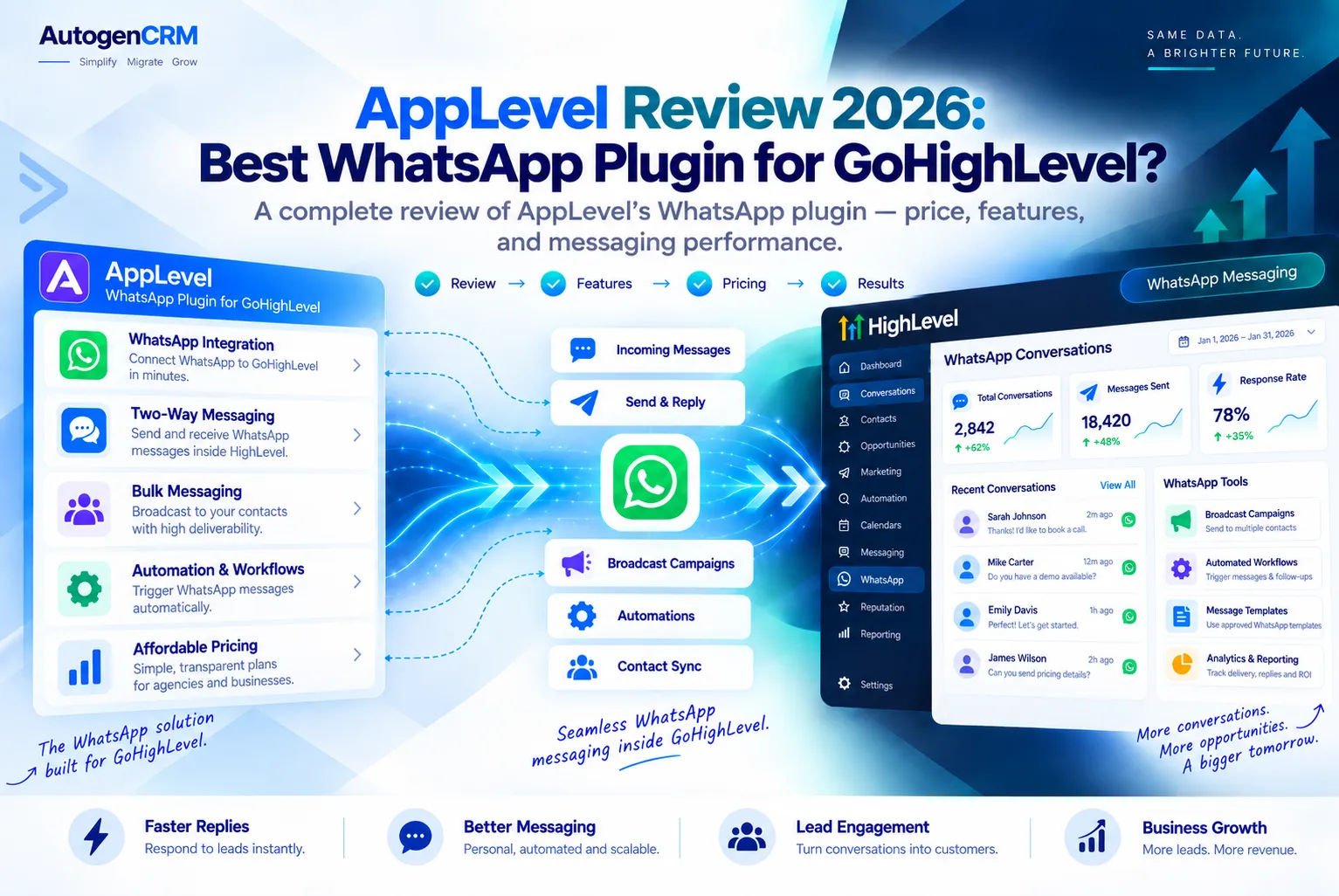
AppLevel is a WhatsApp plugin for GoHighLevel that puts your WhatsApp chats right inside the GoHighLevel Conversations tab. You link your phone with a QR code, and your messages show up next to your SMS, email, and Facebook chats. It also adds AI replies and automatic follow ups.
In this guide, you will learn what the tool does, how much it costs, how to set it up, and when the official GoHighLevel WhatsApp option is the smarter pick. Every price and feature here comes from the official websites, so you can trust what you read.
What Is AppLevel?
AppLevel is a third party app made by AppLevel Inc. It calls itself the “#1 WhatsApp AI plugin for GoHighLevel CRM.” The GHL Central marketplace lists it under communication tools and says it has served GoHighLevel users since 2021.
The big idea is simple. Many businesses talk to customers on WhatsApp all day. Without a plugin, those chats live on one phone, away from your CRM. The plugin brings them into GoHighLevel so your whole team can see and answer them in one place.
If you are new to the platform, read our GoHighLevel review first. It explains how the Conversations tab and workflows work, which makes this tool much easier to understand.
How AppLevel Works With GoHighLevel
The tool does not use the official Meta WhatsApp Business API. Instead, you scan a QR code with your phone, much like you do for WhatsApp Web. After that, messages sync both ways between your phone and your GoHighLevel account.
Because it skips the Meta API, there is no template approval and no 24 hour reply window. You can message a lead any time. You also do not need Twilio or any extra phone setup, according to the GHL Central listing.
Here is what happens after you connect:
- New WhatsApp messages land in the GoHighLevel Conversations tab.
- Replies you send from GoHighLevel go out from your own WhatsApp number.
- Messages you send from your phone also show up in the CRM.
- Your workflows can send WhatsApp messages automatically.
New to GoHighLevel? Try it free for 30 days
Get HighLevel's official 30-day free trial and free Bootcamp through our partner link (the standard trial is 14 days). Prefer it done for you? We set up GoHighLevel from $499, with a free website.
Start 30-day free trialHave us set it upPartner link: we may earn a commission at no extra cost to you. Disclosure
Key AppLevel Features
The official site lists a clear set of features. All plans get the same features. The only thing that changes between plans is the price per account.
Two Way Message Sync
Chats move between WhatsApp, your phone, and GoHighLevel in both directions. Your team never has to switch apps to keep up. Nothing gets lost between devices. If one teammate starts a chat, another can pick it up later and see the full history.
AI Agents Powered by OpenAI
The plugin connects to OpenAI to run AI agents. These agents can handle first contact, follow ups, appointment reminders, and no show messages. That means leads get a fast answer even when your team is offline.
Want to compare this with the AI tools built into the CRM? It helps to know what you already pay for before you add another tool. Our GoHighLevel AI Employee guide covers what the native AI can do on its own.
Voice Message Replies
The tool also links with ElevenLabs. This lets it send automatic voice message replies on WhatsApp. Voice notes feel more personal, and many WhatsApp users prefer them.
Team Access and Devices
Several team members can reply from the same WhatsApp number, no matter where they are. Each plan includes up to 5 linked devices at no extra cost. Both personal WhatsApp and WhatsApp Business accounts work.
Unlimited Messages
You pay one flat monthly fee, and messages are unlimited. There are no per message charges from the plugin. This is very different from the official API, which bills for each delivered message.
AppLevel Pricing in 2026
The plugin uses volume pricing. The more GoHighLevel accounts you connect, the less you pay per account. Here are the monthly prices shown on the official site.
| Plan | Accounts | Price per Account |
|---|---|---|
| Starter | 1 to 10 | $49 per month |
| Growth | 11 to 30 | $39 per month |
| Scale | 31 to 50 | $34 per month |
| Enterprise | 51 or more | $29 per month |
The site also offers bundles. A 10 account pack costs $390 per month. A yearly plan for 1 account costs $499, and a yearly plan for 10 accounts costs $4,290.
There is a free 5 day trial, and the site says no credit card is needed. Prices can change, so always check the official AppLevel pricing page before you buy.
Keep in mind that this tool is an add on. You still need a GoHighLevel plan. See our GoHighLevel pricing breakdown to plan your full monthly cost.
How to Set Up AppLevel in 5 Steps
The official site calls it a “Fast 1 Minute Integration.” Here is the basic flow.
- Start the free trial. Sign up on the official website. No card is required for the trial.
- Connect your GoHighLevel account. Pick the sub account where you want WhatsApp chats to appear.
- Scan the QR code. Open WhatsApp on your phone and scan the code, just like linking WhatsApp Web.
- Send a test message. Message your number from another phone and check that it shows in Conversations.
- Turn on automation. Add WhatsApp steps to your workflows, and set up the AI agent if you want automatic replies.
Once it works, try simple wins first. Swap SMS appointment reminders for WhatsApp reminders, since the GHL Central listing highlights this as a common use.
AppLevel vs Native GoHighLevel WhatsApp
GoHighLevel has its own WhatsApp feature built on the official Meta API. This is the main choice you need to make, so here is a fair side by side look using official numbers.
| Point | AppLevel | Native GoHighLevel WhatsApp |
|---|---|---|
| Connection | QR code, no Meta API | Official Meta WhatsApp Business API |
| Base cost | $29 to $49 per account each month | $10 per sub account each month |
| Message fees | Unlimited, flat fee | Charged per delivered message by type |
| 24 hour window | No window | Yes, templates needed outside it |
| AI and voice | OpenAI agents and ElevenLabs voice | Uses GoHighLevel AI tools |
| Official Meta support | No | Yes |
The native pricing comes from the HighLevel WhatsApp pricing guide. It says HighLevel moved to a per message model, and service messages are billed from October 1, 2026, with the first 1,000 each month per number free.
AppLevel Pros and Cons
No tool is perfect. Here is an honest look at both sides.
Pros
- Very fast setup with a QR code.
- Unlimited messages for one flat fee.
- No template approvals and no 24 hour window.
- Built in AI agents and voice replies.
- Works with a normal WhatsApp or WhatsApp Business number.
- Free 5 day trial with no card needed.
- The site promises 24/7 human support with a 7 minute average response time.
Cons
- It is not the official Meta API, so it does not have Meta’s backing.
- WhatsApp’s own terms of service limit bulk and automated messaging, so a linked number can face restrictions if you spam.
- It costs more per account than the native $10 fee if you send few messages.
- Your phone link must stay active for the sync to keep working.
Our advice is simple. Use AppLevel for warm leads and customers who already know you. Never use any WhatsApp tool for cold bulk blasts.
Who Should Use AppLevel?
AppLevel fits best when WhatsApp is a main sales channel and you send a lot of messages. Flat pricing beats per message fees once volume grows.
- Agencies with many clients can save with the Growth, Scale, or Enterprise tiers.
- Local businesses that book appointments can send WhatsApp reminders instead of SMS.
- Sales teams that share one number get one shared inbox in GoHighLevel.
- Markets where WhatsApp rules, like Latin America, Europe, and Asia, get the most value.
The native option may be better if you need official Meta approval, send mostly template messages, or run large broadcast campaigns. Big brands that care about compliance often choose the official API. It costs less to start and comes with Meta’s full support.
AppLevel Alternatives
If AppLevel does not fit, here are other ways to use WhatsApp with GoHighLevel.
- Native GoHighLevel WhatsApp: official API, $10 per sub account each month plus message fees.
- TimelinesAI: a separate WhatsApp inbox that syncs notes to GoHighLevel. Its site lists plans from $35 per seat each month.
- Other marketplace apps: the GHL Central and HighLevel app marketplaces list more WhatsApp connectors to compare.
Before you pick one, list what matters most to you. Think about your budget, your clients, cost per month, how many messages you send, AI needs, and how much official support you want.
Final Thoughts
AppLevel is a real, active WhatsApp plugin for GoHighLevel. It is quick to set up, has unlimited messages, and adds AI and voice replies. The tradeoff is that it skips the official Meta API, so use it with care and only message people who want to hear from you.
Your next step is easy. Start the free 5 day trial and test it on one sub account. If you do not have GoHighLevel yet, you can try GoHighLevel here.
Need help wiring WhatsApp into your workflows, snapshots, or client accounts? The AutoGenCRM team sets up GoHighLevel for agencies and local businesses, so reach out and we will build it for you.
Ready to Get Your GoHighLevel System Built?
We'll build your entire GHL setup for $499 and give you a free professional website.
Book a Free Call See Packages & PricingOr call +1 (681) 276-7045 · Mon–Fri, 9 AM–5 PM ET