Last updated:
Ready to Try GoHighLevel?
Get the all-in-one platform for CRM, automations, funnels & websites — built for agencies.
Start your free trial and explore every feature.
Keap has been running businesses for two decades. That is exactly why a Keap to HighLevel move feels risky. There are years of contacts, tags, campaigns and orders sitting in there, and nobody wants to be the person who loses them.
Here is the calming truth. Data loss is rarely what goes wrong in a Keap to HighLevel migration. The real risk is quieter. Campaigns that were never rebuilt, so nobody gets followed up for three weeks and nobody notices.
This guide walks the whole move using the official documented behaviour of both platforms, so you know what is fact and what is opinion.
What moves and what does not in a Keap to HighLevel migration
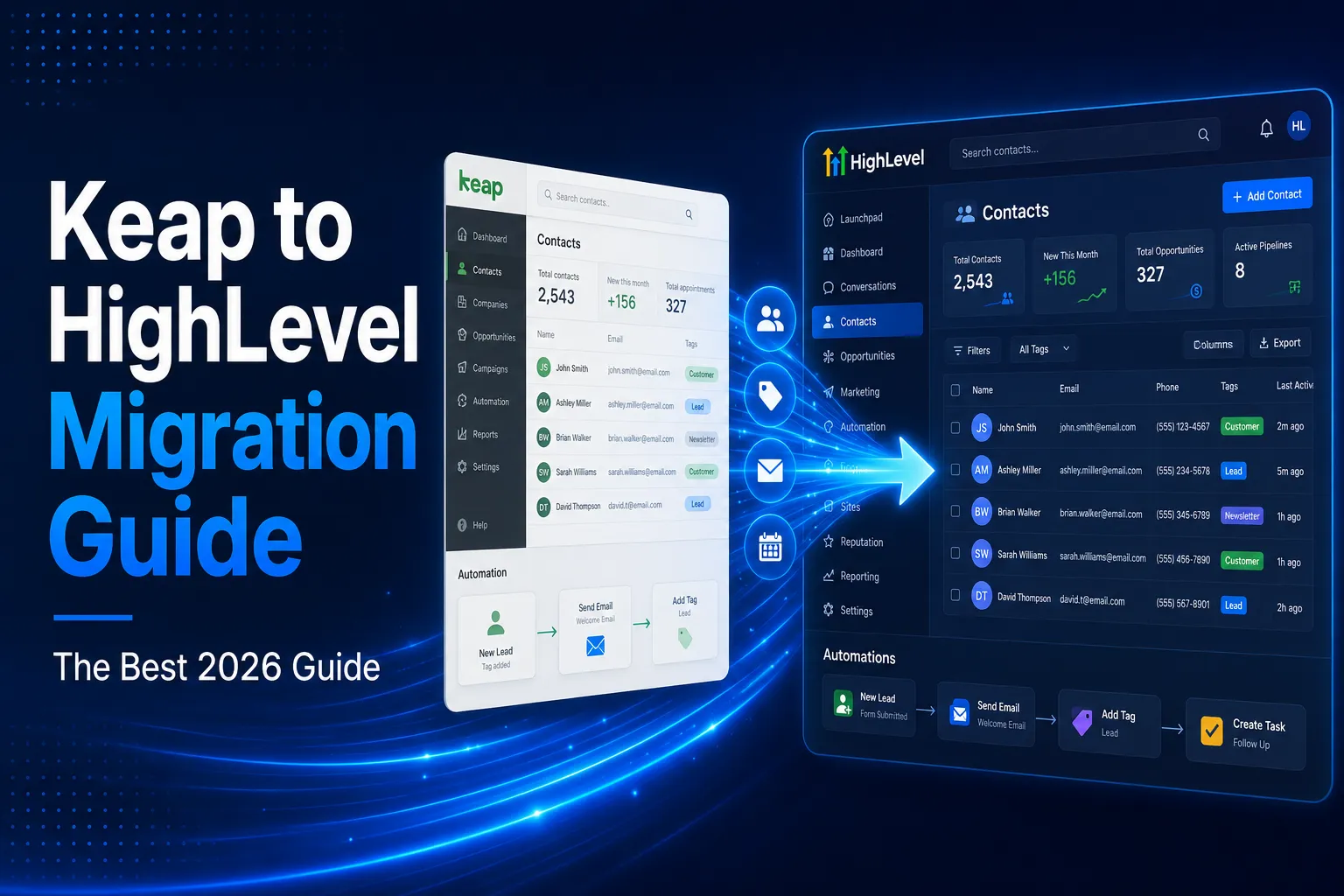
A Keap to HighLevel migration moves your data but not your marketing setup. Contact lists, referral partners, opportunities, orders and reports export as files. Campaigns, sequences, email templates, landing pages and order forms do not, so each one is rebuilt inside HighLevel. The export is an afternoon; the rebuild is the project.
Moves as data. According to the official Keap export documentation, you can export contact lists, referral partners, opportunities, orders and various reports.
Does not move. Campaigns, campaign sequences, email templates, landing pages, order forms and internal forms. None of these come out in a format another platform can read. Every one of them is a rebuild inside HighLevel.
That second list is where the work sits. The export is an afternoon. The rebuild is the project. Budget your time that way and nothing goes wrong.
Why businesses start a Keap to HighLevel migration
Businesses start a Keap to HighLevel migration for three common reasons. Keap pricing climbs with contacts and seats, while HighLevel charges per account. HighLevel also puts texting, booking, funnels, websites and review requests in one login. That lets several other subscriptions be switched off once the new system is live.
Cost as you grow. Keap pricing climbs with contacts and seats. HighLevel charges per account rather than per contact. The official HighLevel pricing page lists Starter at $97 a month, Unlimited at $297 a month and Agency Pro at $497 a month, with a 14 day free trial.
Everything in one login. Texting, booking, funnels, websites and review requests are built in, so several other subscriptions can be switched off.
Agency work. Agencies want one system they can copy to every client under their own brand, which sub accounts and snapshots make simple.
Your reason shapes the rebuild. If cost is the driver, rebuild only what you use and keep it lean.
New to GoHighLevel? Try it free for 30 days
Get HighLevel's official 30-day free trial and free Bootcamp through our partner link (the standard trial is 14 days). Prefer it done for you? We set up GoHighLevel from $499, with a free website.
Start 30-day free trialHave us set it upPartner link: we may earn a commission at no extra cost to you. Disclosure
Prepare before any Keap to HighLevel migration
Prepare four things before any Keap to HighLevel migration, and the rest of the project gets easier. Set a cutoff date for dead records, list the custom fields you use and screenshot every campaign you rely on. The whole preparation takes about an hour and saves days of rework.
1. Decide your cutoff. Most Keap accounts carry years of dead records. Contacts who never replied, opportunities lost in 2021, duplicates from an old form. Moving rubbish costs nothing in fees and everything in clarity.
2. List your custom fields. Every custom field you use needs a matching field created in HighLevel before you import.
3. Screenshot your campaigns. Open every campaign you rely on and capture the trigger, the wait times, the decision points and the message wording. This is your rebuild plan.
4. Map your tags. Keap accounts collect hundreds of tags. Decide which ones become HighLevel tags, which become pipeline stages, and which get retired. Doing this on paper first is far faster than doing it inside the software.
Step 1: Export your data for the Keap to HighLevel migration
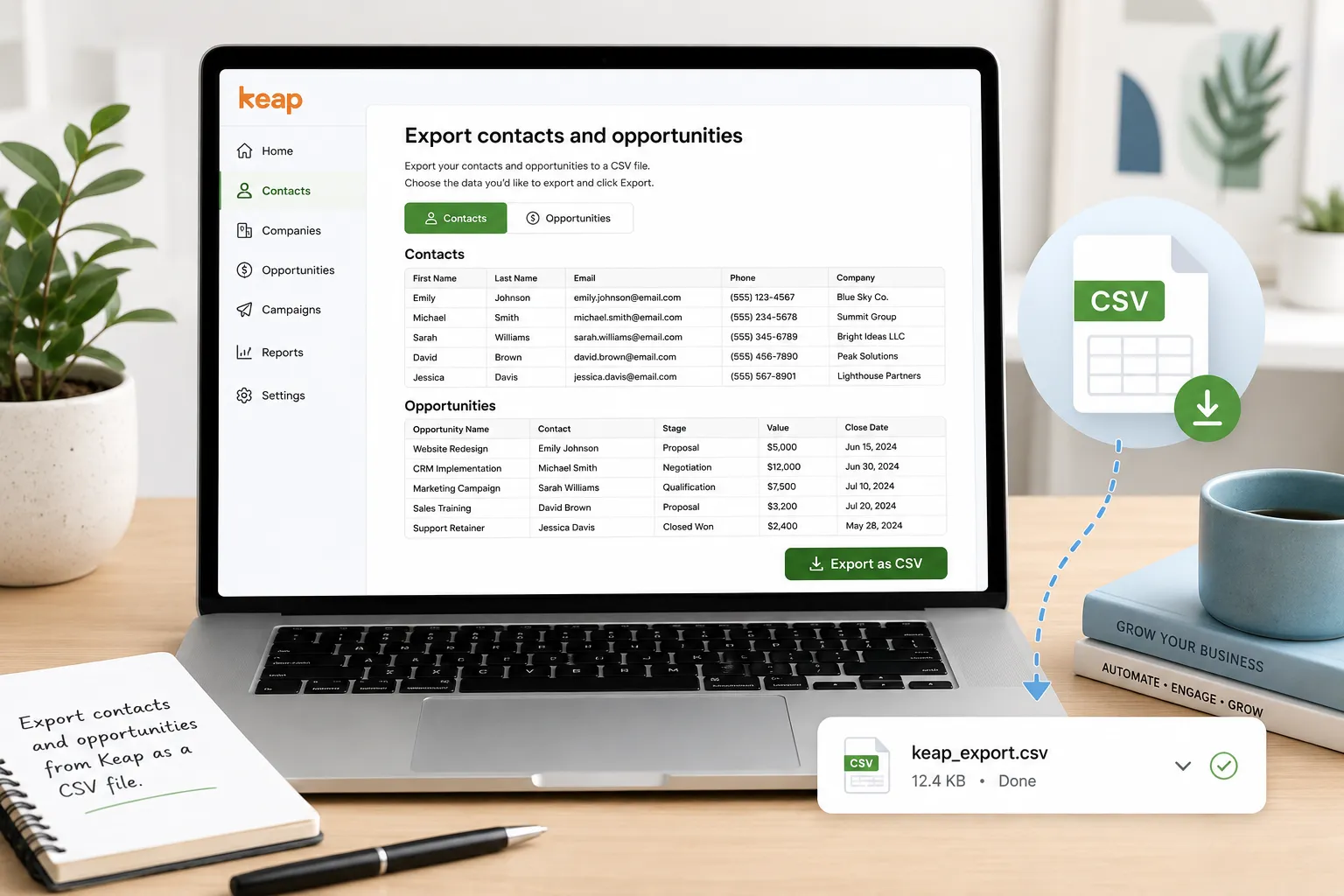
A Keap to HighLevel migration starts with one export per record type: contacts first, then opportunities, then orders. Choose CSV, because that is what HighLevel imports. Keap sends files over 1,000 records as an email link, and download links expire after 24 hours, so grab each file the same day.
The official Keap documentation is clear about the limits, and they matter for planning.
- Formats offered are CSV, Excel or ZIP. Choose CSV, because that is what HighLevel imports
- Up to 1,000 records can be downloaded in the browser or sent as an email link
- Over 1,000 records must be sent through an email link
- Download links expire after 24 hours, so grab the file the same day
- Anyone receiving the email link needs Keap login access to open it
- Include the ID field if you plan to update records later
That 24 hour expiry catches people who start an export on a Friday afternoon. Start it when you can finish it.
Step 2: Clean the file before your Keap to HighLevel migration
Cleaning the file decides whether your new CRM is calm or messy after a Keap to HighLevel migration. Remove rows with no name, email or phone, because HighLevel needs one of them. Standardise phone numbers and country codes, delete duplicates and rename headers to match your HighLevel fields.
- Delete rows with no name, no email and no phone number, because HighLevel needs at least one of the three to create a contact
- Strip brackets, spaces and letters out of phone numbers
- Make country codes consistent across the whole file
- Remove duplicate rows inside the file itself
- Rename headers to plain words that match your HighLevel fields
- Split anything over 30 MB, which is the import size limit
Save it as a CSV with a single sheet, and make sure the first row is your header row and is not blank.
Step 3: Build your custom fields first
Create every custom field in HighLevel before you import anything. Work from the list of Keap fields you made during preparation, and match each field type, such as text, date, dropdown or number. Once every field exists, each column in your CSV has a place to land during mapping.
If a field does not exist, that column is ignored and the data is gone from the import. Fixing it means a second import, and a second import creates duplicates. This is the single most common cause of a messy first week.
Step 4: Import into HighLevel
Import your cleaned Keap CSV from the Contacts page in HighLevel, using Import Contacts. Choose whether to create new records or update existing ones, then map each column to its matching field. Duplicates are matched by Contact ID first, then email, then phone. Check that your user has import access first.
The official HighLevel import guide says only an administrator can run an import, so check your access before you start.
Open Contacts, choose Import Contacts, then pick contacts only or contacts with opportunities. Upload your CSV, choose create or update, and map every column to the matching field.
Two settings matter. Duplicates are matched in a fixed order: Contact ID first, then email, then phone. And when updating existing records, switch on the option that stops empty values overwriting good data, or a blank cell can wipe a field that already had something useful in it.
Step 5: Rebuild what a Keap to HighLevel migration cannot carry
Campaigns, sequences, forms and templates do not carry over in a Keap to HighLevel migration, so rebuild them from your screenshots. Order matters. Pipelines come first so imported opportunities have stages to land in, then forms and calendars, then workflows. Templates come last, once the system works.
Pipelines first. Recreate your opportunity stages so imported records have somewhere sensible to land.
Forms and calendars second. These are how new leads enter, so they must work before anything else.
Workflows third. Start with new lead follow up. In every Keap to HighLevel migration we have seen, that single automation carries most of the value.
Templates last. Move your email and text wording across and rewrite anything that mentioned a Keap feature that does not exist here.
Be selective. Most teams find that a third of their old campaigns had been switched off for years.
 This is a good moment to leave them behind.
Tags are the hidden work
Every long running Keap account ends up with a tag for everything. Webinar attended. Webinar not attended. Called and no answer. Bought in 2019. Some accounts carry more than five hundred. Sorting them before the move is part of the migration, not an extra.
Dragging all of them into HighLevel is a mistake. Tags are cheap to create and expensive to maintain, and a tag nobody reads is just noise inside your CRM.
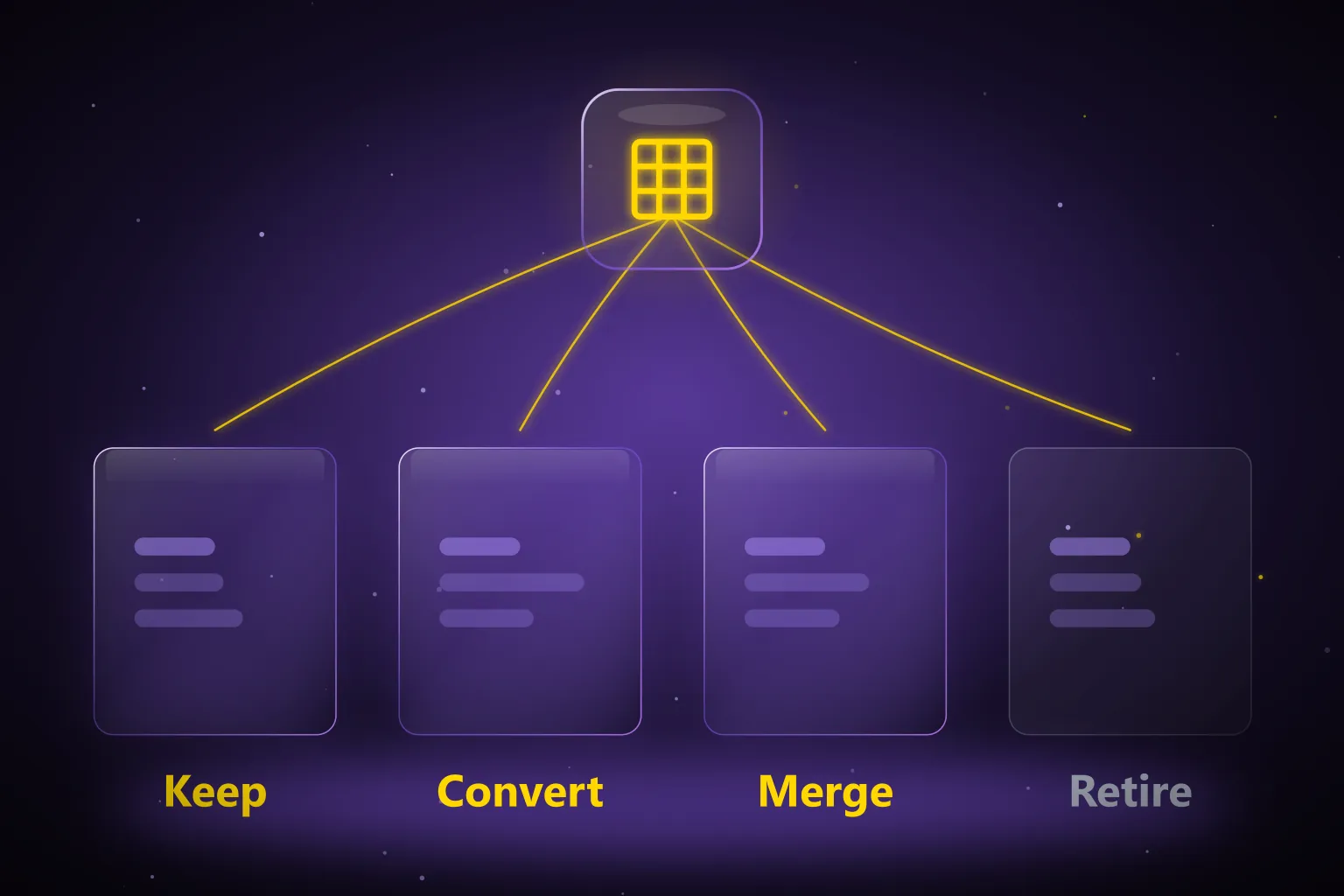
Sort them into four buckets before you move. Keep, because a workflow depends on it.
Convert, because it describes a stage and belongs in a pipeline. Merge, because three tags say the same thing in different words. Retire, because nothing has used it in two years.
Most businesses come out of that exercise with under fifty tags, and the new system is far easier to work in. This is one of the quiet wins in a Keap to HighLevel migration that nobody mentions until they have done it.
Step 6: Do not cancel Keap yet
A Keap to HighLevel migration is only finished when the new system has handled real leads. The safest approach runs both systems side by side for at least two weeks. Keep Keap active until the checks below pass, because cancelling early can lose records you cannot get back.
Send a real lead through your new forms and follow it all the way to a booked appointment. Check that emails arrive in inboxes and not spam. Confirm your A2P 10DLC registration is approved before you rely on text messages, because carriers block unregistered traffic.
Compare contact counts on both sides. If HighLevel is short, find out why before you cancel anything. Then take one final export from Keap and store it somewhere safe, because once that subscription ends the data is not coming back.
How long a Keap to HighLevel migration takes
A Keap to HighLevel migration takes one to six weeks, depending on size. A small business with a few thousand contacts and five campaigns needs about one to two weeks. Most of that time goes on rebuilding campaigns and testing them, not on moving the data itself.
A long running Keap account with tens of thousands of records, order history and heavy campaign logic takes four to six weeks.
The exporting and importing is rarely more than a day of that. The rest is the rebuild and the testing, and the testing is the part that protects your revenue.
What a Keap to HighLevel migration costs
A Keap to HighLevel migration has three costs, and most people count only the first. The platform fee is easy to see on a pricing page. The other two, rebuild hours and a slower settling-in period, are easy to miss. Each one is explained below.
The platform fee is the obvious one. The rebuild hours are the real one, whether you pay someone or do it in house. And the quiet one is a slightly slower fortnight while your team learns new screens.
Now the other side. Most businesses switch off two or three other subscriptions once HighLevel is live. Count those cancellations before you decide the move is expensive.
Keap to HighLevel migration mistakes that cause real damage
Most damage in a Keap to HighLevel migration comes from a few avoidable mistakes. The common ones are letting empty cells overwrite good data and importing the same file twice. Cancelling Keap before live testing and texting before A2P approval cause the rest. A simple checklist prevents every one.
- Importing before the custom fields exist, so values silently disappear
- Letting blank cells overwrite good data during an update import
- Cancelling Keap before a live lead has travelled through the new system
- Importing the same file twice to fix an error, which creates duplicates
- Rebuilding every old campaign instead of only the ones that still run
- Switching on text automation before A2P approval
Every one of these is common and every one is avoidable with a checklist.
When to bring in help
Run the Keap to HighLevel migration yourself if your data is tidy and you rely on fewer than about ten campaigns. The steps above are enough for that. Outside help pays off when the setup or the stakes are bigger, because one mistake costs more than the service. Here are the signs.
Bring in help when you have order history, complex campaign logic, tens of thousands of records, or a team that cannot afford a broken week. You can see how we scope that work on our GHL migration services page.
Your next step
Open Keap and do the boring part first. List your custom fields, screenshot your live campaigns and decide your cutoff date. That single hour turns a Keap to HighLevel migration into a checklist instead of a gamble. With that list in hand, nothing important gets lost when you cancel Keap.
Then export, clean, build your fields and import in that order. If you are weighing up other platforms too, our HubSpot to GoHighLevel migration guide follows the same process, and our GoHighLevel migration services guide explains what a done for you move should include.
Frequently Asked Questions
What can I export from Keap for a HighLevel migration?
Keap lets you export contact lists, referral partners, opportunities, orders and various reports. Campaigns, campaign sequences, email templates, landing pages, order forms and internal forms do not export, so each one is rebuilt in HighLevel. Export one record type at a time: contacts first, then opportunities, then orders.
What are Keap’s data export limits?
Keap offers CSV, Excel or ZIP, and you should choose CSV for HighLevel. Up to 1,000 records can be downloaded in the browser, while larger exports must go through an email link. Download links expire after 24 hours, and anyone opening the link needs Keap login access. Include the ID field if you plan to update records later.
How long does it take to move from Keap to HighLevel?
A small business with a few thousand contacts and five campaigns takes about one to two weeks. A long running Keap account with tens of thousands of records, order history and heavy campaign logic takes four to six weeks. Exporting and importing rarely take more than a day; the rest is rebuild and testing.
What should I do with hundreds of Keap tags?
Sort them before moving. Keep tags a workflow depends on, convert tags that describe a stage into pipeline stages, merge tags that say the same thing, and retire tags nothing has used in two years. Some Keap accounts carry more than five hundred tags, and most businesses finish this exercise with under fifty.
How much does a Keap to HighLevel migration cost?
There are three costs: the HighLevel plan, listed at $97, $297 or $497 a month, the rebuild hours whether done in house or paid for, and a slightly slower fortnight while your team learns new screens. Most businesses also switch off two or three other subscriptions once HighLevel is live, which offsets part of the cost.
Can I migrate from Keap to HighLevel myself?
Yes, if your data is tidy and you rely on fewer than about ten campaigns. Bring in help when you have order history, complex campaign logic, tens of thousands of records, or a team that cannot afford a broken week. Either way, list your custom fields, screenshot live campaigns and choose a cutoff date first.
Ready to Get Your GoHighLevel System Built?
We'll build your entire GHL setup for $499 and give you a free professional website.
Book a Free Call See Packages & PricingOr call +1 (681) 276-7045 · Mon–Fri, 9 AM–5 PM ET