Last updated:
Ready to Try GoHighLevel?
Get the all-in-one platform for CRM, automations, funnels & websites — built for agencies.
Start your free trial and explore every feature.
A ClickFunnels to HighLevel move looks simple from the outside. Both platforms build funnels. Both collect leads. So people assume the pages just slide across.
They do not. A ClickFunnels to HighLevel migration is two projects. Your contact data moves as a file. Your funnels, pages and automations get rebuilt by hand.
Once you accept that, the whole job becomes calm and predictable. This guide walks through it using the official documented behaviour of both platforms, so nothing here is guesswork.
What moves in a ClickFunnels to HighLevel migration
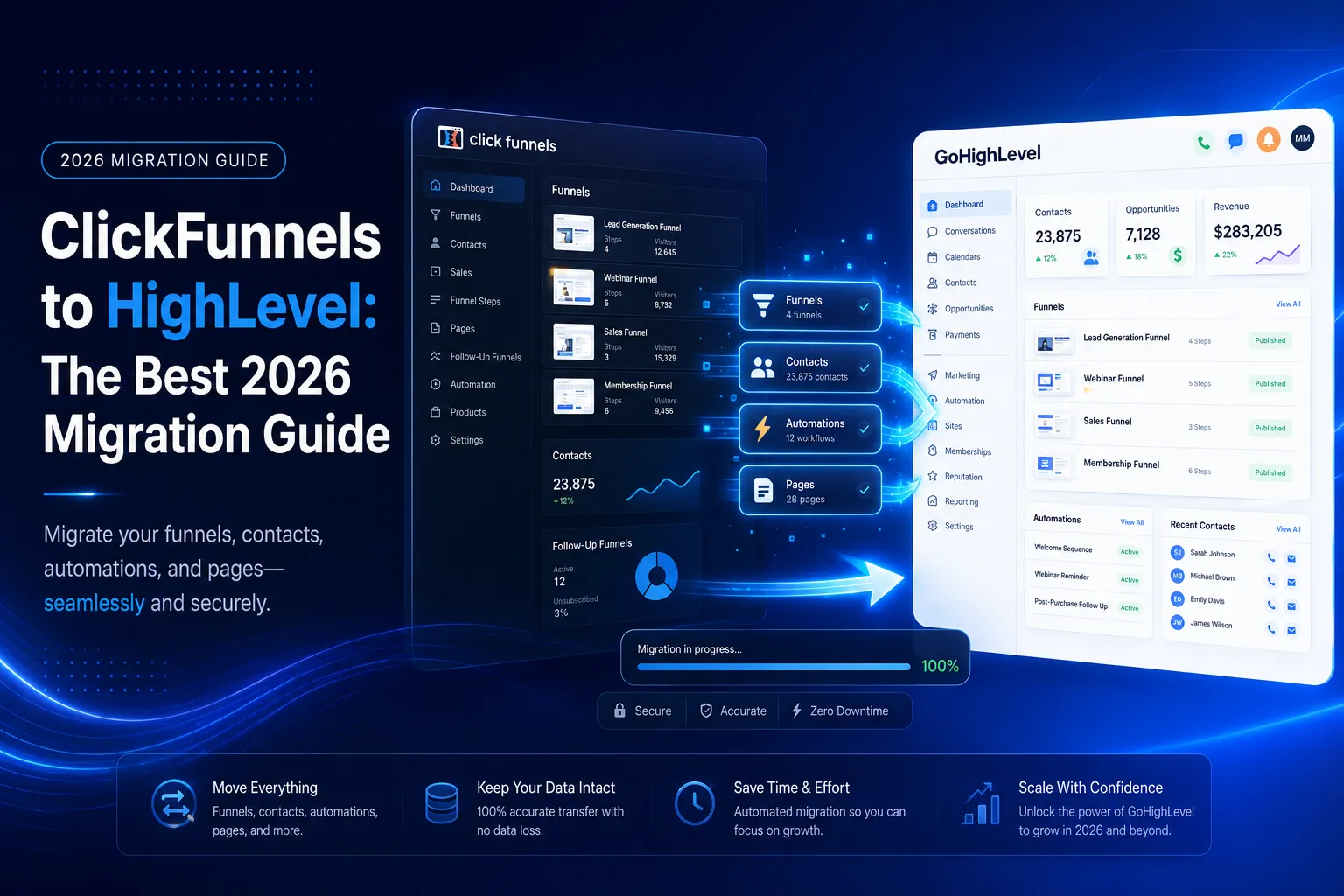
Only contacts and their field values move as data in a ClickFunnels to HighLevel migration, including custom fields. Funnels, pages, order forms, membership areas, email templates and automations do not export in a usable format. Each of those is a rebuild, which is usually faster than the original build.
Does not move. Funnels, pages, order forms, membership areas, email templates and automations. None of these come out in a format another platform can read. Every one of them is a rebuild.
This surprises people who paid for expensive funnel designs. The good news is that a rebuild is usually faster than the original build, because you already know what converts.
Why agencies start a ClickFunnels to HighLevel migration
Agencies start a ClickFunnels to HighLevel migration for three common reasons. The first is cost stacking, because most ClickFunnels users also pay for a separate CRM, texting, booking and review tool. The second is follow-up, since many leads go cold after the opt-in. HighLevel puts these in one login.
Cost stacking. Most ClickFunnels users also pay for a CRM, a texting tool, a booking tool and a review tool. HighLevel puts those in one login. The official HighLevel pricing page lists Starter at $97 a month, Unlimited at $297 a month and Agency Pro at $497 a month, with a 14 day free trial.
Follow up. ClickFunnels is good at getting the opt in. Most businesses lose the lead after that, because nothing chases them. HighLevel workflows handle the chasing.
Client work. Agencies want one system they can copy to every client under their own brand. Sub accounts and snapshots make that possible.
Knowing your reason matters. It decides what you rebuild and what you happily leave behind.
New to GoHighLevel? Try it free for 30 days
Get HighLevel's official 30-day free trial and free Bootcamp through our partner link (the standard trial is 14 days). Prefer it done for you? We set up GoHighLevel from $499, with a free website.
Start 30-day free trialHave us set it upPartner link: we may earn a commission at no extra cost to you. Disclosure
Prepare before any ClickFunnels to HighLevel migration
A smooth ClickFunnels to HighLevel migration starts before the export button. Screenshot every funnel page, list every email sequence and automation rule, and note each custom field you collect. These preparation steps take about an hour. They save days of guessing during the rebuild.
1. Screenshot every page. Capture each funnel step, the headline, the offer, the form fields and the button text. This becomes your rebuild plan.
2. List your automations. Write down every email sequence and every rule that fires after a form is submitted. Include timing.
3. List your custom fields. Anything you collect beyond name, email and phone needs a matching field created in HighLevel before you import.
4. Note your integrations. Payment processor, email sender, calendar, ad platforms. Each one has to be reconnected on the other side.
Step 1: Export your contacts from ClickFunnels
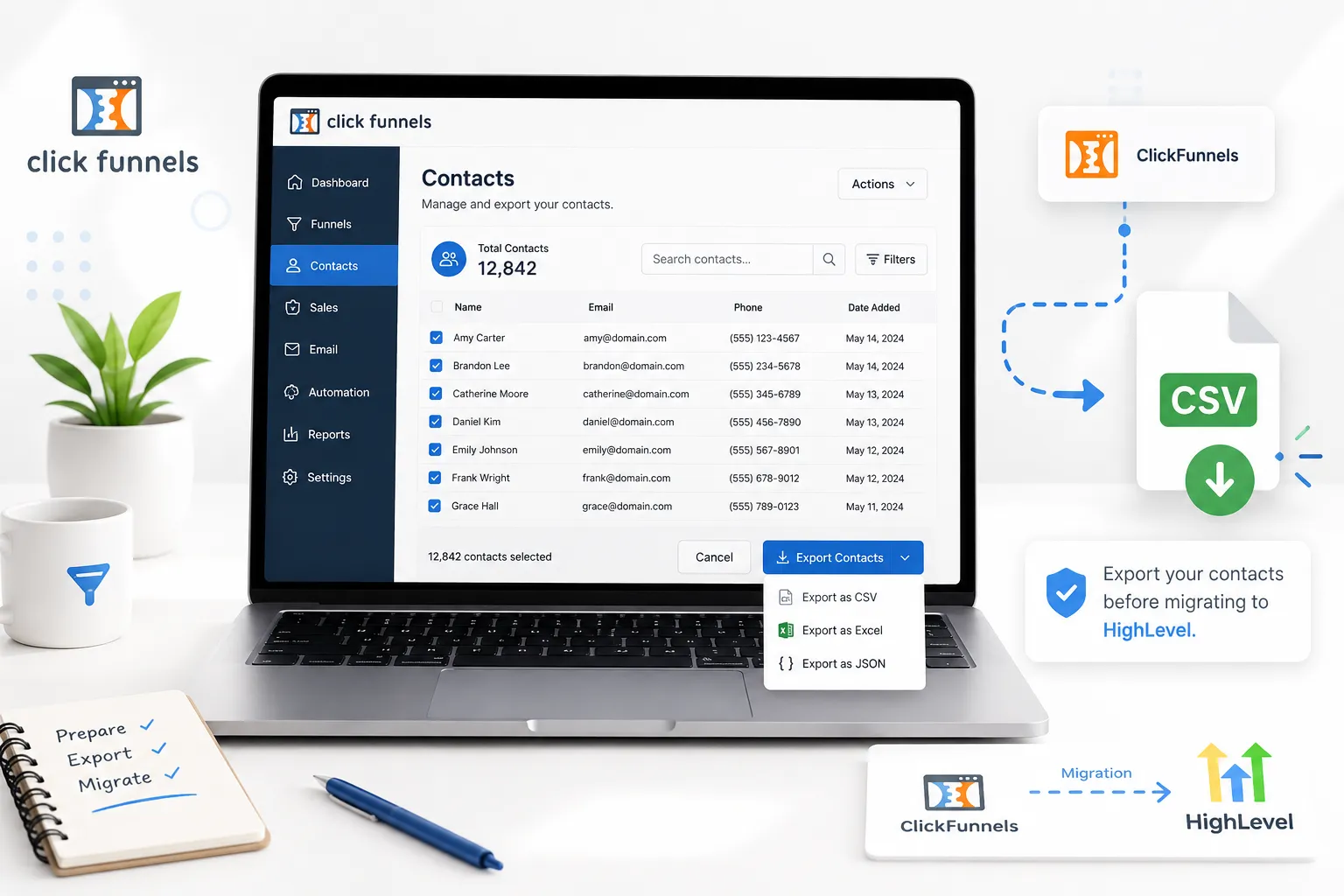
Export your contacts from the Customers area in ClickFunnels. Select the contacts you want, choose Export from the actions menu and pick the fields to include, such as email, phone and custom fields. You can run the export straight away or schedule it for a set date and time.
The official ClickFunnels support guide gives the exact path.
Go to Customers, then Contacts. Select the contacts you want, using the checkboxes. Click Actions for a single contact or Bulk actions for many. Choose Export.
In the export window, pick the fields you want included, such as email address, phone number and any custom fields. You can also tick Schedule Export if you would rather run it at a set date and time. Click Create export action, then click Download Export to get the file.
One useful detail from the same guide: removing an export action cancels the process, and your contacts stay exactly as they were. So a cancelled export is never dangerous.
Step 2: Clean the file before your ClickFunnels to HighLevel migration
Cleaning the file decides whether your new CRM is calm or chaotic after a ClickFunnels to HighLevel migration. Remove rows with no name, email or phone, because HighLevel needs one of them. Standardise phone numbers and country codes, delete duplicates and rename headers to match your HighLevel fields.
- Delete rows that have no name, no email and no phone number, because HighLevel needs at least one of the three to create a contact
- Take brackets, spaces and letters out of phone numbers
- Make every country code consistent
- Remove duplicate rows inside the file itself
- Rename column headers to plain words that match your HighLevel fields
- Split the file if it goes over 30 MB, which is the import size limit
Save it as a CSV with one sheet, and make sure the first row is your header row and is not blank.
Step 3: Create your custom fields first
Build every custom field in HighLevel settings before you import a single row. Work from the list you made during preparation, and match each field type, such as text, date, dropdown or number. Once every field exists, each column in your CSV has a place to land during mapping.
If a field does not exist, that column is simply ignored during import and the data is gone. Fixing it later means a second import, and a second import creates duplicates. Ten minutes now saves hours later.
Step 4: Import into HighLevel
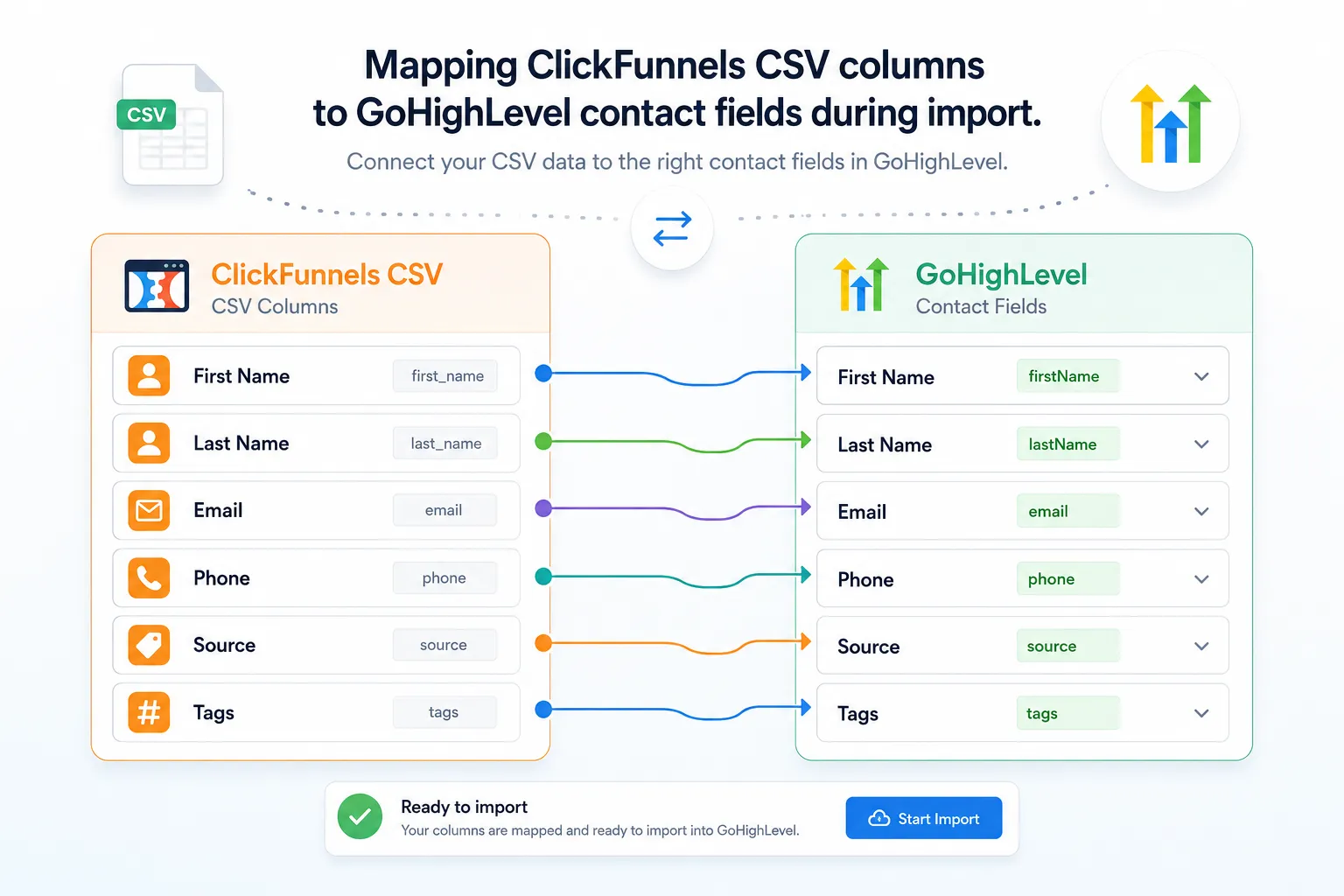
Import your cleaned CSV from the Contacts page in HighLevel, using Import Contacts. Choose whether to create new records or update existing ones, then map each column to its matching field. Duplicates are matched by Contact ID first, then email, then phone. Check that your user has import access before you start.
According to the official HighLevel import guide, only an administrator can run an import, so check your access first.
Open Contacts, choose Import Contacts, and pick whether you are importing contacts only or contacts with opportunities. Upload your CSV, choose create or update, then map each column to the matching HighLevel field.
Two settings matter. Duplicates are matched in a fixed order: Contact ID first, then email, then phone. And when you update existing records, switch on the setting that stops empty values overwriting good data. Without it a blank cell can wipe a field that already held something useful.
Step 5: Rebuild the funnel, not the museum
Rebuild your funnels in HighLevel by copying what already converts, not by redesigning it. Start with the funnel that makes money today, then rebuild forms and calendars, then workflows. Match first and improve later. That way any change in results comes from the platform, not from a new offer.
Rebuild in this order.
Pages first. Start with the funnel that makes money today. Copy the headline, the offer and the form fields exactly. Do not redesign yet. Match first, improve later.
Forms and calendars second. These are the doors leads walk through, so they must work before anything else.
Workflows third. Build the new lead follow up first. That single automation carries most of the value in any ClickFunnels to HighLevel migration.
Payments and members last. Reconnect your processor and rebuild the membership area once the front end is proven.
Here is the honest advice. Most people rebuild about half of what they had, because the other half was never used.
 Migration is a good moment to leave the dead weight behind.
Step 6: Test before you cancel anything
A ClickFunnels to HighLevel migration is only finished when the new system has handled real leads. The safest approach runs both platforms side by side for at least two weeks. Keep your old plan active until the checks below pass, because cancelling early can lose leads and orders you cannot recover.
Send a real lead through your new funnel and follow it all the way to a booked call or a paid order. Check that emails land in inboxes and not spam. Confirm your A2P 10DLC registration is approved before you rely on text messages, because carriers block unregistered traffic.
Compare contact counts on both sides. If HighLevel is short, find out why before you cancel your old plan. Then take one final export from ClickFunnels and store it somewhere safe.
How long a ClickFunnels to HighLevel migration takes
A ClickFunnels to HighLevel migration takes one to six weeks, depending on size. A single funnel with a small list and two email sequences takes about one week. Most of that time goes on rebuilding pages and automations and testing them, not on moving contacts.
A full business with several funnels, a membership area, order bumps and heavy automation takes three to six weeks.
The export and import is rarely more than a day. Everything else is the rebuild and the testing, and the testing is the part nobody should rush.
What it costs to move
Moving from ClickFunnels to HighLevel has three costs, and people usually count only one. The first is the HighLevel plan. The second is the rebuild, where the real hours sit. The third is the one nobody budgets for: a slower stretch while the new system settles in.
The first is the platform. You already saw the plan prices above, and most businesses pick Unlimited because sub accounts and rebilling matter to them.
The second is the rebuild. Whether you pay someone or do it yourself, this is where the real hours sit. A single funnel with a simple sequence is a day of work. A membership site with upsells is a week or more.
The third is the one nobody budgets for, which is a slightly slower fortnight while your team learns new screens. Expect it, plan around it, and the whole project feels calm instead of stressful.
Now the saving. Most businesses switch off two or three other subscriptions once HighLevel is live, because texting, booking, funnels and review requests all sit in one place. Add those cancelled tools to your maths before you decide a ClickFunnels to HighLevel migration is expensive.
ClickFunnels to HighLevel migration mistakes that cost real money
Most expensive ClickFunnels to HighLevel migration mistakes are avoidable. The common ones are cancelling ClickFunnels before a live lead has gone through the new system and importing the same file twice. Texting before A2P approval and redesigning the offer during the move cause the rest.
- Importing before the custom fields exist, so values quietly vanish
- Letting blank cells overwrite good data during an update import
- Cancelling ClickFunnels before a live lead has travelled through the new system
- Importing the same file twice to fix an error, which creates duplicates
- Switching on text automation before A2P approval
- Redesigning the offer during the move, so you cannot tell what caused a drop in sales
That last one catches good marketers. Move first, then optimise. Changing two things at once means you learn nothing.
When a ClickFunnels to HighLevel migration needs help
Run the ClickFunnels to HighLevel migration yourself when you have one or two funnels, a clean list and simple email sequences. The steps above are enough for that. Outside help pays off when the setup or the stakes are bigger, because one mistake costs more than the service. Here are the signs.
Get help when you have a membership site, active order bumps and upsells, tens of thousands of contacts, or a business that cannot afford a quiet week. In those cases the cost of a mistake is far higher than the cost of the service. You can see how we scope this on our GHL migration services page.
Your next step
Open ClickFunnels and screenshot your best funnel, top to bottom. Then list the emails that fire after someone opts in. That single hour turns a ClickFunnels to HighLevel migration from a scary project into a simple checklist. With that list in hand, nothing important gets lost when you cancel.
Then export, clean, build your fields and import in that order. If you are moving from another platform as well, our HubSpot to GoHighLevel migration guide covers the same process for a full CRM, and our GoHighLevel migration services guide explains what a done for you move should include.
Frequently Asked Questions
Can I export my funnels from ClickFunnels to HighLevel?
No. Only contacts and their field values, including custom fields, move as data. Funnels, pages, order forms, membership areas, email templates and automations do not come out in a format another platform can read. So each one is rebuilt in HighLevel. The rebuild is usually faster than the original build because you already know what converts.
How do I export contacts from ClickFunnels?
Go to Customers, then Contacts, and select the contacts you want with the checkboxes. Click Actions or Bulk actions, choose Export, and pick the fields to include, such as email, phone and custom fields. Click Create export action, then Download Export. You can also schedule the export for a set date and time.
How long does it take to move from ClickFunnels to HighLevel?
A single funnel with a small list and two email sequences takes about one week. A full business with several funnels, a membership area, order bumps and heavy automation takes three to six weeks. Exporting and importing rarely take more than a day; the rebuild and testing take the rest.
How much does a ClickFunnels to HighLevel migration cost?
There are three costs. The platform plan, where HighLevel lists Starter at $97, Unlimited at $297 and Agency Pro at $497 a month. The rebuild hours, whether you do the work or pay someone. And a slightly slower fortnight while your team learns new screens. Many businesses offset this by cancelling two or three other subscriptions.
Should I redesign my funnels while migrating from ClickFunnels?
No. Copy the headline, offer and form fields of the funnel that makes money today exactly, and improve it only after the move. Redesigning the offer during the migration means you cannot tell what caused any drop in sales. Move first, then optimise, because changing two things at once teaches you nothing.
When can I safely cancel my ClickFunnels account?
Keep ClickFunnels running for at least two weeks alongside HighLevel. Send a real lead through the new funnel to a booked call or paid order, check that emails land in inboxes, confirm A2P 10DLC approval before relying on texts, and compare contact counts. Then take one final ClickFunnels export and store it somewhere safe.
Ready to Get Your GoHighLevel System Built?
We'll build your entire GHL setup for $499 and give you a free professional website.
Book a Free Call See Packages & PricingOr call +1 (681) 276-7045 · Mon–Fri, 9 AM–5 PM ET