Last updated:
Ready to Try GoHighLevel?
Get the all-in-one platform for CRM, automations, funnels & websites — built for agencies.
Start your free trial and explore every feature.
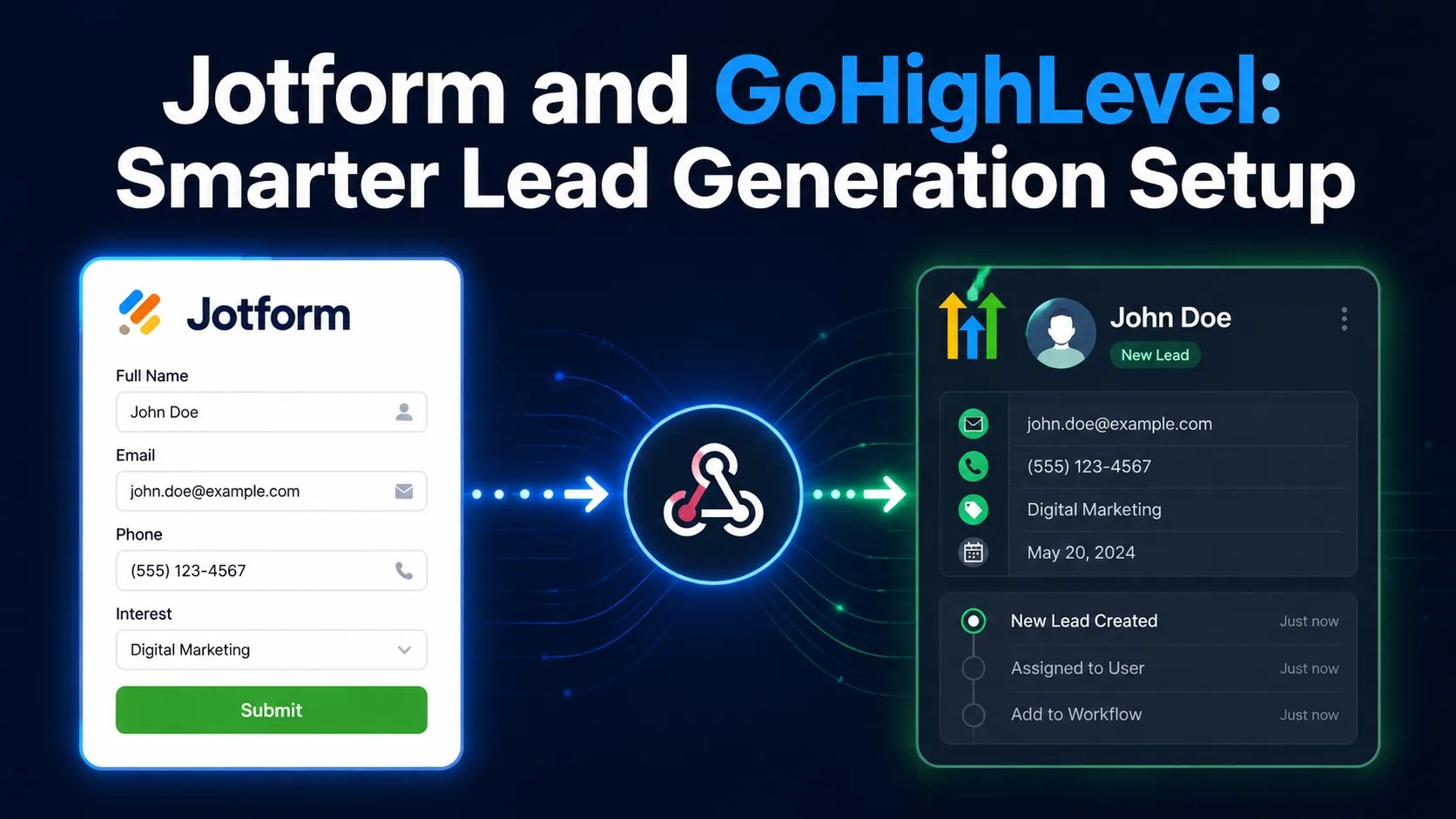
Jotform collects the lead. GoHighLevel follows up with it. A Jotform GoHighLevel connection means a form submission becomes a contact, a tag and an automated follow up within seconds, instead of sitting in a form dashboard nobody checks.
There is one thing to know before you start. Jotform does not offer a direct built in connection to GoHighLevel. Jotform’s own support team has confirmed this and pointed people to third party tools instead. So every method below involves something in the middle.
That is not a problem. It just means you need to choose the middle piece deliberately, because each option has a different cost and a different failure point.
Why use Jotform when GoHighLevel has forms
Fair question. GoHighLevel forms are free, already connected, and fine for most contact pages. Jotform earns its place when your form does something GoHighLevel forms struggle with. Think of long applications with heavy conditional logic, e-signatures or sensitive health information.
Jotform earns its place when your form is doing something GoHighLevel forms struggle with. Long applications with heavy conditional logic. Forms that need e signatures. Forms handling sensitive health information where you need a compliant setup. Intake forms with dozens of branching questions. Forms your team already built and does not want to rebuild.
If your form is a name, an email and a phone number, use a GoHighLevel form. You will save yourself a connector, a monthly fee and a thing that can break.
If your form is genuinely complex, keep Jotform and connect it properly. That is what the rest of this guide covers.
The four ways to connect Jotform GoHighLevel
| Method | What sits in the middle | Best for |
|---|---|---|
| Webhook straight to GoHighLevel | Nothing, direct connection | Simple, fast setups where you can handle a little technical work |
| Zapier or Make | A paid automation platform | Teams who want a visual builder and easy changes |
| Pabbly Connect | A cheaper automation platform | Lower volume budgets |
| WordPress plugin | A plugin on your site | Sites where the form is already embedded in WordPress |
There is no single right answer. Pick based on volume, budget and how comfortable you are with settings panels. The four options are a direct webhook, Zapier or Make, Pabbly Connect and a WordPress plugin, compared in the table below.
New to GoHighLevel? Try it free for 30 days
Get HighLevel's official 30-day free trial and free Bootcamp through our partner link (the standard trial is 14 days). Prefer it done for you? We set up GoHighLevel from $499, with a free website.
Start 30-day free trialHave us set it upPartner link: we may earn a commission at no extra cost to you. Disclosure
Method one, the direct webhook
This is the fastest path and the one with the fewest moving parts. In GoHighLevel, open your sub account and go to Automation. Create a workflow. Click Add New Trigger and choose Inbound Webhook. A unique webhook URL appears in the trigger settings. Copy it.
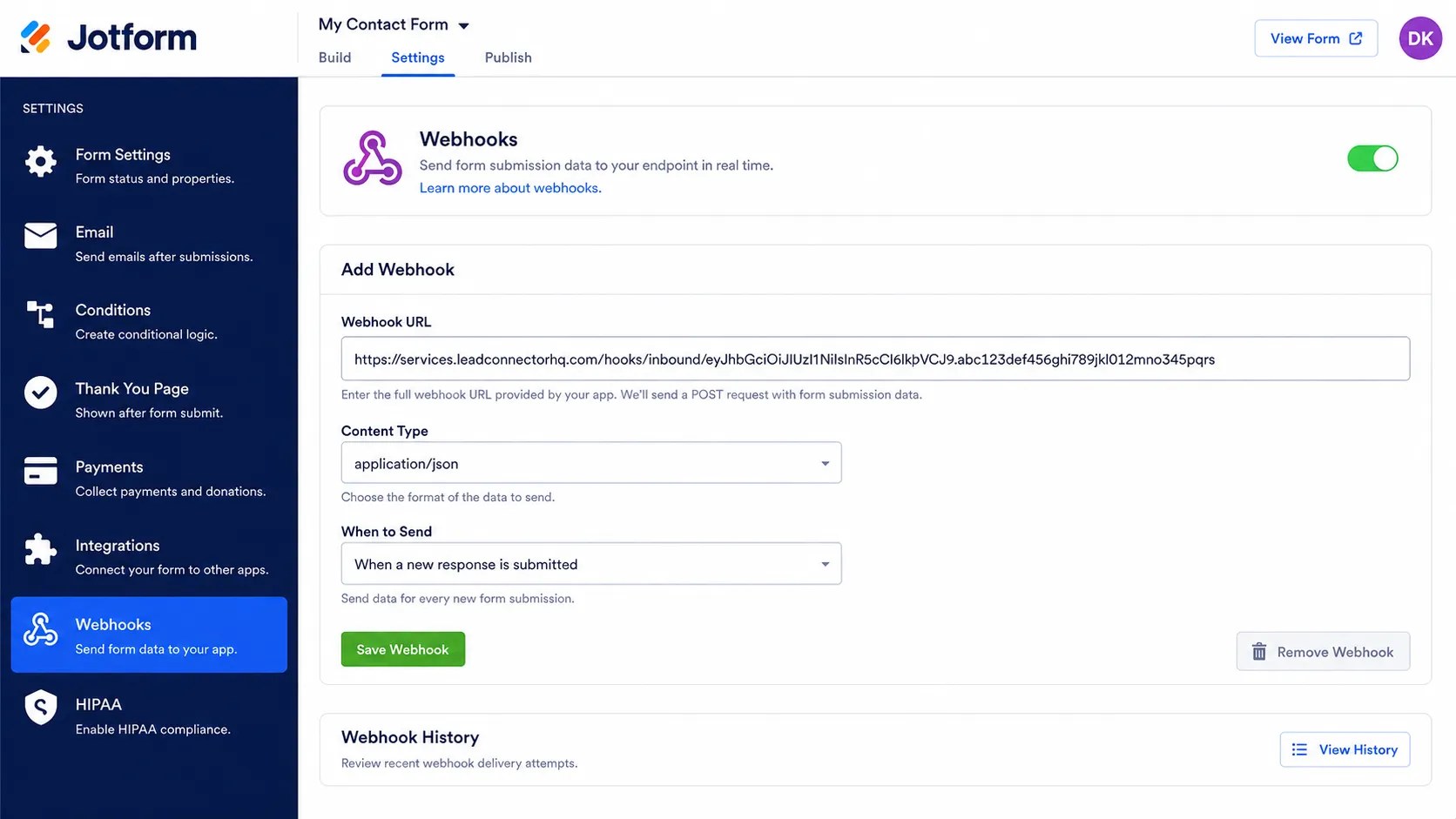
In Jotform, open your form, go to Settings, then Integrations, and search for Webhooks. Paste the GoHighLevel URL and save.
Now submit a real test entry on your form. Go back to the GoHighLevel trigger and click Test Trigger. This is the step people skip. GoHighLevel needs to see an actual submission before it knows what fields exist, and it builds its field mapping from that captured sample.
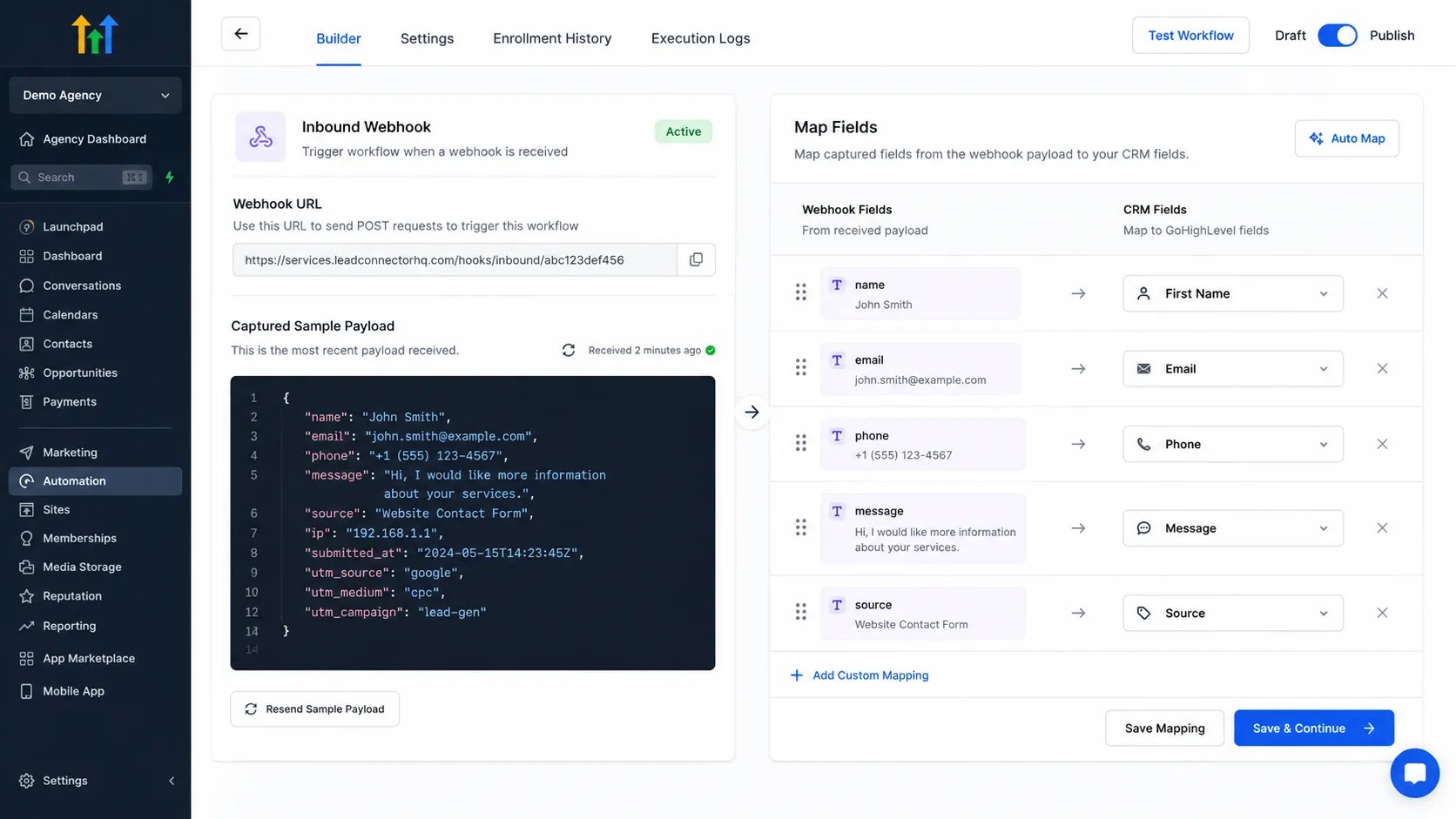
Once the sample is captured, add your workflow actions. Create or update the contact, add a tag, send the notification, start the follow up sequence.
The cost nobody mentions
The inbound webhook trigger in GoHighLevel is a premium trigger. It is not included the way ordinary triggers are. Premium triggers come with 100 free executions, and after that each execution is billed to your wallet, so busy forms add up quickly.
Premium triggers and actions come with 100 free executions to start. After that, executions cost money. For agencies, rebilling to existing sub accounts has to be turned on manually for each one. This is easy to forget and awkward to explain to a client later.
This matters most at volume. A form getting twenty leads a month is trivial. A form getting two thousand is a line item you should plan for.
Work out your monthly submission volume before you choose a method. If the number is large, price the premium executions against an automation platform subscription and pick the cheaper one.
Method two, an automation platform
Zapier, Make, Pabbly Connect and similar tools all work the same way in outline. Jotform sends each submission to the platform, the platform maps the fields and then creates or updates the contact in GoHighLevel. You pay per task or per month instead of per execution.
Jotform sends the submission to the platform. In Pabbly Connect, for example, you use Jotform as the trigger with a New Response event, and paste the platform’s webhook URL into the same Jotform Webhooks settings panel described above. Then you pick your GoHighLevel action, which usually appears under a Lead Connector name rather than GoHighLevel.
The advantage is control. You can filter out junk before it reaches your CRM. You can look up an existing contact before creating a new one. You can send the same submission to a spreadsheet and a Slack channel at the same time. And when something fails, the platform shows you exactly where.
The disadvantage is another monthly bill and another account to maintain.
Method three, the WordPress plugin
If your Jotform lives on a WordPress site, there is a free plugin built for this specific job. It connects both accounts, lets you choose which GoHighLevel sub account receives the lead, maps your Jotform fields to GoHighLevel fields, and adds tags per form or across all forms.
It sends the usual contact details and your configured tags. It is a good fit for a small site with a handful of forms.
Be aware of what you are taking on. A free plugin is another thing to keep updated, and if it stops being maintained you will need to move to another method.
Mapping fields without losing data
This is where most setups quietly fail. The lead arrives, but half the information does not. Create your custom fields in GoHighLevel first, before you map anything. Adding them later means going back and redoing the mapping. Use the same field names on both sides where you can. It makes the mapping obvious to whoever maintains it next.
Do not map everything. Map what your team will use on a call. A contact record with forty empty fields is harder to read than one with six full ones.
Watch out for phone number formats. Jotform can send a number in a shape GoHighLevel does not recognise, which quietly breaks texting and calling later.
The gotcha that breaks working setups
GoHighLevel builds its field mapping from the sample submission you captured during testing. It cannot map a field that did not exist in that sample. So if you add a new question to your Jotform later, the workflow will not pick it up. The lead still arrives. The new answer just vanishes.
The fix is simple once you know it. Every time you change your form, submit a fresh test entry and recapture the trigger sample in GoHighLevel.
Put this in your team notes. It is the single most common reason a connection that worked for months suddenly seems to lose data.
Stopping duplicate contacts
If the same person fills in your form twice, you do not want two records. Before creating a contact, look them up by email or phone and update the existing record if there is one. Automation platforms make this easy with a find action placed before the create action.
If you are using the direct webhook method, handle this inside your workflow with conditional logic rather than letting every submission create something new.
Testing it properly
Open your form as a real visitor would, not from inside the editor. Fill in every field, including the optional ones, and submit. Open the contact record in GoHighLevel and check each field has data. An empty field looks identical whether it failed or was left blank, so use obvious test values like the word TEST in every box.
Check the tag applied. Check the workflow started. Check your notification arrived.
Then use a different email address and do it again, because the first submission creates a contact and the second one tests your duplicate handling.
Related: GoHighLevel Zapier integration.
Frequently asked questions
Does Jotform connect to GoHighLevel directly?
No. Jotform support has confirmed there is no direct integration, so you need a webhook, an automation platform or a plugin in the middle.
Which method is cheapest?
At low volume, the direct webhook, since the free premium executions cover you. At higher volume, compare premium execution costs against an automation platform subscription.
Will my Jotform conditional logic carry over?
The answers do, not the logic. Jotform decides which questions to show. GoHighLevel receives whatever answers came through.
Can I send Jotform payments into GoHighLevel?
The payment details arrive as data you can store or act on. It does not create a GoHighLevel order or invoice by itself.
Why did my leads stop arriving after I edited the form?
Almost certainly the captured sample is out of date. Submit a fresh test entry and recapture the trigger mapping.
Should I just rebuild the form in GoHighLevel?
If the form is simple, yes. Fewer moving parts, no extra cost, nothing to maintain. Keep Jotform only when it does something GoHighLevel forms cannot.
Final thoughts
The connection itself takes about twenty minutes. Keeping it reliable takes a habit. Build your custom fields first. Choose your method based on real submission volume, not on what looks easiest today. Recapture the sample every time you change the form. Test with obvious values so you can see what arrived.
And be honest about whether you need Jotform at all. Half the setups built this way could have been a GoHighLevel form, and the other half genuinely could not. Knowing which one you are saves a lot of trouble.
Ready to Get Your GoHighLevel System Built?
We'll build your entire GHL setup for $499 and give you a free professional website.
Book a Free Call See Packages & PricingOr call +1 (681) 276-7045 · Mon–Fri, 9 AM–5 PM ET