Last updated:
Ready to Try GoHighLevel?
Get the all-in-one platform for CRM, automations, funnels & websites — built for agencies.
Start your free trial and explore every feature.
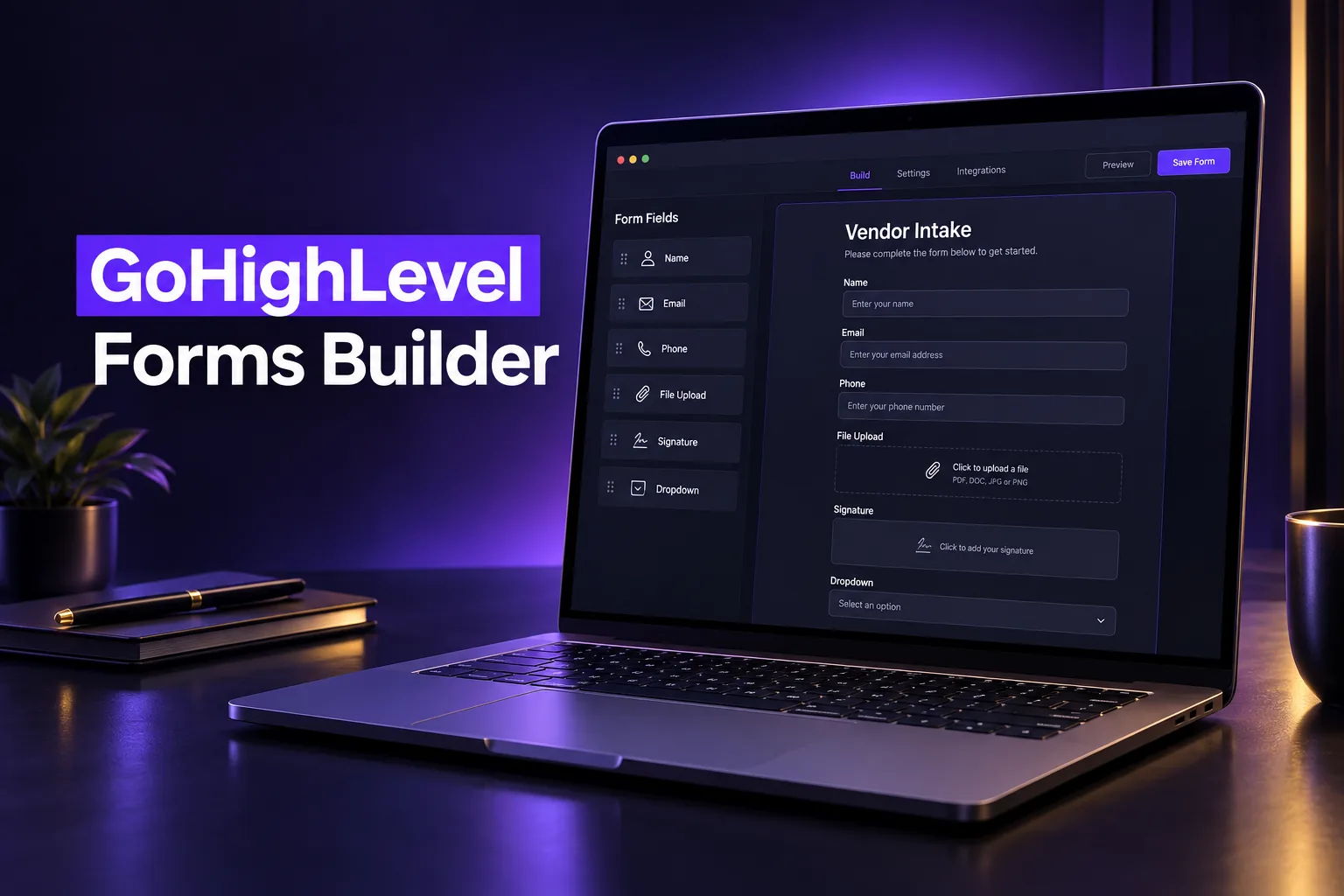
GoHighLevel forms are the drag-and-drop form builder inside every sub-account, found under Sites, Forms. They capture leads, intake details, files and signatures, create or update a contact on every submission and can start a workflow. The same builder handles lead forms, client intake and forms for vendors and suppliers.
This guide covers forms versus surveys, the builder features worth using, how to build vendor and supplier intake forms, templates, conditional logic and file uploads, and where the data lands in the CRM. Features were checked against HighLevel’s help center on October 24, 2026. AutogenCRM builds forms and funnels in GoHighLevel for clients, so the advice comes from real builds.
What is the difference between forms and surveys in GoHighLevel?
GoHighLevel forms show fields on one page or several steps and suit lead capture and intake. GoHighLevel surveys show questions on slides, one screen at a time, with Jump To branching between slides and per-slide drop-off analytics. Both share one builder, conditional logic and the same contact record.
| Feature | Forms | Surveys |
|---|---|---|
| Layout | All fields on one page, or a multi-step form | Slides, usually one question per screen |
| Best for | Lead capture, contact forms, intake and applications | Qualification, quizzes and longer questionnaires |
| Branching | Show or hide fields, redirect, message or disqualify | The same, plus Jump To a specific slide |
| Analytics | Views, responses, completion time and rate | The same, plus per-slide views and drop-off |
| Save progress | Multi-step forms only | Yes |
HighLevel does not convert a form into a survey or back. If you pick the wrong type, duplicate the questions and rebuild in the other format. For scored question flows, our guide on adding a quiz to a GoHighLevel funnel covers the quiz option.
Which GoHighLevel form builder features are worth using?
The GoHighLevel form builder features worth using are custom fields mapped to the contact, required fields and conditional logic. Add CAPTCHA and email or phone validation, internal email notifications, an auto responder, and the Analytics tab. Together they turn a basic form into a clean intake system that feeds automation.
Fields
- Standard fields: first name, last name, email, phone and message.
- Custom fields: dropdowns, checkboxes, radio buttons, date pickers, numbers, monetary values, text, file uploads and signatures, each saved to a contact custom field.
- Consent and terms: terms checkboxes for SMS consent and privacy policy acceptance.
- Payment elements: collect a payment inside the form where your account has payments connected.
Design, spam protection and notifications
- Styles and Options: Styles, Themes and Advanced tabs control layout, colors, inputs, buttons and borders.
- Spam protection: CAPTCHA plus email and phone validation keep junk contacts out of your CRM.
- Email Notification: internal alerts with your own subject, recipient, reply-to and sender name.
- Auto Responder: an email to the person who submitted, confirming what happens next.
- After submit: show a thank-you message or redirect to a page, such as a booking calendar.
Extras most tutorials skip
- Math calculation: compute totals or scores from number fields, useful for quotes and readiness scores.
- Save progress: long multi-step forms, surveys and quizzes can let people return and finish later.
- Submission documents: generate a document of each submission, handy for vendor files and audits.
- Analytics: views, responses, average completion time and completion rate show where people give up.
New to GoHighLevel? Try it free for 30 days
Get HighLevel's official 30-day free trial and free Bootcamp through our partner link (the standard trial is 14 days). Prefer it done for you? We set up GoHighLevel from $499, with a free website.
Start 30-day free trialHave us set it upPartner link: we may earn a commission at no extra cost to you. Disclosure
How do you use GoHighLevel forms for vendors and suppliers?
GoHighLevel forms for vendors work as a supplier or contractor intake form. The vendor enters company details, uploads documents such as a W-9 or certificate of insurance and signs your terms. The submission creates a contact you can tag, assign and track in a vendor pipeline.
Most businesses build forms for customers only, then manage vendors in email threads and spreadsheets. A vendor form keeps every supplier record, file and signature in the same CRM, with the same search and reporting. What a solid vendor intake form usually collects:
- Company details: legal business name, contact person, email, phone and address.
- Service category: a dropdown, so you can filter vendors by trade or product.
- Documents: file upload fields for tax forms, insurance certificates, licenses or price lists.
- Payment details: collect only what your finance process allows. Do not ask for bank or card numbers in a plain text field.
- Agreement: a terms checkbox and a signature field to accept your vendor terms.
- Internal routing: hidden or conditional fields that tag the contact as a vendor so they never enter your sales follow-up.
That last point matters. If vendors and leads share one form setup, a supplier can receive your marketing texts. Keep vendor forms separate, tag them on submission and exclude that tag from every sales campaign.
Which GoHighLevel form templates should you start from?
GoHighLevel form templates are pre-built layouts in the Template Library that you pick when you create a new form. They are a fast start for contact, booking and intake forms. Every template still needs its fields mapped to your custom fields, its consent text checked and its notifications set.
- Pick the closest template under Sites, Forms, Create New Form, or start blank when your fields are unusual.
- Replace generic fields with your own custom fields, so answers land in the right place on the contact.
- Add your consent text for calls, texts and email, with your business name and opt-out instructions.
- Set the after-submit action and the internal notification before you publish.
- Test a submission and check the contact record, not just the thank-you page.
Snapshots can also carry forms between sub-accounts. If you install an industry snapshot, its forms arrive with the pipelines and workflows they feed, which saves rebuilding them for each client.
How do conditional logic and file uploads work in GoHighLevel forms?
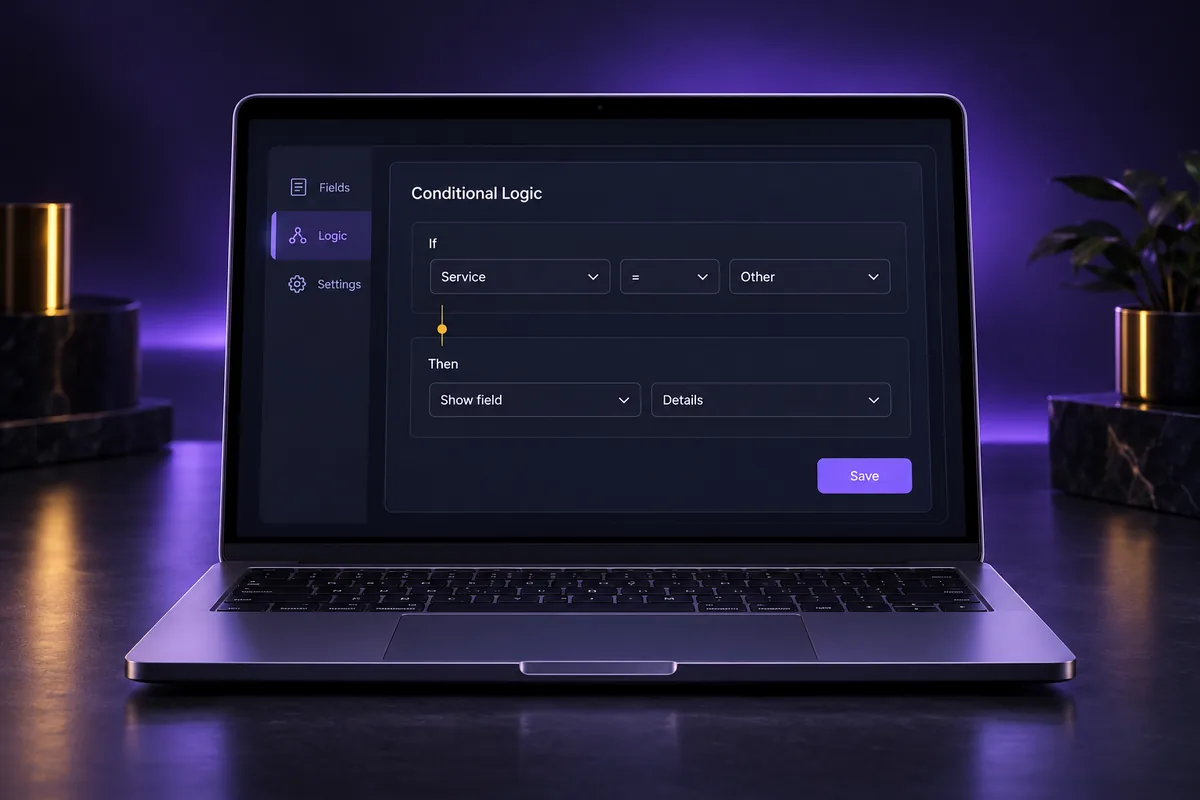
Conditional logic in GoHighLevel forms shows or hides fields based on earlier answers and can redirect, display a message or disqualify a lead on submission. File upload fields let people attach documents, which are stored on the contact in a file upload custom field you can view, replace or delete.
Conditional logic rules
- Building a rule: choose a field, an operator and a value. Each rule uses AND or OR, not both.
- Order: rules run top to bottom. For redirect, message and disqualify, the first match wins. For show and hide, later rules override earlier ones.
- Supported fields: name, email, phone, text, number, monetary, date, dropdowns, radio, checkbox, terms, file upload and signature. Calendar fields are not supported.
- File and signature conditions: only “is empty” or “is filled”.
- Booking forms: disqualification is checked before booking, so no appointment is created and no payment is taken.
File uploads
- Create a custom field of type file upload, choose accepted file types and whether multiple files are allowed.
- Use the file restriction setting to cap the upload size for that field.
- Files are attached to the contact, so your team sees them next to notes, conversations and opportunities.
Keep logic simple. A form with a dozen overlapping rules is hard to test and easy to break when someone edits a field later.
Where does GoHighLevel form data land in the CRM?
GoHighLevel form data lands on a contact record. Each submission creates a new contact or updates an existing one, based on your contact deduplication preferences. It saves answers to standard and custom fields, appears in the form’s Submissions tab and can fire the Form Submitted workflow trigger.
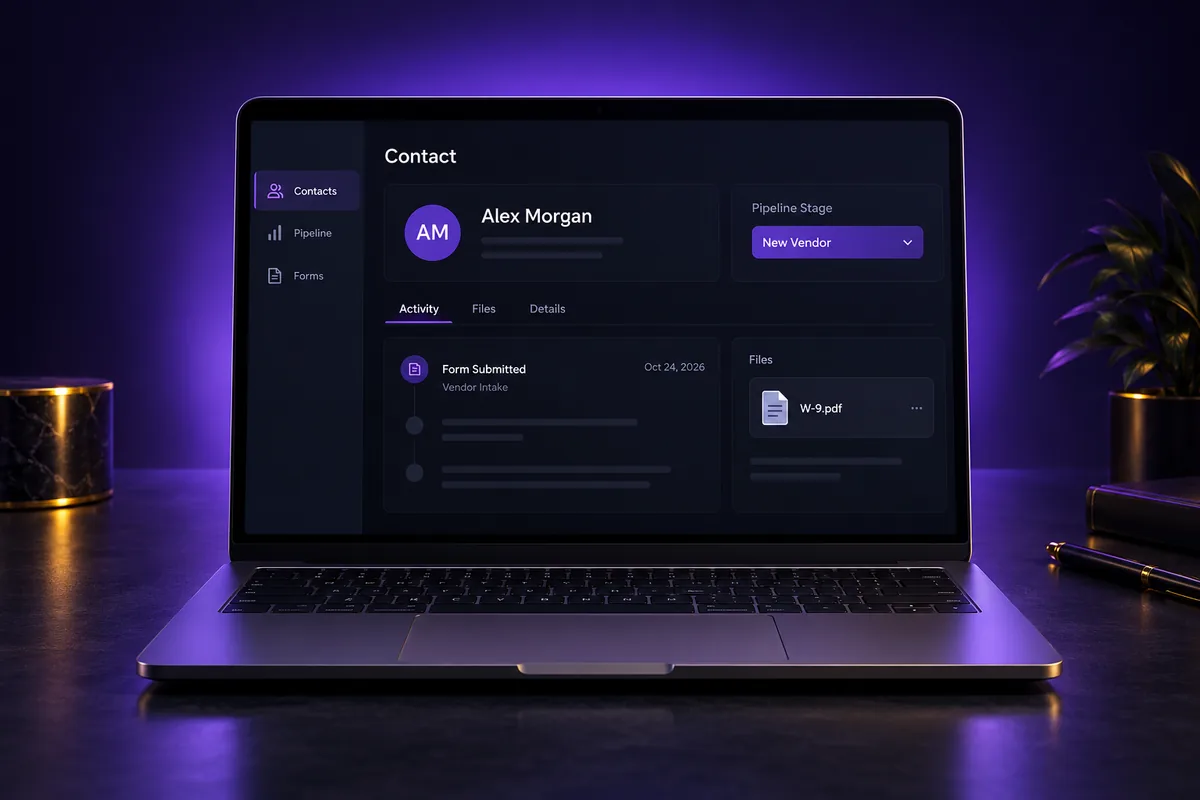
- Contact record: answers fill standard and custom fields, and the submission shows in the activity history.
- Submissions tab: filter by date, search and choose visible columns to review entries per form.
- Automation: the Form Submitted trigger can tag the contact, create an opportunity or notify a team member.
- Personalization: saved fields can be reused in emails and texts with GoHighLevel merge fields.
- Reuse: forms built inside the funnel or website builder also appear in the central Forms list.
To place a form on WordPress or another site, use the Integrate button for embed code or a direct link. Our guide to embedding GoHighLevel forms covers inline and popup placement, and if you already collect leads elsewhere, see how Jotform connects to GoHighLevel.
What are the most common GoHighLevel form mistakes?
The most common GoHighLevel form mistakes are fields that are not mapped to custom fields, missing SMS consent language and no internal notification. Others are duplicate contacts from loose deduplication settings, and vendor or job-applicant forms feeding the same sales follow-up as leads.
- Unmapped fields: answers that only live in the submission cannot drive automation or reporting.
- Missing consent: without clear opt-in text, texting those contacts can fail carrier review. We handle GoHighLevel A2P 10DLC registration, and compliant opt-in forms are part of it.
- Silent forms: no notification means a new inquiry waits until someone checks the dashboard.
- One form for everything: mixing leads, vendors and applicants makes tags and campaigns messy.
- Testing only the thank-you page: always check the contact, the tags and any opportunity created.
Forms that collect junk or lose leads?
If your GoHighLevel forms bring in spam, duplicate contacts or leads that never get a follow-up, the problem is usually the setup behind the form. Check the field mapping, consent, notifications and the funnel page around it. Each of those is fixable without rebuilding your whole account.
AutogenCRM designs and rebuilds forms, landing pages and the funnels around them, mapped to your pipelines from the first submission. See our GoHighLevel funnel design services to have your forms and pages built for you.
Frequently Asked Questions
Where are forms in GoHighLevel?
Forms are under Sites, Forms in each GoHighLevel sub-account. Click Create New Form to start blank or from the Template Library. Each form has a builder, a Submissions tab and an Analytics tab. Forms created inside the funnel or website builder also appear in this central list for reuse.
Can GoHighLevel forms accept file uploads?
Yes. Add a custom field of the file upload type, choose the accepted file formats and whether multiple files are allowed, then drag it into the form. Uploaded files are saved on the contact record, where your team can view, replace or delete them, and a file restriction setting caps the size.
Can you build custom forms in GoHighLevel?
Yes. The GoHighLevel form builder lets you build fully custom forms with your own fields, styles, themes, conditional logic, consent checkboxes, signatures and payment elements. You can embed the form on any website, share a direct link, or place it on a GoHighLevel funnel or website page.
Are GoHighLevel forms and surveys the same thing?
No. Forms show fields on one page or in steps, while surveys show questions on slides with Jump To branching and per-slide analytics. Both use the same builder, field types and conditional logic, and both create or update contacts. HighLevel does not convert one type into the other.
Can a GoHighLevel form trigger a workflow?
Yes. The Form Submitted trigger starts a workflow when a specific form is submitted. Common outcomes are tagging the contact, creating an opportunity in a pipeline, notifying a team member and sending a confirmation. Filters on the trigger let one workflow react only to the forms you choose.
Do GoHighLevel forms stop spam submissions?
GoHighLevel forms include CAPTCHA and email and phone validation, which block most automated junk. Clean deduplication settings stop repeat submissions from creating extra contacts. For forms that still attract spam, add a required qualifying question and use conditional logic to disqualify answers that do not fit.
Ready to Get Your GoHighLevel System Built?
We'll build your entire GHL setup for $499 and give you a free professional website.
Book a Free Call See Packages & PricingOr call +1 (681) 276-7045 · Mon–Fri, 9 AM–5 PM ET