Last updated:
Ready to Try GoHighLevel?
Get the all-in-one platform for CRM, automations, funnels & websites — built for agencies.
Start your free trial and explore every feature.
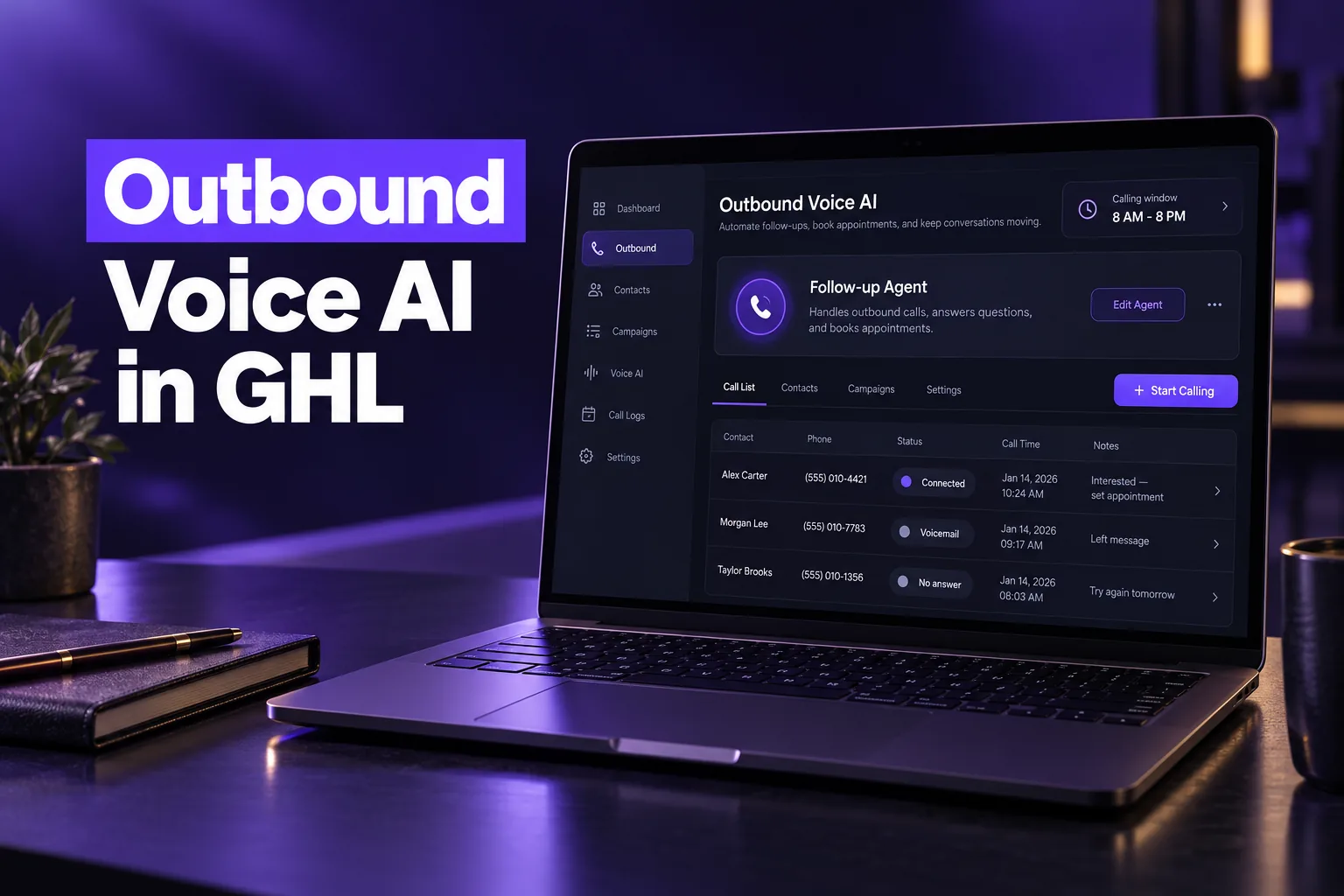
GoHighLevel outbound Voice AI is the native AI phone agent that calls your contacts from a workflow, holds a two-way conversation, books appointments and updates the CRM. It works on a sub-account phone number, follows HighLevel’s calling limits and compliance checks, and bills through the AI Employee plans or pay-per-use.
This guide explains what outbound Voice AI can and cannot do, the best use cases, the consent rules for AI calls, what it costs and what to measure in the first month. Limits and pricing were checked on HighLevel’s help center on October 24, 2026. AutogenCRM sets up AI agents in GoHighLevel for clients, so the advice reflects what we check on real builds.
What can GoHighLevel outbound Voice AI do, and what can’t it do?
GoHighLevel outbound Voice AI can place calls automatically when a workflow event happens. It speaks with the contact using your prompt and knowledge base, books on GoHighLevel calendars, transfers to a human and logs every call. It cannot cold-call bought lists, call internationally or decide consent for you.
What it can do
- Start calls from workflows: calls are placed through the Voice AI Outbound Call action. So any workflow event, such as a form submission, tag, appointment or pipeline change, can start one.
- Hold a real conversation: the agent uses the same prompt, knowledge base and voice settings as an inbound agent, and speech-to-speech (S2S) agents can handle both directions.
- Take actions: Voice AI agents can book appointments, transfer calls, trigger a workflow and update contact fields. So the call outcome lands on the contact record.
- Report outcomes: the outbound dashboard shows attempted, connected, voicemail, no-answer and failed calls, plus actions triggered and sentiment.
What it cannot do
- Validate consent: HighLevel states that Voice AI does not check a contact’s consent before calling. That is your job.
- Call abroad: calls go only to supported domestic numbers in the same country as the location.
- Replace a dialer team: it is built for follow-up and reminders, not high-volume cold outreach. For human-led calling, the GoHighLevel dialer is the better tool.
- Ignore limits: calls that break the daily, per-number or calling-window rules are delayed, rescheduled, blocked or marked failed.
How does outbound Voice AI work in GoHighLevel?
Outbound Voice AI in GoHighLevel works in three layers. They are a Voice AI agent built in the agent builder, a workflow that decides who gets called and when, and location-level compliance setup. Calls only go out once all three are in place and the location stays eligible.
- Eligibility: the location accepts HighLevel’s outbound calling terms (recorded once per location) and completes the identity or KYC verification HighLevel requires.
- The agent: an outbound-capable agent with an outbound welcome message, an AI disclosure and a verbal opt-out setting, all configured in the agent’s outbound settings.
- The workflow: the Voice AI Outbound Call action, an eligible agent and a From Phone Number on the sub-account.
- Monitoring: call logs under AI Agents, Voice AI, Dashboard and Logs, Outbound, which also show the workflow that started each call.
Because the agent shares contacts, calendars and conversations with the rest of the sub-account, a call is not a separate silo. The transcript, summary and booking sit next to the contact’s texts and emails, which is the main advantage over bolting on an outside voice tool. Our comparison of the best voice AI for GoHighLevel covers when an add-on still makes sense.
New to GoHighLevel? Try it free for 30 days
Get HighLevel's official 30-day free trial and free Bootcamp through our partner link (the standard trial is 14 days). Prefer it done for you? We set up GoHighLevel from $499, with a free website.
Start 30-day free trialHave us set it upPartner link: we may earn a commission at no extra cost to you. Disclosure
What are the outbound Voice AI calling limits?
HighLevel’s outbound Voice AI limits allow up to 5,000 calls per location per day and up to 10 calls per minute. They also allow one call per phone number per day and up to 14 calls per number in 14 days. Calls are scheduled only between 8 AM and 8 PM in the contact’s time zone.
| Rule | Current limit | What happens if you exceed it |
|---|---|---|
| Daily volume | Up to 5,000 calls per location (not per agent) | Extra calls move to the next eligible day |
| Call rate | Up to 10 calls per minute per location | Calls are queued or delayed |
| Same number, same day | Once per day | Further calls are rescheduled |
| Same number, 14 days | Up to 14 calls | Calls may be blocked or marked failed |
| Calling window | 8:00 AM to 8:00 PM, contact’s phone-number time zone | Calls move to the next eligible time |
| Destinations | Supported same-country domestic numbers only | Unsupported numbers are not eligible |
These limits were tighter when outbound calling launched in 2025, so older tutorials quote smaller numbers. HighLevel also says outbound calling may pause automatically if a location breaches its Acceptable Use Policy thresholds. Read the current rules in HighLevel’s Voice AI outbound calling article before you plan volume.
What are the best use cases for outbound Voice AI?
The best use cases for GoHighLevel outbound Voice AI are calls to people who already expect to hear from you. Examples are speed-to-lead calls after a form fill, missed-call callbacks and appointment reminders and confirmations, and reactivation of past customers who opted in. Cold outreach to purchased lists is the worst fit.
Speed-to-lead
A new inquiry is most likely to answer while it is still thinking about you. An AI call that reaches a fresh lead, answers basic questions and offers a time on the calendar removes the gap between the form and your first human contact. It pairs well with a missed-call text-back setup, so every inbound touch gets a fast reply by text or voice.
Reminders and confirmations
Reminder calls are short, low risk and easy to measure. The agent confirms the time, offers to reschedule on the calendar and records the answer, so your team only handles exceptions. This is often the safest first campaign for a business new to AI calling.
Reactivation of past customers
Past customers and old leads who gave consent can be called with a specific reason, such as a seasonal service or an expiring plan. The value comes from the outcome, a booked visit or a clear no, being written back to the contact so the list gets cleaner every week.
Poor fits
- Purchased or scraped lists with no documented consent.
- Complex sales that need negotiation or pricing exceptions.
- Sensitive conversations, such as health details, unless your HIPAA position is clear. See our guide to GoHighLevel HIPAA compliance first.
What consent and TCPA rules apply to AI outbound calls?
AI outbound calls in the US fall under the Telephone Consumer Protection Act. In February 2024 the FCC ruled that AI-generated voices count as “artificial” voices. Calls made with them need the same prior express consent as prerecorded calls. Telemarketing calls need prior express written consent.
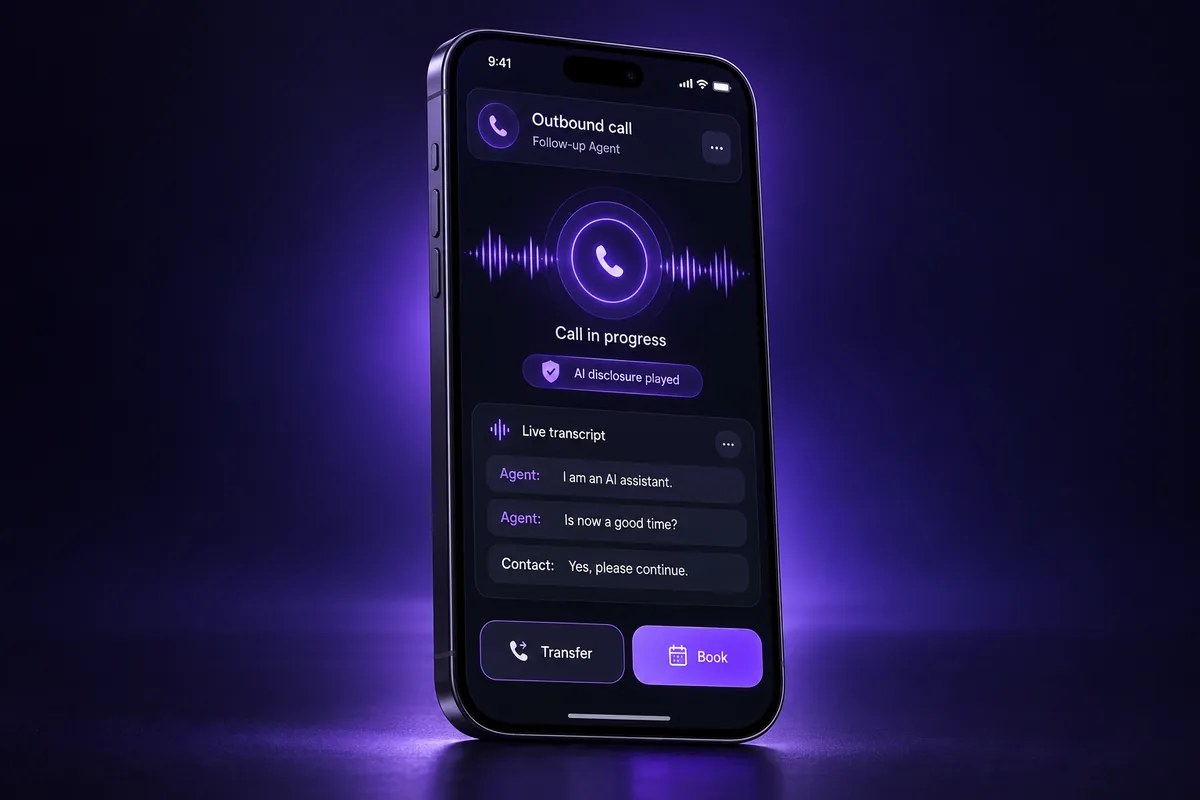
HighLevel is clear that accepting its outbound terms is not consent from your contacts. The platform’s flexible outbound framework lets you keep consent records in your own systems, but the business running the calls stays responsible. In practice, that means checking these points before the first campaign:
- Consent capture: the opt-in language on your forms, surveys or calendars names your business, covers calls and texts, mentions automated or AI calls and explains how to opt out. Have counsel approve the wording.
- Proof: the consent date, source and wording are stored on the contact, for example in custom fields, so you can show it later.
- Disclosure: the agent’s AI disclosure is on, so every call opens by identifying the caller as an AI assistant for your business.
- Opt-outs: the verbal opt-out setting is on, and anyone who says stop is marked Do Not Disturb and removed from future calls and texts.
- Recording notices: some states require all-party consent to record, so a short recording notice in the greeting is a sensible default.
- Follow-up texts: any SMS sent around the calls runs on a registered brand and campaign. We handle GoHighLevel A2P 10DLC registration for US businesses.
The most common compliance gap we see in audits is not the agent itself. It is old forms with no calling consent at all, feeding contacts into a new AI campaign. Fix the form first, then turn on the calls.
How much does GoHighLevel outbound Voice AI cost?
GoHighLevel outbound Voice AI is billed per location. Pay-per-use starts at a $0.045 per minute voice engine rate plus voice, model and phone charges. The $50 per month AI Employee Growth plan includes 100 minutes, and the $97 Unlimited plan covers fair-use unlimited minutes.
| Plan | Price per location | Outbound minutes |
|---|---|---|
| Pay-Per-Use | No subscription | Voice engine $0.045 per minute, plus text-to-speech, model tokens and phone charges |
| AI Employee Growth | $50 per month | 100 minutes shared across inbound, outbound and widget; overage at pay-per-use rates |
| AI Employee Unlimited | $97 per month | Unlimited inbound, outbound and widget minutes, subject to fair use |
Prices are from HighLevel’s AI pricing documentation as of October 2026 and can change. Our GoHighLevel AI Employee pricing guide shows when each plan wins.
What drives the bill
- Voice choice: premium voices add more per minute than standard ones on pay-per-use.
- Call length: a tight prompt that gets to the point costs less than an agent that loops on unclear answers.
- Connect rate: voicemails and no-answers still use phone time, so clean numbers and good timing matter.
- Phone charges: LC-Phone usage is billed on every call on top of the AI rate.
What should you measure in the first 30 days?
In the first 30 days of outbound Voice AI, measure connect rate, booked appointments, transfers to humans, opt-outs and cost per booked appointment. These numbers tell you whether the agent, the list or the timing needs work, and they come straight from the outbound dashboard and contact records.
- Week 1: run test calls to internal numbers, then a small batch of real contacts. Listen to every recording and tighten the prompt.
- Week 2: review the call log for repeated questions the agent could not answer, and add those answers to the knowledge base.
- Weeks 3 and 4: compare booked appointments and opt-outs by campaign. A rising opt-out rate usually points to weak consent or poor timing, not the voice.
We do not promise a booking rate, because it depends on the list, the offer and how recently the contact opted in. What reliably improves results is the quality of the consent, the speed of the call and a prompt that has one clear goal.
Should you set up outbound Voice AI yourself or have it done for you?
Set up GoHighLevel outbound Voice AI yourself if you have one location, a clean opted-in list and time to test prompts. Choose a done-for-you setup when you run several sub-accounts or need consent capture fixed first. It also fits when you want the calls tied into pipelines and reporting from day one.
| Factor | DIY | Done for you |
|---|---|---|
| Consent and forms | You review and update every opt-in yourself | Audited and updated before the first call |
| Agent prompt | Trial and error on live contacts | Built around one goal and tested before launch |
| CRM data | Outcomes may not reach pipelines | Outcomes mapped to custom fields and stages |
| Texting | A2P registration is separate | Calls and SMS launched on a registered campaign |
Our GoHighLevel AI Employee setup covers Voice AI and Conversation AI together, so the calls and texts work from the same knowledge base.
Worried your AI calls will annoy leads or break the rules?
If your outbound Voice AI is calling the wrong people, sounding robotic or booking nothing, the cause is usually the setup around the agent. Look for missing consent, a vague prompt or outcomes that never reach the CRM. Each of those can be fixed before you call another contact.
AutogenCRM reviews the forms, consent records, agent settings and workflows behind your calls, then rebuilds what is broken. Start with our GoHighLevel setup service and we will give you a clear plan before anything goes live.
Frequently Asked Questions
Can GoHighLevel do outbound calls with AI?
Yes. GoHighLevel Voice AI can make outbound calls through the Voice AI Outbound Call workflow action. The location must accept HighLevel’s outbound terms, complete identity verification and use an eligible agent and phone number. Calls follow HighLevel’s limits, including an 8 AM to 8 PM window in the contact’s time zone.
How many outbound Voice AI calls can a location make per day?
HighLevel currently allows up to 5,000 outbound Voice AI calls per location per day, at up to 10 calls per minute. Each phone number can be called once per day and up to 14 times in 14 days. Calls over the daily limit roll to the next eligible day instead of being dropped.
Do AI outbound calls need consent?
Yes. Under the TCPA, the FCC treats AI-generated voices as artificial voices, so AI calls need prior express consent, and prior express written consent for telemarketing. HighLevel does not check consent for you. Store the consent source, date and wording on each contact before you call.
What is a GoHighLevel AI voice agent?
A GoHighLevel AI voice agent is an AI phone assistant built inside a sub-account. It answers or places calls, follows a prompt and knowledge base, books appointments on GoHighLevel calendars, transfers calls and updates contact fields. Speech-to-speech agents can handle both inbound and outbound calls from one configuration.
How much does outbound Voice AI cost in GoHighLevel?
Outbound Voice AI uses the same pricing as inbound. Pay-per-use charges a $0.045 per minute voice engine fee plus voice, model and phone costs. The $50 per month Growth plan includes 100 minutes across all Voice AI channels, and the $97 Unlimited plan covers fair-use unlimited minutes per location.
Can outbound Voice AI call international numbers?
No. HighLevel’s outbound Voice AI calls only supported domestic numbers in the same country as the location, and unsupported international destinations are not eligible. If you serve customers abroad, use a sub-account in that country where supported, or have your team call those contacts manually.
Ready to Get Your GoHighLevel System Built?
We'll build your entire GHL setup for $499 and give you a free professional website.
Book a Free Call See Packages & PricingOr call +1 (681) 276-7045 · Mon–Fri, 9 AM–5 PM ET