Last updated:
Ready to Try GoHighLevel?
Get the all-in-one platform for CRM, automations, funnels & websites — built for agencies.
Start your free trial and explore every feature.
A GoHighLevel link in bio page is a mobile landing page you build in HighLevel’s funnel or website builder and paste into your Instagram or TikTok profile. Unlike a plain link list, it can capture names, emails and bookings straight into your CRM, so every profile visit can become a contact you can follow up with.
HighLevel has no separate “link in bio” app. You build the page with tools you already pay for: the page builder, forms, calendars, QR codes and your own domain. This guide covers how to plan the page, what to put on it, how to add it to TikTok and Instagram, how to track which profile sends leads, and how it compares with Linktree.
What is a GoHighLevel link in bio page?
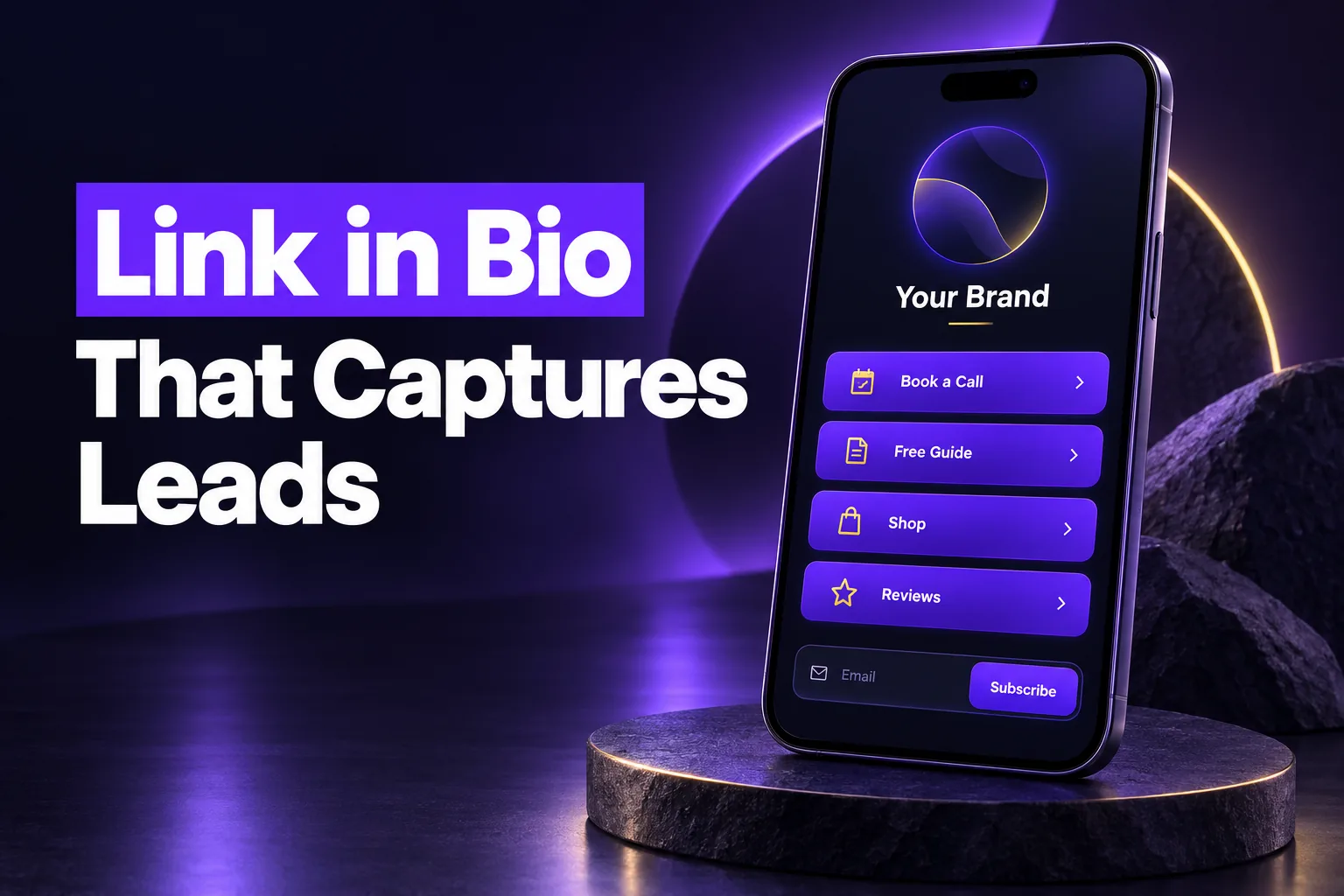
A GoHighLevel link in bio page is a single, phone-first funnel step or website page that sits behind the one link your social profile allows. It lists your key offers as buttons and adds lead capture, so visitors join your CRM instead of just clicking away to another site.
Social platforms limit outbound links. Instagram allows up to five links in a bio but shows only the first one until someone taps to expand the list. TikTok only shows a clickable website link on eligible accounts. That one link has to carry a lot of weight, which is why a dedicated page beats pointing it at your homepage.
- Link list tools (Linktree and similar) show buttons and count clicks. The visitor leaves and you never learn who they were.
- A HighLevel bio page can show the same buttons and also embed a form, a survey or a booking calendar, so the visit creates a contact record with a source.
- Your homepage is built for search visitors on desktop and mobile. Social visitors arrive on a phone, inside an in-app browser, with a few seconds of attention.
HighLevel users have asked for a dedicated bio-link tool on the public ideas board for years, and the request is still listed as under review. The working answer is a purpose-built funnel page, and it is the better option for lead generation anyway.
GoHighLevel link in bio vs Linktree: which should you use?
Use a GoHighLevel link in bio page if you already run your business on HighLevel and want leads, bookings and follow-up in one place. Linktree is quicker to set up, but it is a separate tool that counts clicks rather than capturing contacts in your CRM.
| Factor | GoHighLevel bio page | Linktree-style tool |
|---|---|---|
| Setup time | Longer: you design the page in the builder | Minutes from a template |
| Lead capture | Native forms, surveys and calendars that create CRM contacts | Limited, usually through add-ons or integrations |
| Follow-up | Workflows, email, SMS and pipelines in the same account | Needs a separate CRM or email tool |
| Domain | Your own domain or subdomain | The tool’s domain unless you upgrade |
| Extra cost | None beyond your HighLevel plan | Free tier, paid plans for advanced features |
| Design control | Full page builder, sections and custom CSS | Themes and limited layout options |
| Agency use | Reusable across sub-accounts as a template or snapshot | One account per brand |
Linktree-style tools still make sense for a creator who only needs to route traffic and has no CRM. For a business that sells services, takes bookings or nurtures leads, the HighLevel page wins because nothing has to be copied between tools.
New to GoHighLevel? Try it free for 30 days
Get HighLevel's official 30-day free trial and free Bootcamp through our partner link (the standard trial is 14 days). Prefer it done for you? We set up GoHighLevel from $499, with a free website.
Start 30-day free trialHave us set it upPartner link: we may earn a commission at no extra cost to you. Disclosure
How do you build a link in bio page in GoHighLevel?
You build a GoHighLevel link in bio page as a one-step funnel or a single website page in the Sites section, design it for mobile first, add buttons, a form or calendar, and publish it on your own domain. The process takes an afternoon if your offers are already clear.
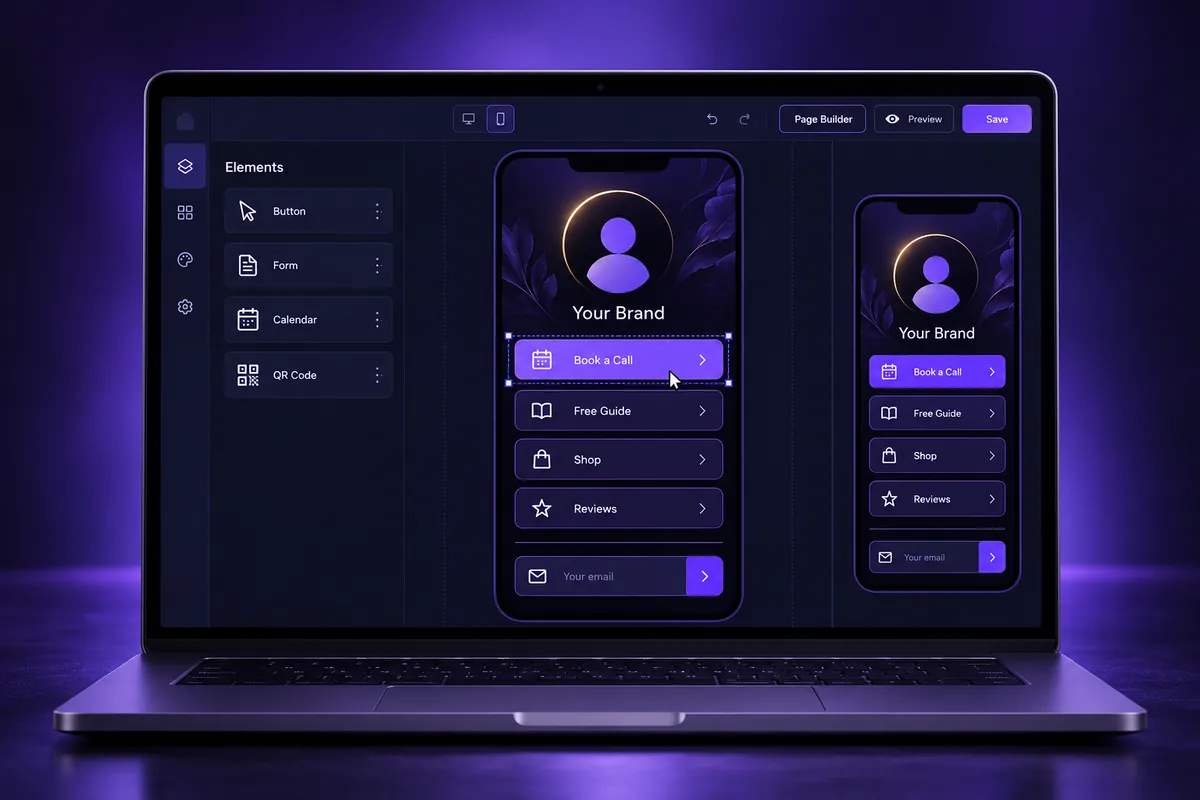
Here is the overall order we use when we build these pages. It describes the structure, not a click-by-click build:
- Pick the goal. Decide the one action that matters most: book a call, claim an offer, download a guide or buy. Everything else is secondary.
- Choose a funnel or website. A one-step funnel is the simplest container. Use a website page if the bio page should share the main site’s header, menu and fonts.
- Start from a mobile layout. Begin with a blank page or one of the GoHighLevel landing page templates, then edit in the mobile view first.
- Add the content blocks. Brand header, three to six buttons, one lead capture element and trust signals such as reviews.
- Connect your domain. Publish on a short, branded path such as yourdomain.com/links or links.yourdomain.com.
- Test on a phone. Open the link from inside Instagram and TikTok, not only in a desktop browser.
If you have never built a page in HighLevel, our guide on how to build a funnel in GoHighLevel explains the builder, steps and publishing basics.
What should go on a link in bio page?
Keep the page short. Visitors scan it in seconds, so every block must earn its place:
- A clear name, a one-line promise and a small brand image. Skip long bios.
- Three to six buttons, ordered by business value, not by how recently you posted.
- One lead capture element: an opt-in form, a short survey or a booking calendar.
- A proof block: review snippets, a rating badge you can verify, or recognizable work.
- Contact options that suit your audience, such as call, text or email.
Design rules that matter on mobile
- Use large tap targets with clear spacing between buttons.
- Compress images and avoid autoplay video; in-app browsers are often on mobile data.
- Keep one font family and one accent color so the main button stands out.
- Remove the site menu on a funnel step so nothing competes with the buttons.
How do you capture leads instead of just clicks?
You capture leads on a GoHighLevel link in bio page by placing a native form, survey or booking calendar on the page itself. Each submission creates or updates a contact in your sub-account, so you can follow up by email or text instead of hoping the visitor returns.
This is the main reason to build the page in HighLevel. A click on a link list is anonymous. A form fill gives you a contact with a source, a timestamp and permission to follow up.
- Forms work for lead magnets, quote requests and waitlists. Ask for the minimum: usually a name and an email, plus a phone number only if you will actually text or call.
- Surveys suit offers that need qualifying, such as a service area or budget question before a call.
- Calendars suit service businesses that sell through a consultation. A booking is the strongest action a social visitor can take. If you sync calendars, our GHL calendar sync guide covers how availability is shared.
- Payment links or order forms fit low-ticket offers where the visitor is ready to buy.
If you collect phone numbers for text follow-up, the form needs clear SMS consent wording, and your number must be registered for A2P 10DLC registration before you message US contacts. Skipping this is a common reason follow-up texts get filtered or blocked by carriers.
What happens after the form is where the value is. A good setup tags the contact with the profile it came from, sends the promised resource, and alerts your team when someone books. Those outcomes come from HighLevel workflows; the exact build depends on your offer and is the part we set up for clients.
How do you add the link to Instagram and TikTok?
Add your GoHighLevel link in bio URL in Instagram under Edit profile, then Links, and in TikTok under Edit profile in the website field. Instagram allows up to five links, while TikTok shows a clickable website link only on eligible accounts, so check your account type first.
- Instagram lets you add up to five links, but the profile shows only the first one. Put your HighLevel page first.
- Links open inside Instagram’s in-app browser. Test that your form, calendar and payment elements work there, not only in Chrome or Safari.
- Use a different tracking parameter for Instagram than for TikTok so you can compare the two (see the tracking section below).
TikTok
- TikTok only shows a clickable website link on eligible accounts. Business accounts and personal accounts that pass TikTok’s follower threshold can usually add one, and availability can vary by region.
- If the website field is missing, check TikTok’s current help pages for your account type rather than relying on old screenshots.
- TikTok also opens links in an in-app browser, so keep the page light and test it on both iPhone and Android.
Other places to reuse the same page
The same page works in a Facebook profile, a YouTube channel, an email signature and on printed material. HighLevel’s built-in QR code generator, found under Sites, can point a QR code at the page, and its QR code guide notes you can change the destination later without reprinting.
How do you track clicks and bookings from your bio link?
Track a GoHighLevel link in bio page with UTM parameters on each profile’s link, HighLevel’s funnel or site stats for page views, and the contact source on every form fill or booking. That combination shows which platform sends leads and booked calls, not only visits.
A common mistake is to use HighLevel trigger links on the bio page. HighLevel documents trigger links for messages such as SMS, email and social DMs, where the contact is already known. A public bio page has anonymous visitors, so use normal links with tracking parameters instead.
| Question you want answered | Where to look |
|---|---|
| How many people opened the page? | The funnel or website stats in HighLevel |
| Which platform sent them? | UTM parameters, for example ?utm_source=instagram and ?utm_source=tiktok |
| Who became a lead? | New contacts created by the page’s form or survey, with their source |
| Who booked? | Calendar appointments booked through the page |
| Which button gets used? | Distinct UTM content values or separate destination pages per button |
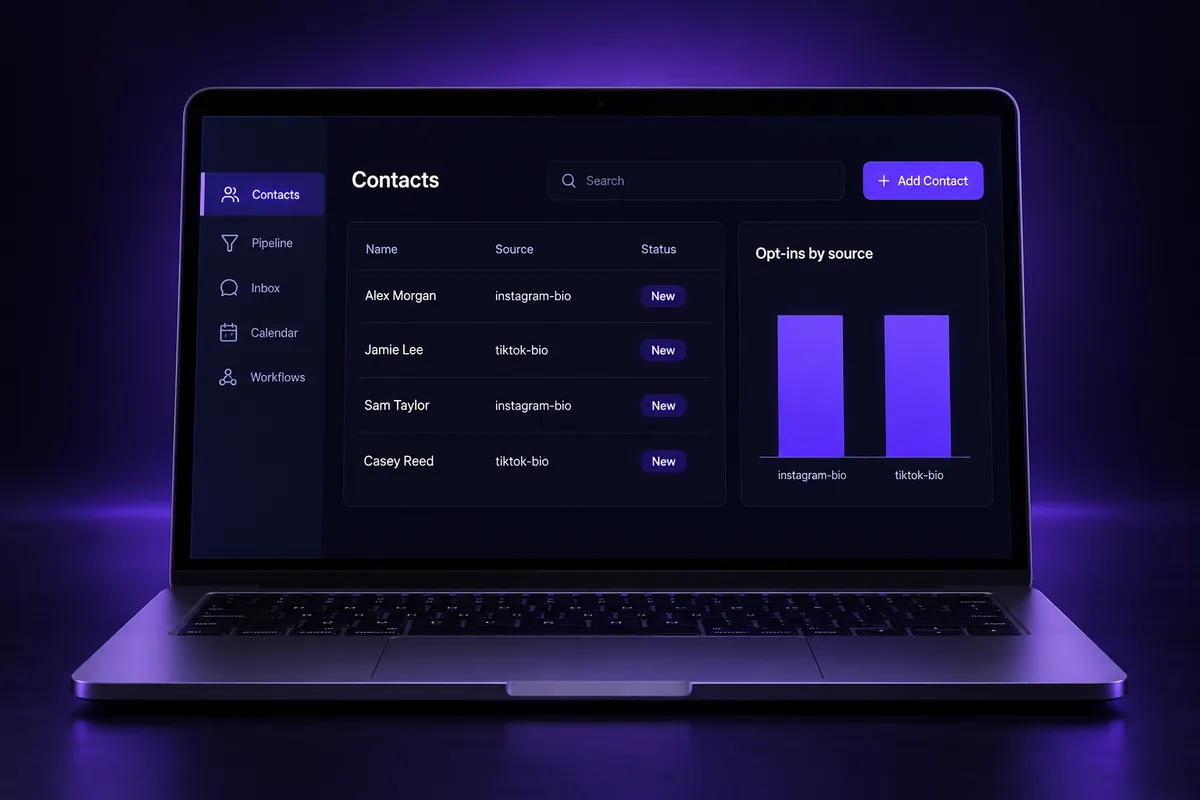
Review the numbers monthly. If a platform sends visits but no leads, the problem is usually the offer or the first button, not the platform. Change one thing at a time, such as the order of buttons or the lead magnet, and compare the next month.
What are the most common link in bio mistakes?
The most common GoHighLevel link in bio mistakes are too many buttons, no lead capture, slow pages full of large images, forms that break in the in-app browser, and no tracking per platform. Each one quietly wastes the traffic your content already earned.
- Too many choices. Ten buttons feel thorough but spread attention thin. Lead with the one action that pays.
- Only outbound links. If every button sends visitors elsewhere, you lose the chance to start a relationship.
- Heavy media. Large uncompressed images slow the first view on mobile data.
- Untested embeds. Calendars and payment elements can behave differently in in-app browsers. Test before you post.
- A generic URL. A long default funnel URL looks untrustworthy in a bio. Use your domain.
- Stale offers. A bio page that still promotes last season’s offer erodes trust. Review it whenever your offers change.
- Missing SMS consent. Collecting phone numbers without clear consent wording creates compliance risk for later texts.
How can agencies reuse link in bio pages across clients?
Agencies can build one GoHighLevel link in bio page as a template, then reuse it across sub-accounts through a funnel share link, a saved section or a snapshot. Each client gets the same proven layout with their own branding, offers, domain and forms.
- Share links let you send a finished funnel to another account. Forms and surveys usually need to be reconnected in the new account.
- Saved sections keep a reusable block, such as a button stack or review row, ready to drop into any page.
- Snapshots bundle the page with the forms, calendars and automations behind it, which suits agencies that offer the same package to many clients.
Bio pages can also be sold as a small add-on, because they show results quickly: clients see new contacts arriving from their own social profiles.
Want a bio page that actually books calls?
If your bio link sends traffic but your calendar stays empty, the page is usually the problem. AutogenCRM’s GoHighLevel funnel design services build mobile-first bio pages and funnels with lead capture, tracking and follow-up connected, so social visitors become booked appointments.
Need more than one page? Our GoHighLevel website design team can build the full site around it, with the same branding from your profile to your checkout.
Frequently Asked Questions
Does GoHighLevel have a link in bio tool?
GoHighLevel does not have a separate link in bio app. You create the page in the funnel or website builder, which is included in HighLevel plans. A dedicated tool has been requested on HighLevel’s ideas board and is listed as under review, so a purpose-built funnel page remains the standard approach for agencies and businesses.
Can I replace Linktree with GoHighLevel?
Yes. A GoHighLevel page can show the same list of buttons as Linktree and also capture leads with forms, surveys and calendars that create CRM contacts. The trade-off is setup time, because you design the page yourself or start from a template. For businesses that sell services, the lead capture usually justifies it.
Why can’t I add a link to my TikTok bio?
TikTok only shows a clickable website link on eligible accounts. Business accounts and personal accounts past TikTok’s follower threshold can usually add one, but availability can vary by region and account type. If the website field is missing from Edit profile, check TikTok’s current help pages for your account before changing anything else.
Should I use a funnel or a website page for my bio link?
Use a one-step funnel when the bio page should stand alone with no menu and one main goal, which suits most businesses. Use a website page when you want it to share the main site’s header, navigation and branding. Both builders support forms, calendars and custom domains, so the choice is mostly about layout.
How do I track link in bio clicks in GoHighLevel?
Add UTM parameters to the link you paste into each profile, such as utm_source=instagram or utm_source=tiktok. Then use HighLevel’s funnel or site stats for page views, and look at the contact source on form fills and bookings. Trigger links are designed for messages to known contacts, so they are not the right tool here.
Can a GoHighLevel link in bio page use my own domain?
Yes. You can connect your own domain or a subdomain to the funnel or website and publish the bio page on a short path such as yourdomain.com/links. A branded URL looks more trustworthy in a social profile than a long default address and keeps the traffic tied to your brand.
Ready to Get Your GoHighLevel System Built?
We'll build your entire GHL setup for $499 and give you a free professional website.
Book a Free Call See Packages & PricingOr call +1 (681) 276-7045 · Mon–Fri, 9 AM–5 PM ET