
GoHighLevel for Real Estate
GoHighLevel for real estate is a lead routing and follow-up system: it pulls leads from portals and ads into one CRM, assigns them to the right agent in seconds, and keeps nurturing buyers and sellers for months. It also handles showing bookings and keeps your past clients hearing from you. Here is the setup we build for agents and brokerages, with pipeline stages, workflows, and pricing.

What lead problems do real estate teams face?
Real estate leads arrive from everywhere: Zillow, Realtor.com, Facebook lead ads, Google, open house sign-ins, and your own website. Each source has its own inbox or app. Leads end up split across email folders, and nobody knows who called whom.
Portal leads can reach out to more than one agent, so a fast and useful reply gives you the best chance at the conversation. After that, most buyers are months away from a purchase, so the real work is staying in touch without becoming noise.
Finally, past clients and your sphere are the cheapest source of referrals. Yet most agents send a closing gift and then go quiet for years.
How should real estate leads be routed in GoHighLevel?
Lead routing is the first thing we build. Every lead source flows into HighLevel, is labeled by where it came from, and reaches the right agent automatically. HighLevel’s Assign to User action can rotate leads between agents in round robin or split them by a custom ratio.
We connect the sources real estate teams rely on:
- Facebook and Instagram lead ads
- Zillow, Realtor.com and other portals
- Your website home valuation form
- Open house sign-ins
- Inbound calls and texts, with missed-call text-back
Portal connections differ by provider and change over time, so we confirm the method for each portal during setup.
What pipeline stages work for buyers and sellers?
We build separate buyer and seller pipelines because the steps differ. Both feed the same contact record, so a buyer who also needs to sell shows up in both.
Buyer pipeline
- New Lead
- Attempting Contact
- Connected
- Pre-Approval Pending
- Actively Showing
- Offer Submitted
- Under Contract
- Closed
- Long-Term Nurture
Seller pipeline
- Valuation Request
- Listing Appointment Booked
- Listing Presentation Done
- Listing Signed
- Active on Market
- Under Contract
- Closed

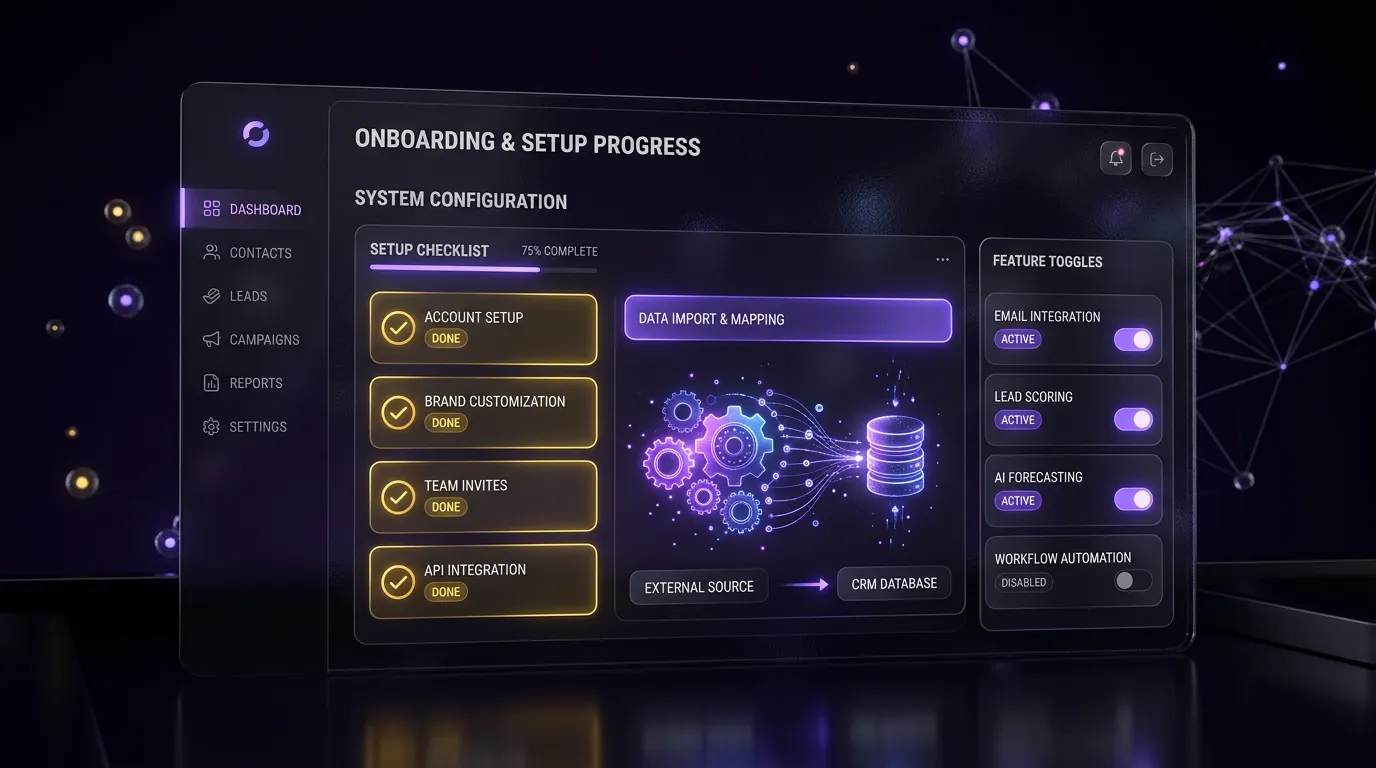
What will your real estate automation handle for you?
Your real estate system runs these jobs quietly in the background. The exact setup is designed around your business during onboarding, and we walk you through it on a free strategy call.
- Speed-to-Lead. Portal, ad and website leads get an immediate response.
- Booked Showings and Calls. Qualified buyers and sellers schedule time with you directly.
- Long-Term Nurture. Leads who are months away stay warm until they are ready.
- Listing Lead Follow-Up. Seller leads and valuation requests are followed up consistently.
- Clients Kept Informed. Buyers and sellers stay updated through the transaction.
- Past Client Relationships. Your sphere stays in touch for referrals and repeat business.
- More Reviews. Closed clients are invited to share their experience.
- Clear Deal Pipeline. Every lead and deal stage is visible in one place.
How do calendars and funnels help agents?
We usually create three calendars: a buyer consultation calendar, a listing appointment calendar, and a showing request calendar. Teams often use a round-robin calendar for buyer consults so new leads book with whichever agent is free.
On the funnel side, the two that do the most work are:
- A home valuation funnel (“What is my home worth?”) for seller leads
- A buyer guide or new-construction funnel for buyer leads, with a short form asking about price range, area, and timeline
If you are still comparing tools, our article on the best CRM for real estate lays out how HighLevel stacks up against agent-focused CRMs.


What does our real estate setup include?
- Buyer and seller pipelines with the stages above
- Done-for-you automations with ready-to-use message copy
- Lead source tags and assignment rules for your team
- Buyer consult, listing, and showing calendars
- Home valuation funnel and buyer lead funnel
- Missed-call text-back on your main number
- Sphere and past-client campaign templates
Solo agents can start from a snapshot and grow it. Teams that already run another CRM usually need a CRM migration so contacts, notes, and pipeline history come across cleanly.
What does it cost to set up GoHighLevel for real estate?
Every package is a starting price. You get a fixed quote after a free call.


Prices are “starting at” figures. We confirm the final quote after a free call, once we know how many agents and lead sources you have.
Where can I see your work?
Browse finished work on our case studies page and in our full project portfolio, which includes industry snapshots you can install in a day or two.
Frequently asked questions
Can GoHighLevel connect to Zillow and other portals?
Many agents bring portal leads into HighLevel by forwarding lead notification emails or using a third-party connector, depending on what the portal offers. The right method varies by portal and changes over time. We check your portal accounts during setup and choose the most reliable option for each one.
How fast can GoHighLevel respond to a new real estate lead?
GoHighLevel can respond to a new real estate lead the moment it arrives, at any hour, by text and email. The assigned agent is alerted right away on their phone.
The automated message buys time, and the agent’s call is what turns the lead into a conversation.
Is GoHighLevel good for a solo agent?
Yes, especially if you run your own ads or want one tool for your website, CRM, texting, and email. A solo agent can start with the Starter plan from HighLevel and our GHL Starter Setup. Larger teams get more value from round-robin routing and the escalation workflow.
Can I keep my existing IDX website?
Yes. We can embed HighLevel forms on your IDX site or send IDX leads into HighLevel by integration or email parsing. Some agents later move their main site to HighLevel, but it is not required to use the CRM and workflows.
How do past-client campaigns work?
When a deal closes, the contact moves into a sphere workflow. It sends a closing anniversary note, occasional market updates, and a referral request. Messages are spread out so clients hear from you a few times a year, and anyone who opts out stops receiving them.
Do I need A2P 10DLC registration to text leads?
Yes, for texting from local US numbers. HighLevel’s help center lists A2P 10DLC registration as a requirement for SMS on local numbers, so plan for it before launch. We help clients prepare and submit the registration as part of the GHL Starter Setup and Growth Build packages.
Ready to stop losing portal leads?
Book a free call and bring a list of your lead sources. We will map how each one should route and recommend a package. Book a call online or phone +1 (681) 276-7045, Monday to Friday, 9 AM to 5 PM ET. Package details are on our pricing page.
Working with loan officers? Our mortgage CRM build covers the lender side of the same deals.