Ready to Try GoHighLevel?
Get the all-in-one platform for CRM, automations, funnels & websites — built for agencies.
Start your free trial and explore every feature.
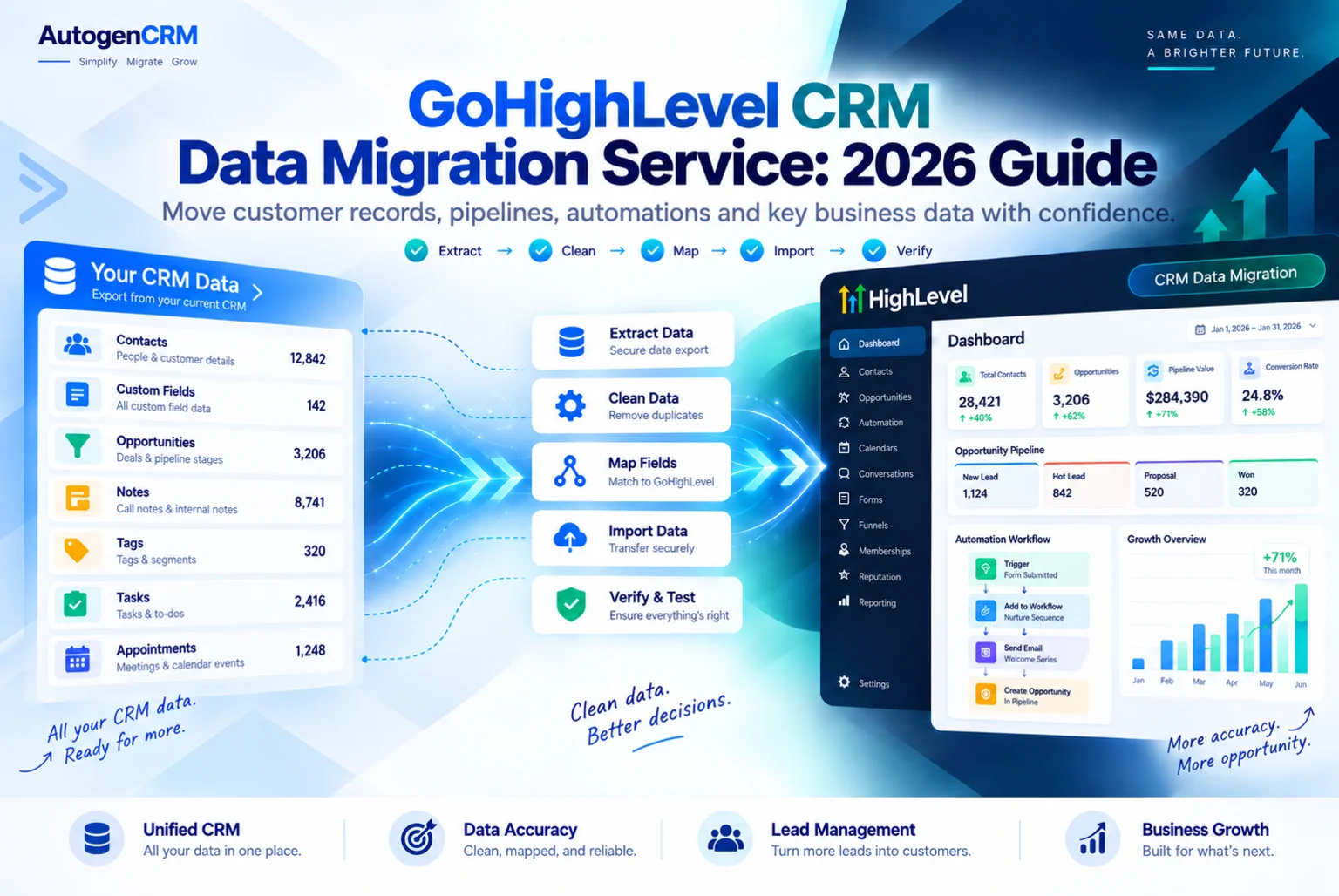
A GoHighLevel CRM data migration service moves the part of your business you cannot rebuild. Funnels and workflows can always be made again. Ten years of customer records cannot.
This guide covers what counts as CRM data, what actually transfers, what quietly does not, and the checks that prove the move worked before you cancel anything.
What Counts As CRM Data?
People think contacts. A GoHighLevel CRM data migration service thinks wider than that.
Contact records. Name, email, phone, address and every custom field attached to them.
Tags. The labels that decide who gets which automation.
Custom fields and custom values. The columns your business actually runs on.
Opportunities. Deals sitting in pipeline stages with values and close dates.
Notes and tasks. The context your sales team wrote by hand.
Conversation history. Past emails, texts and call logs.
Files. Contracts, quotes and documents attached to records.
Each of these moves differently, and some do not move at all.
What Does A GoHighLevel CRM Data Migration Service Actually Move?
Here is the honest split.
Moves cleanly by file: contacts, custom fields, tags, opportunities and anything that fits in a spreadsheet column.
Moves with effort: notes and tasks, usually as a custom field or an imported note per record.
Rarely moves properly: full conversation history. Most platforms do not export it in a usable form, and the ones that do lose the threading. Plan to keep the old platform readable for a while instead.
Does not move: card details, live subscriptions and platform specific analytics history.
Anyone promising a GoHighLevel CRM data migration service that carries everything including message history should be asked to show you exactly how, in writing.
Why Is Field Mapping The Whole Job?
A CSV import is easy. Making the columns land in the right place is the part you are paying a GoHighLevel CRM data migration service for.
Before a single record moves, every field in the old system has to be matched to a field in HighLevel, and any field that does not exist yet has to be created first.
Import before the fields exist and the data lands in the wrong columns, or gets dropped silently.
The mapping document is the real deliverable of a GoHighLevel CRM data migration service. Old field name, new field name, field type, and what happens to values that do not fit.
Watch the field types. A dropdown in the old system with twelve options needs those twelve options created in HighLevel first. A date field that arrives as text stops every date based automation working.
What About Date Formats?
This deserves its own section because it breaks more imports than anything else a GoHighLevel CRM data migration service handles.
HighLevel expects dates in the YYYY MM DD pattern. Exports from other platforms usually come out in the local format instead.
If the column is not converted before import, thousands of records either fail or import with wrong dates. Birthdays trigger on the wrong day. Renewal automations fire in the wrong month. Nobody notices until a customer complains.
Every date column gets reformatted first. Purchase dates, birthdays, renewal dates, last contacted dates, everything.
How Should Duplicates Be Handled?
Most databases that have run for a few years carry duplicates, and a migration is the moment to fix them.
Decide the matching rule before importing. Email is the usual key, but phone matters for businesses where one household shares an email.
Then decide what happens when two records match. Merge them, keeping the most recent activity and combining tags, or keep the oldest and discard the rest.
Get this decided in advance. A GoHighLevel CRM data migration service that imports first and deduplicates later leaves you with automations that have already fired twice to the same person.
Should You Move Every Record?
No, and this is where money is saved.
Contacts that have never opened an email in three years are not assets. They lower your sending reputation and cost you deliverability on the new domain from day one.
A sensible split moves active contacts into the live database, and archives the cold ones into a separate file you keep but do not email. If you want them later, they are there.
Ask any GoHighLevel CRM data migration service whether the quote includes cleaning, or just moving. Moving a dirty list is cheaper and worth less.
What Does A GoHighLevel CRM Data Migration Service Do With Files?
Contracts, quotes, signed forms and photos attached to a contact record are easy to forget and expensive to lose.
Most platforms export files as a separate bundle rather than inside the contact CSV, so they arrive as a folder of documents with no obvious owner. Matching them back to the right record is manual work.
There are two sensible approaches. Attach the important files to the new records one by one, which only makes sense for a few hundred records.
Or keep the file archive in cloud storage, add a link field on each contact, and point to the folder.
Decide which before the project starts, because the second option needs a custom field created during mapping rather than added afterwards.
What About Opportunities And Pipeline History?
Open deals should move. Closed deals usually should not.
Open opportunities carry real money, so they transfer with their value, their stage and their expected close date. Your sales team needs to open HighLevel on day one and see the same board they saw yesterday.
Closed and lost deals from previous years are history rather than pipeline. Importing five years of closed deals clutters the board and skews every report you run afterwards. Archive them in a file instead.
When the deals do move, the pipeline stages in HighLevel must be created first and named the same way, or every deal lands in the first stage and someone has to drag hundreds of cards by hand.
How Do You Prove The Migration Worked?
This is the step that separates a finished job from a hopeful one.
- Run a test import of about twenty records first, not the full file.
- Open those twenty records by hand and check every field landed where it should.
- Import the full file only after the test passes.
- Compare record counts. Old system total against new system total, with the difference explained.
- Spot check twenty random records across different tags and pipeline stages.
- Check the tag counts match, tag by tag.
- Check opportunity values total the same in both systems.
- Trigger one automation against a test record and watch it run.
A GoHighLevel CRM data migration service should hand you that reconciliation, not just tell you the import finished.
What Happens To Consent And Compliance Data?
This gets forgotten by cheap providers and it matters more than most of the fields, so ask your GoHighLevel CRM data migration service about it directly.
If someone unsubscribed in your old system, that has to carry across. Importing an unsubscribed contact as a fresh active contact is how businesses end up emailing people who asked them to stop.
The same applies to SMS consent. Your A2P registration describes how people opted in, and your records need to show who actually did.
Export the unsubscribe and consent status as its own column, import it, and confirm those contacts show as unsubscribed before the first send.
How Long Does A Data Migration Take?
Less time than people expect, if your GoHighLevel CRM data migration service does the preparation properly.
A clean list under ten thousand contacts with simple fields takes a couple of days, most of which is mapping and checking rather than importing.
A large database with many custom fields, opportunities, notes and file attachments takes one to two weeks, and the reconciliation is the slow part rather than the upload.
The variable is never the size of the file. It is how messy the fields are.
If the wider account is moving too, the data work sits inside the bigger project. Our GoHighLevel migration service guide explains how the two run alongside each other.
What Should The Handover Include?
Ask for these before you pay the final invoice.
- The field mapping document.
- The original export files, untouched.
- The cleaned import files actually used.
- A record count reconciliation, old against new.
- A list of anything that could not be moved, and why.
- The archived cold contact file, if one was separated.
- Confirmation that unsubscribes carried across.
Those files are your insurance. If something surfaces three months later, you can trace it instead of guessing.
Final Thoughts On Choosing A GoHighLevel CRM Data Migration Service
Your funnels can be rebuilt in a week. Your customer database cannot be rebuilt at all.
Map the fields before importing anything. Fix the date columns. Decide the duplicate rule in advance. Test twenty records before the full file. Carry the unsubscribes. Reconcile the counts at the end.
A GoHighLevel CRM data migration service that does those six things will hand you a database you can trust. One that just uploads a CSV will hand you a database you have to check for the next year.
If you are still choosing a platform to move from, our guide on HubSpot to GoHighLevel migration shows how much of this is specific to the system you are leaving.
Sources: HighLevel snapshots overview and a HighLevel migration guide.
Ready to Get Your GoHighLevel System Built?
We'll build your entire GHL setup for $499 and give you a free professional website.
Contact Us Now