Ready to Try GoHighLevel?
Get the all-in-one platform for CRM, automations, funnels & websites — built for agencies.
Start your free trial and explore every feature.
The GoHighLevel Dialer is a built-in browser-based softphone for outbound and inbound calling. It runs through LC Phone (GHL’s native telephony system built on Twilio) and includes click-to-call, call transfers, post-call notes, IVR navigation, call recording, and CRM logging. The dialer is included in all plans with no separate subscription. Calls are billed per minute (~$0.014/min outbound, ~$0.0085/min inbound for US/Canada). For high-volume calling, GHL has a built-in Power Dialer that uses workflows to auto-queue contacts for sequential calling. Advanced predictive dialing requires third-party tools like PowerDialer.ai or PhoneBurner. This guide covers setup, features, pricing, the Power Dialer workflow, and the missed call text-back automation that pays for the entire phone system.
You need a calling system inside GoHighLevel and you’re not sure what’s actually included. Or you set it up but the calls aren’t connecting. Or you have a sales team and you want to know if the GHL dialer can replace a dedicated calling tool.
Here’s the direct answer.
Businesses using GHL Services in the USA get access to a built-in Phone Dialer (browser-based softphone), a Power Dialer for sequential calling through lists, and the missed call text-back automation that recovers leads who hang up without leaving a message. All of these are included in every GHL plan. You only pay per-minute usage fees on top.
This guide covers everything: what the dialer actually does, how to set it up, pricing, the difference between basic dialing and power dialing, and when you actually need a third-party tool.
What Is the GoHighLevel Dialer?
The GoHighLevel Dialer is a browser-based softphone integrated directly into the GHL platform. You make and receive calls through your browser using the same login as your CRM.
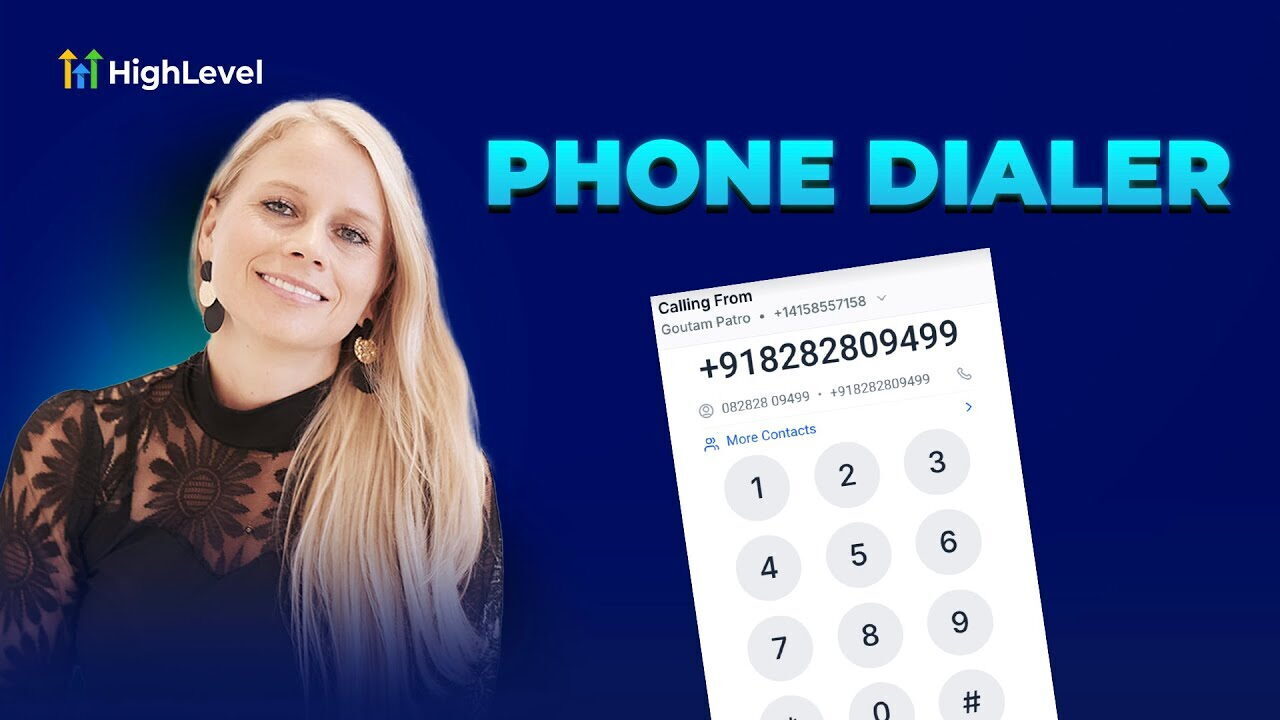
The dialer runs on LC Phone, GHL’s native telephony layer built on Twilio infrastructure. You don’t need a separate Twilio account or any external softphone software. Click the dialer icon in the sidebar, dial a number, and you’re connected.
What’s Included in the Dialer
- Instant dialing with contact search as you type
- Click-to-call from any contact record or Conversations inbox
- Call transfers (warm or blind) with preserved notes and tags
- Post-call notes and tagging automatically logged to the contact record
- IVR navigation during calls (interact with automated menus from the dialer)
- Call recording for inbound and outbound calls
- Caller ID customization per outgoing call
- Call logs linked to contact history in the CRM
- Voicemail drop for outbound calls
- Mobile dialer through the LeadConnector mobile app
The October 2025 update improved incoming call transfers and made contact lookup faster. The dialer is now the recommended calling experience inside GHL.
How to Set Up the GoHighLevel Dialer
Setup takes about 15 minutes once you have a phone number purchased.
Step 1: Purchase a Phone Number
- Go to Sub-Account → Phone Numbers
- Click Add Number
- Select your country and area code
- Choose between local, toll-free, or mobile
- Purchase the number ($1.15/month for local US, varies by type)
Step 2: Verify Business Information
Before sending SMS, GHL requires business verification:
- Phone Numbers → LC Phone → Business Verification
- Enter legal business name, EIN/Tax ID, business address, and website
- Submit and wait for approval
Step 3: Complete A2P 10DLC Registration (Required for SMS)
If you’ll be texting US numbers (most use cases), A2P registration is mandatory:
- Brand Registration (~$4): 3 to 5 days approval
- Campaign Registration ($10 to $19 per type): 3 to 7 days approval
- Both Brand AND Campaign must show “Approved” before SMS sends successfully
The campaign registration step is the one most users skip. Brand alone won’t activate SMS.
Step 4: Enable the Phone Dialer
- Go to Settings → Phone System
- Enable the Phone Dialer
- Grant browser permissions for microphone access when prompted
- The dialer icon appears in your left sidebar
- Click it to open the dialer panel
Step 5: Set Up Call Routing
- Phone Numbers → select your number → Configure
- Choose forwarding rules:
- Ring a single user
- Ring a group of users (round-robin or simultaneous)
- Route through an IVR menu
- Forward to an external number
- Set business hours and after-hours behavior
- Configure voicemail greeting and recording
Step 6: Enable Missed Call Text-Back (Critical)
This single automation has the highest ROI of any feature in the entire phone system.
- Settings → Phone Numbers → Missed Call Text-Back
- Enable the toggle
- Write the auto-reply message (“Hey, sorry I missed your call. What can I help you with?”)
- Set delay (immediate is best for lead response)
- Save
Without this, every missed call is a lost lead. With it, you recover most of them automatically.
GoHighLevel Dialer Pricing
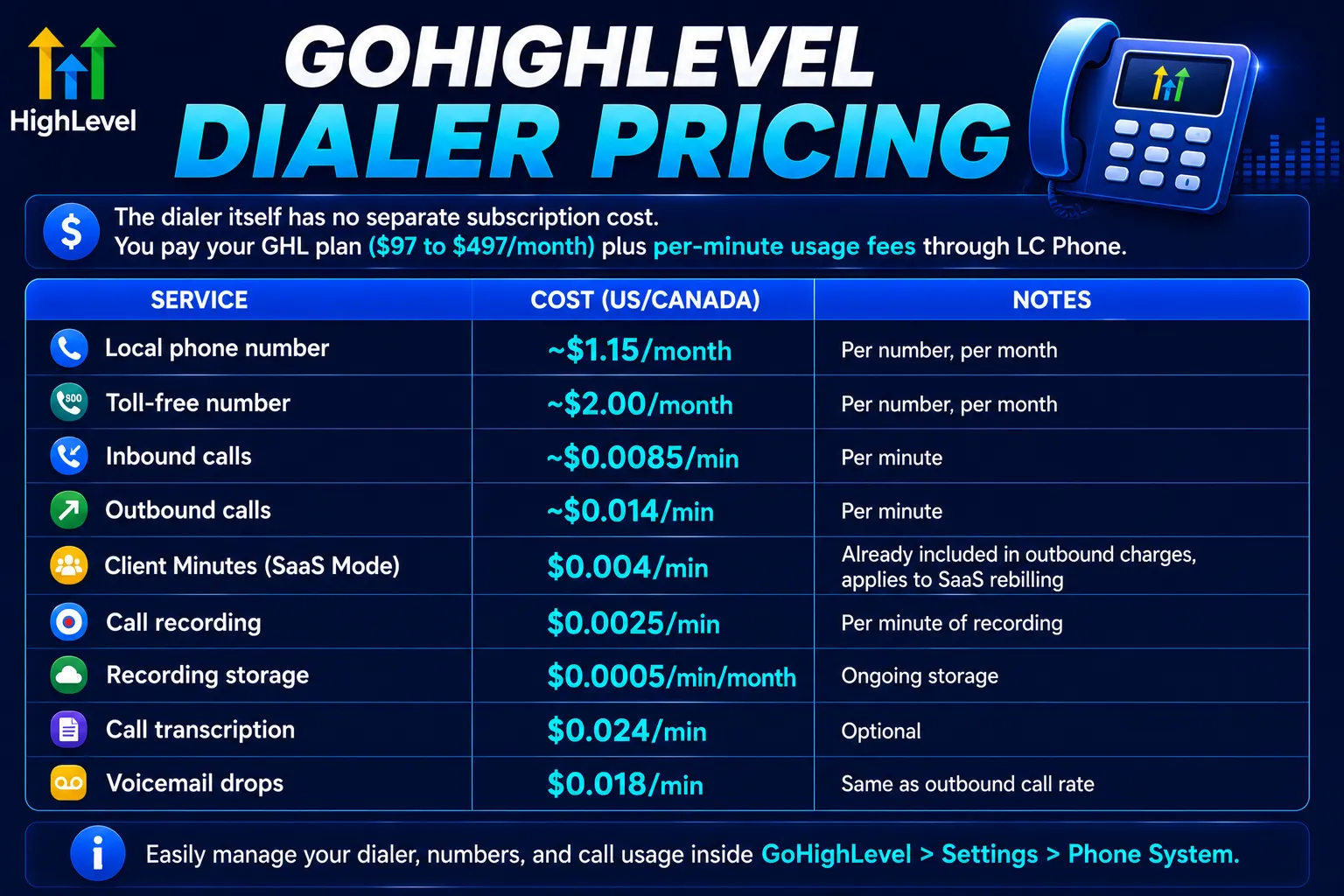
The dialer itself has no separate subscription cost. You pay your GHL plan ($97 to $497/month) plus per-minute usage fees through LC Phone.
| Service | Cost (US/Canada) | Notes |
|---|---|---|
| Local phone number | ~$1.15/month | Per number, per month |
| Toll-free number | ~$2.00/month | Per number, per month |
| Inbound calls | ~$0.0085/min | Per minute |
| Outbound calls | ~$0.014/min | Per minute |
| Client Minutes (SaaS Mode) | $0.004/min | Already included in outbound charges, applies to SaaS rebilling |
| Call recording | $0.0025/min | Per minute of recording |
| Recording storage | $0.0005/min/month | Ongoing storage |
| Call transcription | $0.024/min | Optional |
| Voicemail drops | $0.018/min | Same as outbound call rate |
Rates as of mid-2026. Pricing matches Twilio’s underlying rates and may change based on carrier updates. International rates vary by country.
Real Cost Example
A small sales team making 100 outbound calls per day at 5-minute average length:
- 500 minutes/day × $0.014 = $7/day
- ~$140/month per rep in calling costs
- Plus $1.15/month for the phone number
- Plus call recording at $1.25/day if enabled
For most service business teams, total dialer-related costs run $50 to $200/month per rep depending on call volume.
Power Dialer in GoHighLevel: How It Actually Works
GHL’s Power Dialer is built into the platform. It uses workflows to queue contacts for sequential calling. No third-party tool required for basic power dialing.
How the GHL Power Dialer Works
The Power Dialer has two main components:
- Manual Call Actions in Conversations, your call queue lives here
- Workflows with “Manual Action to Call” steps, automated triggers that add contacts to the queue
When a contact hits a trigger (a new lead, a pipeline stage change, a tag added), the workflow automatically adds them to a sales rep’s call queue. The rep opens the queue, clicks the first contact, and the dialer rings them. After the call, the rep logs the outcome and the system advances to the next contact.
How to Set Up the GHL Power Dialer
- Go to Automations → Workflows → Create New
- Set a trigger (form submission, tag added, pipeline stage change, etc.)
- Add a Manual Action to Call step
- Assign the action to a specific user or team
- Save and activate the workflow
- The assigned rep sees the queue at Conversations → Manual Actions
How to Use the Power Dialer in Daily Work
- Open Conversations → Manual Actions to see the queue
- Or open a Smart List, filter to your target segment, and click Power Dialer in the top-right
- The dialer rings the first contact
- After the call, mark the outcome (No Answer, Busy, Voicemail, Completed)
- The system advances to the next contact automatically
- Track progress with the built-in progress bar
Power Dialer Use Cases
- Working through a list of new inbound leads
- Re-engaging cold contacts in a specific pipeline stage
- Following up on form submissions in real time
- Calling through a list of unanswered quotes
- Storm-damage outreach for roofing or restoration companies
- Cold calling from a purchased lead list (with proper compliance)
What the GHL Power Dialer Doesn’t Do
The built-in Power Dialer is sequential, not predictive. That means it dials one contact at a time after you click. A predictive dialer auto-dials multiple lines simultaneously and connects whichever one answers first to a waiting rep.
For volumes under 150 calls per rep per day, the GHL Power Dialer works. For higher volumes (200+ calls per day per rep), you need a true predictive dialer.
When to Use Third-Party Power Dialers Instead
If your team needs predictive dialing, local presence, or advanced call analytics, integrate a third-party tool with GHL.
Best Third-Party Power Dialers for GHL
PowerDialer.ai. Native GHL integration via API. Predictive dialing (5x more leads), local presence, AI-powered call analytics, and direct sync with GHL workflows. Best for teams making 200+ calls per rep per day.
PhoneBurner. Established power dialer with GHL integration via Zapier. Good for sales teams that want call cadence management and pre-recorded voicemail drops.
CloudTalk. Predictive dialing focused on keeping reps busy. Connects to GHL via Zapier. Strong for teams making high-volume outbound across multiple time zones.
Mojo Dialer. Popular in real estate. Triple-line dialing. Integrates with GHL via Zapier or webhook.
When the GHL Built-In Dialer Is Enough
You don’t need a third-party tool if:
- Your team makes under 150 calls per rep per day
- Most calls are inbound or warm follow-up (not cold prospecting)
- You want CRM-integrated calling without extra software
- You’re a single operator or small team (1 to 3 reps)
- Cost is a priority over advanced features
When You Need a Third-Party Dialer
You need an external tool if:
- Your team makes 200+ calls per rep per day
- You need predictive dialing (multiple lines per rep)
- Local presence is a requirement (showing local area codes to recipients)
- You manage a 10+ rep call center
- You need advanced call analytics and AI-powered coaching
Missed Call Text-Back: The Highest-ROI Phone Feature
If you set up nothing else in the GHL phone system, set up missed call text-back.
Here’s why it matters: a service business misses 30 to 50 percent of inbound calls on average (busy hours, after-hours, simultaneous calls). Without an immediate response, most of those callers contact a competitor instead.
Missed call text-back automatically sends an SMS to anyone who calls your GHL number and doesn’t reach a live person. Within seconds:
“Hey, sorry I missed your call. I’m with another customer right now. What can I help you with?”
Most missed-call leads reply within 5 minutes because the text feels personal and immediate. You recover leads that would otherwise be lost.
Setup Time
Under 5 minutes:
- Settings → Phone Numbers → Missed Call Text-Back
- Enable the toggle
- Write the message (keep it short and helpful)
- Set delay to immediate
- Save
Why It Has the Best ROI
For a service business with average ticket size of $400 to $5,000+, recovering even 1 to 2 missed-call leads per week from text-back pays for the entire GoHighLevel subscription.
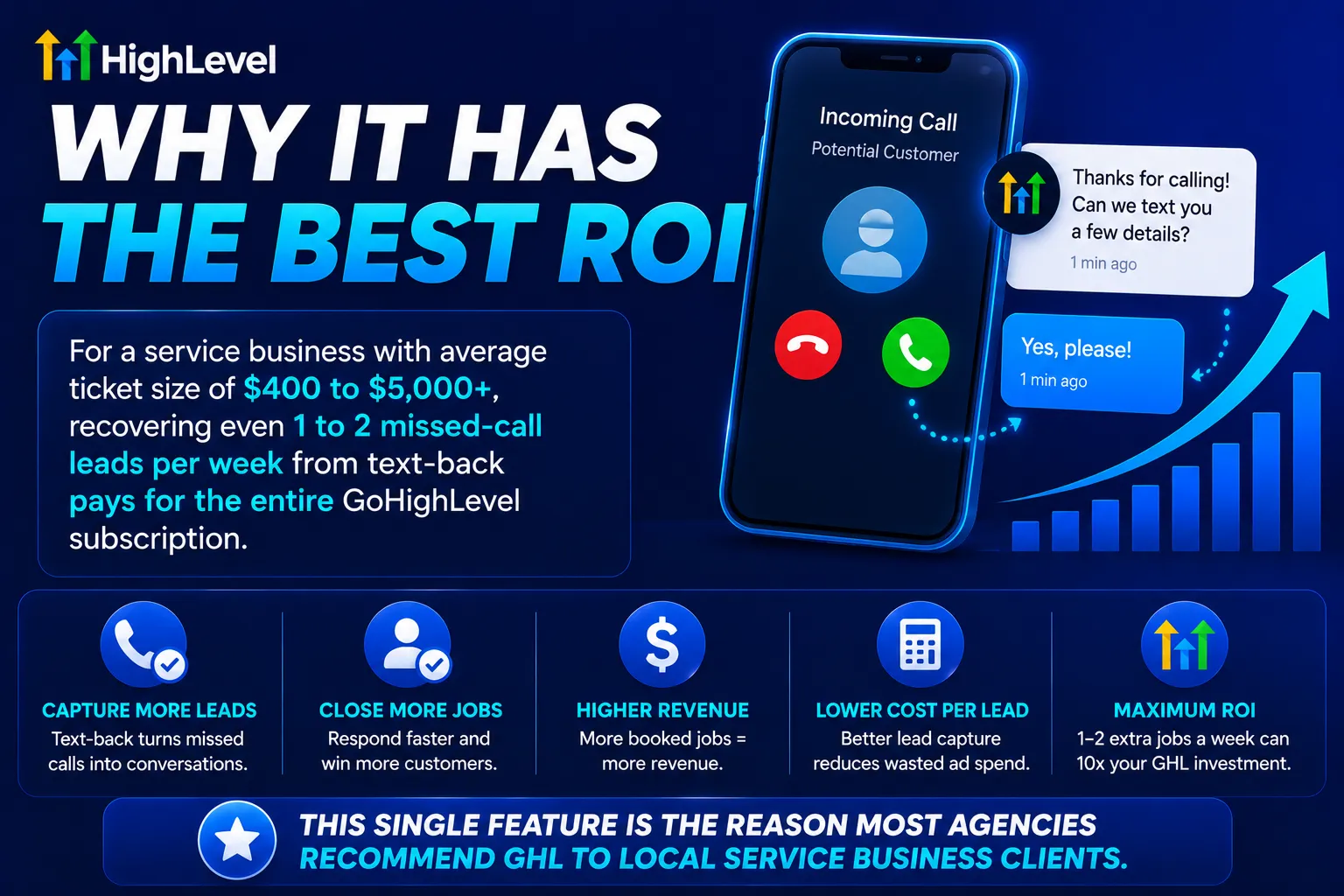
This single feature is the reason most agencies recommend GHL to local service business clients.
Common Dialer Setup Mistakes
1. Not enabling missed call text-back. Default GHL configuration has no missed-call automation. Every missed call is a lost lead until you turn this on.
2. Sales reps using personal phones for client calls. Bypasses call recording, CRM logging, and contact activity tracking. All team calls should originate from the GHL dialer.
3. Skipping A2P 10DLC registration. Outbound SMS gets blocked within days of going live without registration. Register Brand AND Campaign before sending automated texts.
4. Not setting up call routing properly. Calls go to voicemail when they should ring multiple users. Configure ring groups and round-robin in your number settings.
5. Using a default voicemail greeting. Default greetings sound generic and untrustworthy. Record a custom greeting with your business name.
6. Not enabling call recording. Call recordings provide quality control, sales coaching opportunities, and dispute resolution evidence. Enable recording (with proper compliance disclosure in two-party consent states).
7. Forgetting to test the full flow. Make a test call from your personal phone to your GHL number. Verify routing works, missed call text-back fires, and the contact record is created. Then test outbound. Test before going live.
8. Building a power dialer workflow without testing the trigger. Triggers that don’t fire correctly leave reps with empty queues. Test every workflow trigger before deploying to your team.
Compliance: Call Recording and Wiretapping Laws
Call recording laws vary by US state. Two main categories:
One-party consent states (most US states). You can record a call as long as you (one party) consent. No need to inform the other party.
Two-party (or all-party) consent states. You must inform all parties on the call that recording is happening. States include California, Florida, Illinois, Maryland, Massachusetts, Montana, Nevada, New Hampshire, Pennsylvania, and Washington.
If you record calls, configure a recording disclosure message in your IVR or opening greeting. Something like: “This call may be recorded for quality and training purposes.”
For interstate calls (caller in one state, you in another), the stricter state’s law usually applies. When in doubt, always disclose.
This is general information, not legal advice. Consult a business attorney for compliance specific to your jurisdiction.
The Bottom Line on the GoHighLevel Dialer
The GHL Phone Dialer is a solid, included-with-your-subscription calling system that works well for most agencies and service businesses. It handles click-to-call, sequential power dialing, missed call text-back, call recording, and CRM logging out of the box.
For most users, it replaces a $30 to $80/month dedicated softphone (Dialpad, RingCentral) and a $50 to $150/month basic dialer tool with no extra subscription.
For high-volume call centers (200+ calls per rep per day), pair GHL with a third-party predictive dialer like PowerDialer.ai or PhoneBurner. The integration is straightforward through API or Zapier.
The single most important setup step: enable missed call text-back. It pays for the entire phone system on its own.
Article verified and updated for 2026.
Frequently Asked Questions
Does GoHighLevel have a built-in phone dialer?
Yes. GoHighLevel includes a browser-based Phone Dialer through LC Phone, its native telephony system built on Twilio. The dialer supports click-to-call from contact records, call transfers, post-call notes and tagging, IVR navigation, call recording, voicemail drop, and CRM logging. It’s included in all GHL plans with no separate subscription. You only pay per-minute usage fees.
How much does the GoHighLevel Dialer cost?
The dialer itself has no separate subscription cost. You pay your GHL plan ($97 to $497/month) plus per-minute usage fees through LC Phone. US/Canada rates: ~$0.0085/min inbound, ~$0.014/min outbound, ~$1.15/month per local phone number, ~$2.00/month per toll-free number. A typical small sales team spends $50 to $200/month per rep on calling costs depending on volume.
How do I enable the Phone Dialer in GoHighLevel?
Go to Settings → Phone System and enable the Phone Dialer. Grant browser permissions for microphone access when prompted. The dialer icon appears in your sidebar. Before you can make calls, you need to purchase a phone number (Sub-Account → Phone Numbers → Add Number) and complete A2P 10DLC registration if you’ll be sending SMS.
Does GoHighLevel have a power dialer?
Yes. GHL’s Power Dialer is built into the platform using Manual Call Actions in Conversations and Workflows with “Manual Action to Call” steps. It auto-queues contacts for sequential calling based on workflow triggers. The built-in Power Dialer is sequential, not predictive. For volumes under 150 calls per rep per day, it works fine. For higher volumes or predictive dialing, integrate a third-party tool like PowerDialer.ai or PhoneBurner.
What is the difference between basic dialing and power dialing in GHL?
Basic dialing means clicking on a contact and dialing them manually one at a time from the contact record or Conversations inbox. Power dialing automates the queue: workflows add contacts based on triggers, and the dialer advances sequentially after each call. Power dialing is faster for high-volume calling because reps don’t manually pick the next contact.
Does GoHighLevel record phone calls?
Yes. LC Phone supports call recording for both inbound and outbound calls. Recordings are stored in the Conversations inbox linked to the contact record. Recording costs $0.0025 per minute plus $0.0005 per minute per month for storage. In two-party consent states (California, Florida, etc.), you must inform callers they are being recorded, configure a disclosure message in your IVR or opening greeting.
What is missed call text-back in GoHighLevel?
Missed call text-back is an automation that sends an SMS to any caller who calls your GHL number and doesn’t reach a live person. The auto-text says something like “Hey, sorry I missed your call. What can I help you with?” Most missed-call leads reply within 5 minutes because the text feels personal and immediate. This single automation recovers leads that would otherwise contact a competitor. Setup takes under 5 minutes.
Can I use my own Twilio account with GoHighLevel?
Yes, GHL supports both LC Phone (the native option, recommended for most users) and direct Twilio integration. LC Phone is simpler, A2P registration and billing are handled inside GHL. Direct Twilio gives you more advanced control but requires Twilio console access for setup, billing, and A2P registration. Most agencies use LC Phone unless they have specific Twilio features they need.
What third-party power dialers work with GoHighLevel?
The most-used third-party power dialers for GHL are PowerDialer.ai (native API integration with predictive dialing), PhoneBurner (via Zapier, established platform with voicemail drops), CloudTalk (predictive dialing via Zapier), and Mojo Dialer (popular in real estate, integrates via Zapier). These are best for sales teams making 200+ calls per rep per day where the built-in GHL Power Dialer isn’t fast enough.
Can the GoHighLevel Dialer replace a dedicated VoIP phone system like RingCentral?
For most small businesses and agencies, yes. The GHL Dialer replaces basic VoIP services like Dialpad, RingCentral starter plans, and Grasshopper for click-to-call, voicemail, recording, and routing. Where it falls short: enterprise call center features (advanced ACD, complex IVR trees, call queue priority management), high-end analytics, and team-of-50+ scenarios. For most service businesses with 1 to 10 callers, GHL’s built-in dialer is enough.
Ready to Get Your GoHighLevel System Built?
We'll build your entire GHL setup for $499 and give you a free professional website.
Contact Us Now